When you want to drop an API response into a README, an issue, or an internal wiki, the raw JSON is hard to scan and a Markdown table is what you actually want. This guide walks through getting that table from a curl response — including the cases that usually trip people up: pagination, nested objects, and responses that are not arrays in the first place.
The shortest path is "curl the endpoint → slice the array with jq → pipe through CSV → run it through CSV to Markdown". Responses that are not arrays get sliced down to the array you want, or wrapped in [ ... ] before conversion. Everything runs in the browser, so even responses carrying auth headers or PII never leave your machine.
The short answer: slice the array, then convert
Whether a JSON API response becomes a Markdown table comes down to one question: can you slice it into an array of objects that share the same shape? Most real APIs return something like this, which is not a table on its own.
{
  "data": [
    { "id": "usr_001", "email": "mika@example.com", "active": true },
    { "id": "usr_002", "email": "noah@example.com", "active": false }
  ],
  "pagination": { "page": 1, "total": 2 }
}
The part you want as a table is data. Descend into that array first, then hand it off to CSV, and you get a Markdown table with clean headers and rows.
The workflow: curl + jq + FormatArc
Here is the whole pipeline as one sequence of commands. It is built so you can eyeball the output between steps instead of trusting one black-box tool.
# 1. Hit the API and save the JSON
curl -s -H "Authorization: Bearer $TOKEN" \
  https://api.example.com/v1/users > users.json

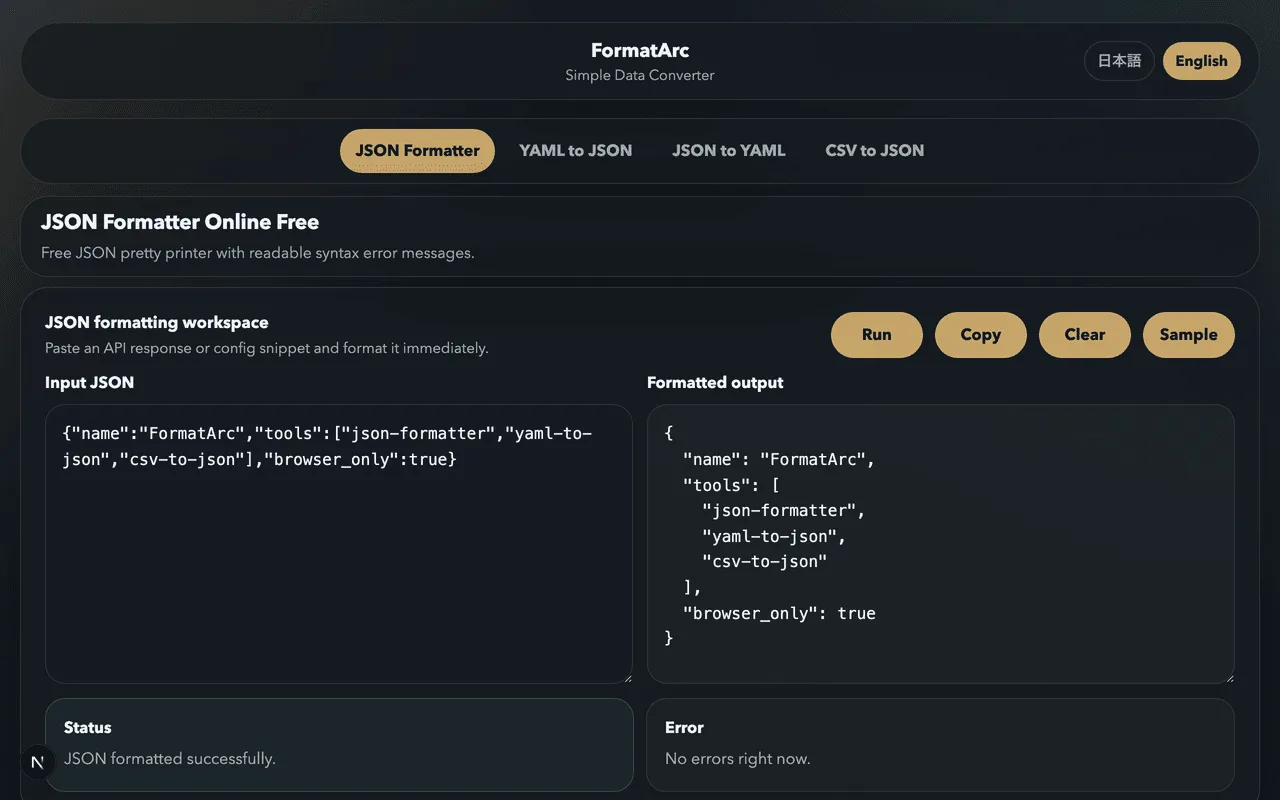
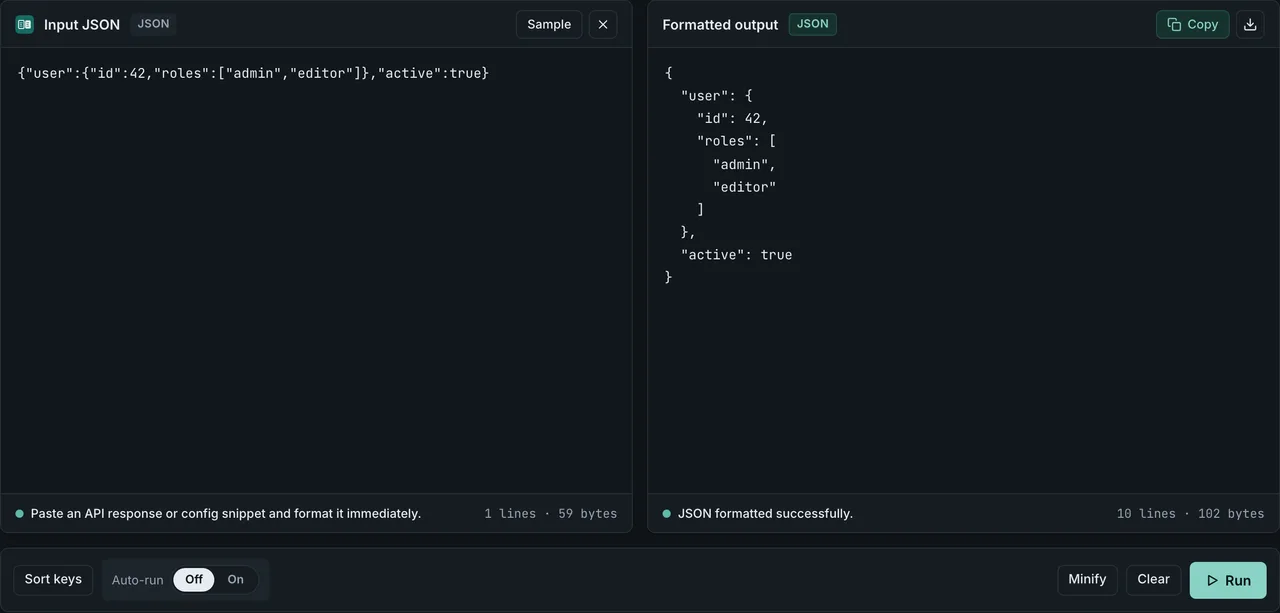
# 2. Paste it into JSON Formatter to confirm the structure
#    https://formatarc.com/en/json-formatter/

# 3. Slice the data array and build a CSV
jq -r '.data | (map(keys) | add | unique) as $cols
       | $cols, (.[] | [.[$cols[]]]) | @csv' users.json

# 4. Drop the CSV into CSV to Markdown to get the table
#    https://formatarc.com/en/csv-to-markdown/
If you need help shaping curl itself or making the raw response readable, Curl pretty print JSON covers four ways to format it. If you would rather skip jq, you can start by pasting the response into JSON Formatter and shaping it from there.
Step 1: fetch the response and format it
For a GET endpoint you can hit in a browser, copy the response into JSON Formatter directly. For curl, -s quiets the progress meter and -H carries the auth header you need.
Saving the response to a file is the trick that makes everything else easy — you can rerun jq as many times as you need.
curl -s -H "Authorization: Bearer $TOKEN" \
  https://api.example.com/v1/users > users.json
cat users.json | python3 -m json.tool | head
python3 -m json.tool is the minimum-dependency formatter for environments without jq. For the full set of one-liners, see the curl JSON formatting guide.
Step 2: slice the array and build the CSV
Look at the formatted JSON and find "which key holds the array of same-shaped objects". The common shapes look like this.
| API response shape | Array you want | jq slice |
|---|---|---|
[ {...}, {...} ] (top-level array) | top | . |
{ "data": [ ... ] } | data | .data |
{ "items": [ ... ], "next": "..." } | items | .items |
{ "results": { "users": [ ... ] } } | results.users | .results.users |
Pick the right slice, then build a CSV from it.
jq -r '.data | (map(keys) | add | unique) as $cols
       | $cols, (.[] | [.[$cols[]]]) | @csv' users.json
This jq expression collects every key that appears across the array, uses them as the header row, and writes each object's values in the same order. Objects that are missing a key get an empty cell instead of a runtime error. @csv also handles values containing commas or newlines — it wraps them in "..." so the CSV pastes cleanly into CSV to Markdown without breaking columns.
Step 3: convert the CSV to a Markdown table
Paste the CSV into CSV to Markdown and run the conversion.
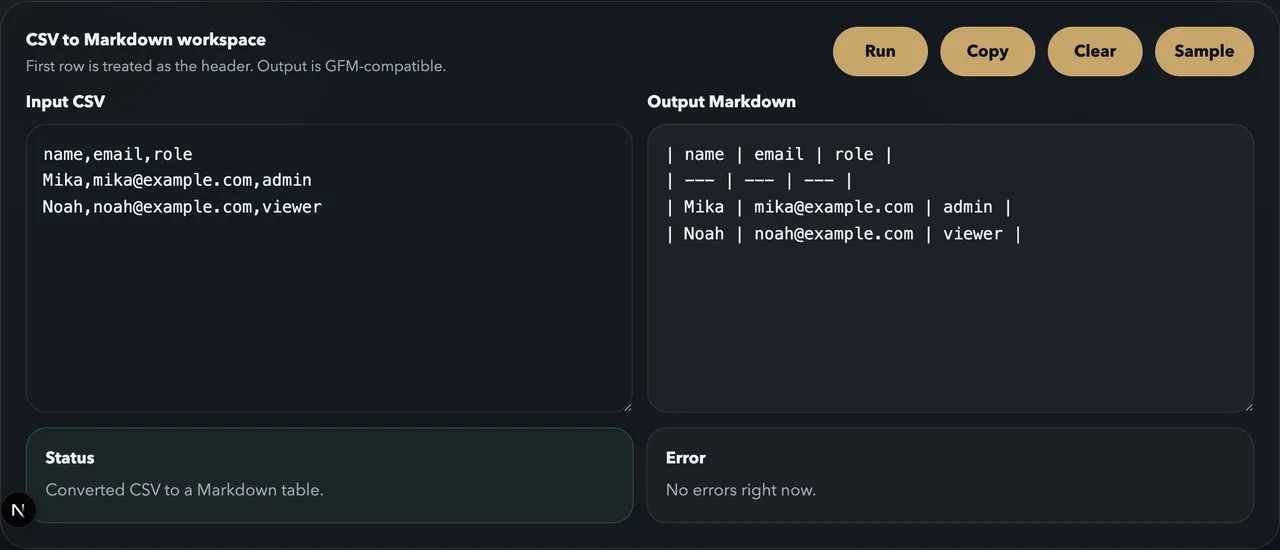
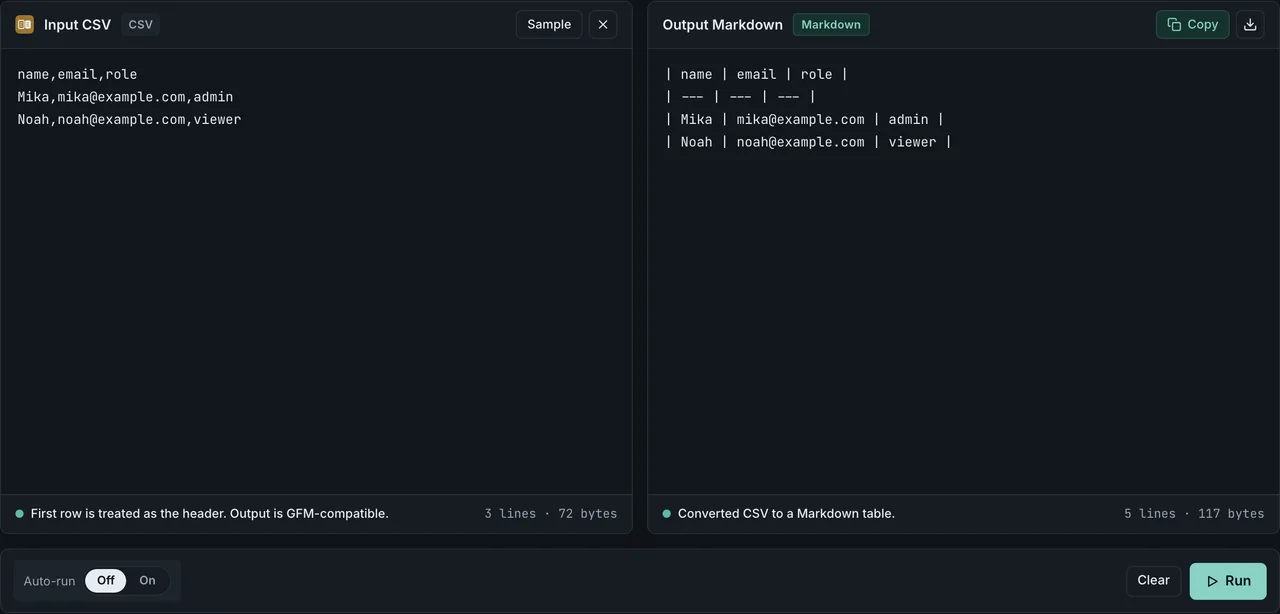
The output is GFM (GitHub Flavored Markdown) compatible, so it drops straight into README files, GitHub issues, Notion docs, or Slack Markdown input. If you need to tweak the table by hand afterwards, Markdown table syntax covers the spec-level rules.
API response shapes ranked by conversion difficulty
Different APIs return different shapes, and the difficulty of turning them into a Markdown table tracks the shape. Here is a difficulty matrix you can match your endpoint against.
| API style | Response structure | Difficulty | What to do |
|---|---|---|---|
| Simple list endpoint | [ { ... } ] flat array | Low | Pass . straight through |
| Wrapped collection | { "data": [ { ... } ] } | Low | Slice with .data |
| Paginated cursor / page | { "items": [ ... ], "next_cursor": "..." } | Medium | Join pages with jq before slicing |
| Nested fields per row | { "user": { "name": ... }, "stats": { ... } } | Medium | Flatten with dotted keys |
| GraphQL response | { "data": { "users": { "edges": [ { "node": { ... } } ] } } } | High | Extract nodes via .data.users.edges[].node |
| Heterogeneous array | [ { type: "A", ... }, { type: "B", ... } ] | High | Split per type before building tables |
The decision is the same in every case: confirm you can slice down to an array of same-shaped objects. If you cannot, take another look in JSON Formatter and find the key path that gets you there.
Joining paginated responses into one table
Cursor-paged or page-numbered APIs return the same array shape on every page. jq's --slurp (-s) flag combines several JSON files into one array, so the rest of the pipeline still works.
for page in 1 2 3; do
  curl -s "https://api.example.com/v1/users?page=$page" > "page-$page.json"
done

jq -s '[.[] | .data[]]
       | (map(keys) | add | unique) as $cols
       | $cols, (.[] | [.[$cols[]]]) | @csv' page-*.json
-s wraps the JSON of each file into one outer array, and .[] | .data[] walks through each response's data and concatenates the elements. After that, the same jq pipeline builds a single CSV that you drop into CSV to Markdown.
Flatten nested objects before converting
If your response has a user record with a nested address, leaving it as-is dumps {...} into the cell, which is unreadable. Flatten it with dotted keys instead.
[
  {
    "id": "usr_001",
    "name": "Mika",
    "address": { "city": "Tokyo", "zip": "100-0001" }
  }
]
jq -r '.[] | {id, name, "address.city": .address.city, "address.zip": .address.zip}
       | [.id, .name, ."address.city", ."address.zip"]
       | @csv' users.json
The CSV now has four columns: id, name, address.city, address.zip. Paste it into CSV to Markdown and the nested fields land in their own columns. For nested arrays (tags: ["a", "b"]), collapsing them with join("|") keeps each row on one line.
When you want to keep it in the browser
API responses usually carry auth headers, customer data, or internal IDs, so pasting them into a third-party converter is a hard sell. FormatArc runs the conversion in the browser and never sends the input to a server. The mechanics, plus a comparison with hosted converters, are in Are online converters safe for sensitive JSON.
A purely browser workflow looks like this:
- Instead of curl, grab the response from DevTools (Network tab) and copy it
- Paste it into JSON Formatter and check the structure
- Strip the keys you do not need and reshape the array as CSV
- Drop the CSV into CSV to Markdown for the table
For small arrays, the CSV shaping is fine to do by hand even without jq.
Common gotchas
Here are the situations that tend to derail the workflow.
- The response is a single object, not an array: wrap it as
[ ... ], or pivot to a two-column key/value table. How to convert JSON to a Markdown table covers both - Some objects are missing keys: the
add | uniquejq pattern catches every key that exists in any object, and the missing ones land as empty cells - Values contain newlines or pipes (
|):@csvquotes them on the CSV side, but in the final Markdown table pipes still need to become\|. How to fix a broken Markdown table walks through the escapes - Large integer IDs lose precision: APIs that return IDs as numbers get clipped in JavaScript. Convert them with jq's
tostringso the CSV holds them as strings - Garbled characters: try
curl --compressed, or run the body throughiconv -f UTF-8before pasting into JSON Formatter
Related conversion guides
- Curl pretty print JSON — four ways (jq, Python, FormatArc, browser) to format curl output
- How to convert JSON to a Markdown table — general-purpose JSON-to-table conversion that is not API-specific
- How to convert CSV to a Markdown table — why CSV is a useful intermediate format
- JSON formatting tips — sorting keys and tidying arrays to make the structure readable