Start here — the diagnostic order
When a Markdown table breaks, no parser tells you why. If the table is not recognized, it silently renders as a plain paragraph. If a cell boundary is misread, you silently get shifted columns. With no error message to work from, the only way out is to rule out causes in order.
There are five things to check. They are ordered by how reliably they break tables and how cheap they are to verify:
- Does the separator row have the same number of columns as the header row? (A mismatch is the only syntax condition that makes a table unrecognizable at the spec level)
- Is there a raw pipe
|inside any cell — including inside code spans? (This one alone is covered under symptom 2.) - Is there a blank line before the table?
- Does your renderer support GFM tables at all?
- Is it an environment problem rather than syntax (Jupyter cell type, the platform's CSS)?
The fastest way to split the problem in half is to paste a minimal table:
| A | B |
| --- | --- |
| 1 | 2 |
If these three lines do not render as a table, the problem is your renderer or environment, not your table (skip to the second half of symptom 1). If they do render, the problem is in how your table is written — work through symptom 1 onward.
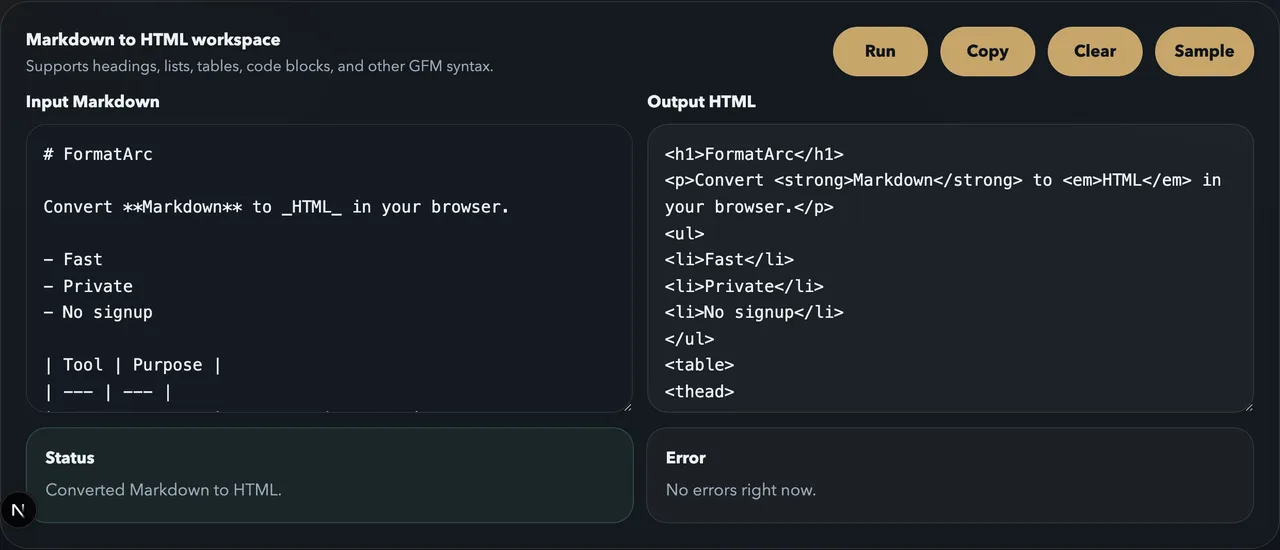
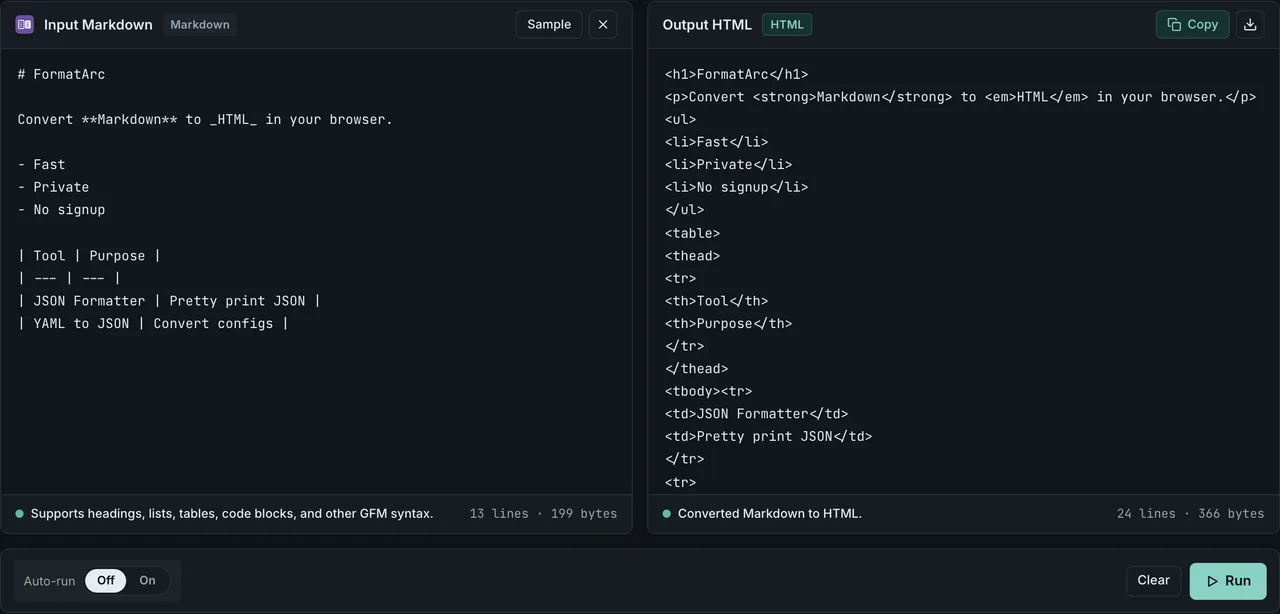
To see how a GFM parser actually reads your table, paste it into Markdown to HTML. It shows the HTML produced by a marked-based GFM parser, entirely in your browser — if you see a <table> tag in the output, parsing succeeded. Nothing you paste is uploaded. Keep in mind this verifies GFM-family parsing; it does not perfectly reproduce Notion, your company wiki, or whatever platform you are publishing to.
This article is troubleshooting only. If you want to learn the syntax from scratch, see Markdown table syntax.
Symptom 1: the table renders as plain text
Your pipe-separated lines show up as one ordinary paragraph. That means the parser never recognized them as a table.
Separator row and header row have different column counts
This is the one syntax condition that reliably kills table recognition. The GFM spec is explicit: if the separator row's column count does not match the header row, the block is not treated as a table. There is no error — it just falls back to a paragraph.
Here is a broken example. The header has three columns, but the separator row only has two:
| Name | Email | Role |
| --- | --- |
| Mika | mika@example.com | admin |
Match the separator row to the header and it renders:
| Name | Email | Role |
| --- | --- | --- |
| Mika | mika@example.com | admin |
You only need to count two lines: the header row and the separator row. Data rows with too many or too few cells do not break recognition (covered under symptom 2).
No blank line before the table
Some parsers refuse to recognize a table that starts immediately after a paragraph with no blank line in between. In my tests (2026-07-15, reproduction script at scripts/benchmarks/markdown-table-parsers/), GitHub's production renderer (via the Markdown API), marked 18.0.5, and remark-gfm 4.0.1 all recognized the table without a blank line — but other implementations and platforms do not. Adding one blank line is the cheapest fix you can try, so check it right after the column counts.
A table inside a list item
Placing a table inside a bullet or a blockquote follows a different set of rules than a standalone table. A bullet marker - is two characters (hyphen plus space); an ordered-list marker 1. is three (digit, period, space). To keep the table as content of the <li>, you need at least that many spaces of indentation. Here is what I measured today with the same remark 4.0.1 stack plus remark-gfm 4.0.1 this site's CSV-to-Markdown pipeline uses (scripts/benchmarks/markdown-table-in-containers/):
| How it's written | Renders as a table | Lands inside <li> |
|---|---|---|
Right after - item, indent 0, no blank line | No | — |
After - item, indent 0, blank line | Yes | No — becomes a sibling block outside <ul> |
After - item, indent 1, blank line | Yes | No |
After - item, indent 2, no blank line | Yes | Yes |
After - item, indent 2, blank line | Yes | Yes |
After 1. item, indent 2, blank line | Yes | No |
After 1. item, indent 3, blank line | Yes | Yes |
With no blank line and indentation short of the marker width, the pipe lines are swallowed as a continuation of the previous paragraph, so nothing becomes a table (row 1). Add a blank line and the table does render, but if the indentation is still short, the list ends right there and the table renders as a sibling block outside the list (rows 2, 3, 6). An ordered-list marker needs one more space than a bullet marker, so the same indent that lands inside <li> for a bullet list pushes the table outside for an ordered list (compare rows 6 and 7). To keep a table inside <li> reliably, match the indentation to the marker width.
A table inside a blockquote
For a blockquote, what matters is which lines carry the > prefix. Same measurement run (scripts/benchmarks/markdown-table-in-containers/):
| How it's written | Renders as a table | Data row |
|---|---|---|
> on the first line only | No — the three lines collapse into one paragraph | — |
> on the header and separator rows only | Yes | Gone — only a <thead> is produced; the data row survives as a plain paragraph outside the blockquote |
> on every line | Yes | Kept |
The second row is the one worth flagging. Prefixing only the header and separator rows with > is enough for the GFM tables extension to recognize a table, so a <table> gets generated — but the data row, which has no >, does not belong to the blockquote and falls out as ordinary paragraph text. Nothing errors or warns; the table is visibly there while its contents are quietly gone. When you write a table inside a blockquote, check that every row, including the data rows, carries the > prefix.
"You need at least three dashes" is mostly a myth
Top-ranking articles often state that each column in the separator row requires three or more dashes. The GFM spec sets no minimum. I verified that a single dash per column (| - | - |) renders as a table on GitHub's production renderer, marked 18.0.5, and remark-gfm 4.0.1 (measured 2026-07-15, scripts/benchmarks/markdown-table-parsers/).
The confusing part is a three-way disagreement: GitHub's own documentation says three or more, the spec sets no rule, and the implementation accepts one. Treat three dashes as a readability convention. Fiddling with dash counts to fix a broken table is wasted time — check column counts and blank lines first. The full test matrix across four parsers is in Markdown table syntax.
The one real exception is combining omitted outer pipes with a single dash, covered under symptom 4.
Your renderer does not support GFM tables
Tables are not core Markdown. Plain CommonMarkOpens in a new tab defines no table syntax at all — tables are a GFM extension. A strict CommonMark renderer with no extensions will never render your table, no matter how correct it is. Background in CommonMark vs GFM.
Some blogging and CMS platforms support only a limited subset of Markdown and do not render tables at all. Check your platform's help for whether tables are on its list of supported syntax. When the markup is correct but the editor or environment refuses to render it, that is symptom 5.
An AI-generated table pasted inside a code fence
Copying a table out of ChatGPT or Gemini can paste the whole table wrapped in a code fence (three backticks on their own line), so it shows as a code block instead of a table (reported on the OpenAI Developer CommunityOpens in a new tab). Delete the opening and closing backtick lines and it parses as a normal GFM table.
Symptom 2: columns shift or cells split unexpectedly
The table renders, but columns land in the wrong place, or one cell turns into two.
A raw pipe inside a cell
The pipe | is the column separator, so writing one as cell content splits the column right there. The next table was meant to show "cmd1 | cmd2" as a command example in the first column — instead, "cmd1" and "cmd2" land in separate cells, and "pipe chaining", which exceeds the header's two columns, is silently dropped:
| Command | Meaning |
| --- | --- |
| cmd1 | cmd2 | pipe chaining |
Replace the pipe with \| (backslash escape) or | (HTML numeric entity) and it stays in one cell:
| Command | Meaning |
| --- | --- |
| cmd1 \| cmd2 | pipe chaining |
Code spans do not protect pipes either
Counterintuitively, wrapping the pipe in backticks does not help. Cell splitting happens before inline elements are parsed:
| Command | Meaning |
| --- | --- |
| `a | b` | meant to be a code span |
This row splits into the two cells `a and b`, and the backticks never pair up, so they show as literal characters. The GFM tables extension specOpens in a new tab requires a pipe to be escaped to appear in cell content, including inside other inline spans.
The fix is to use the backslash escape inside the code span:
- Write
`a \| b`— the\|works inside code spans too. Verified to render as the codea | bon GitHub, marked, and remark-gfm |does not work inside code spans. Character references are not expanded there, so the six characters|show up literally- In short: in regular cell text both
\|and|work; inside code spans only\|works
Data rows with too many or too few cells show up as shift
A data row whose cell count differs from the header does not break the table — it shows up as visual drift. In my tests, rows with missing cells are padded with empty ones, and extra cells are silently dropped. If the last column's value seems to vanish, look for a stray pipe (an extra column) earlier in that row.
Hand-escaping pipes and policing column counts across a large table gets old fast. If the data lives in CSV or a spreadsheet, paste it into CSV to Markdown and get a table with consistent columns and escaped pipes handled for you.
If the column drift comes from merged cells (rowspan / colspan) in a source HTML table, see HTML Table to Markdown for how the conversion handles them.
Symptom 3: a line break inside a cell wrecks the table
Markdown table syntax has no in-cell line break. Pressing Enter inside a cell starts a new table row — or ends the table entirely.
The workaround is a raw HTML <br> tag inside the cell:
| Item | Notes |
| --- | --- |
| Setting A | first line<br>second line |
Note that <br> is not Markdown syntax — it is a raw-HTML escape hatch. Renderers that disable or sanitize HTML will ignore it. In those environments, the realistic options are splitting the sentence or splitting the row. The full escape and line-break reference is in the GFM table cheatsheet.
Symptom 4: renders on GitHub, breaks somewhere else
The same Markdown can parse differently in different parsers. The clearest divergence I measured is the combination of omitted outer pipes and a single dash:
A | B
- | -
1 | 2
The separator line starts with - (hyphen plus space), so parsers disagree on whether it is a list marker. GitHub and remark-gfm read it as a list and render no table; marked renders a table (measured 2026-07-15, scripts/benchmarks/markdown-table-parsers/). If you omit outer pipes, use at least two dashes — or keep the outer pipes and the problem never comes up.
"It works in my preview but breaks where I publish" almost always traces back to a parser difference like this one, or to the GFM support gap from symptom 1. To pin down what your target platform accepts, combine the minimal-table test with the HTML output check in Markdown to HTML. For platform-by-platform differences — Notion ignoring alignment colons and <br>, for example — see the platform table in Markdown table syntax.
Symptom 5: the markup is correct, but it fails only in one editor or environment
If every syntax check passes and the table still breaks, suspect the environment rendering it rather than the table itself. Where symptom 4 was a difference between parsers, this is a case where perfectly valid markup fails because of the environment.
- The VS Code Jupyter extension has reports of a correct table in a Markdown cell rendering as empty (microsoft/vscode-jupyter #16043Opens in a new tab, now closed). Separately, a cell left as a Code cell will not render Markdown at all, so confirm it is switched to a Markdown cell — a different cause from #16043
- Obsidian, in some versions, will not render a table with no blank line directly above it (reported on the Obsidian forumOpens in a new tab) — the environment-specific case of the blank-line rule from symptom 1
- A formatter like prettier can rewrite the table's layout on every save and break it (an example on the Atlassian CommunityOpens in a new tab). Temporarily disable the formatter to see whether the problem goes away
Once the markup has passed every check above, the cause is the environment, not the table. Try updating the editor, toggling the extension or auto-formatter, or opening the same file in a different preview to see whether it renders.
When rebuilding beats repairing
Counting pipes in a broken 30-row table is rarely worth it. If the underlying data exists as CSV, Excel, or a spreadsheet, regenerating the table takes three steps:
- Copy the data as CSV (a range copied from Excel or Google Sheets works too)
- Paste it into CSV to Markdown
- Copy the generated Markdown table over the broken one
Column consistency, pipe escaping, and the separator row are all handled by the tool. The conversion runs entirely in your browser and the data is never sent anywhere, which matters when the table contains internal data. For the full walkthrough, see How to convert CSV to a Markdown table; to turn the fixed table into HTML, see the Markdown to HTML guide.
Wrap-up — remember the order
When a table renders as plain text: check the header-vs-separator column counts, then the blank line before the table, then whether the renderer supports GFM at all. When columns shift: look for raw pipes in cells (escape with \|, even inside code spans) and data rows with stray columns. Dash count is not the culprit, except in the omitted-outer-pipes edge case.
For diagnosis, checking the HTML output in Markdown to HTML is the shortcut; for repair, regenerating with CSV to Markdown is the sure path. Both run entirely in your browser.
Related articles
- Markdown table syntax — syntax fundamentals and the four-parser test matrix
- GFM table cheatsheet — alignment, escaping, and line-break reference
- CommonMark vs GFM — why tables are an extension in the first place
- How to convert CSV to a Markdown table — the regeneration route in detail
- Markdown to HTML guide — how the conversion behind the render check works