TL;DR — GFM table cheatsheet
A GFM table is a pipe-separated table defined by the GitHub Flavored Markdown spec — a CommonMark extension that strict CommonMark does not include.
- A table is a header row, a separator row (
---, conventionally three hyphens per column), and data rows, all split by pipes|. A blank line is required before and after the table. - Alignment is set by colons in the separator row:
:---left,:---:center,---:right. - A literal pipe inside a cell is
\|(backslash escape);|(HTML entity) is the fallback when a renderer mishandles the backslash form. - A visible line break inside a cell is a raw
<br>tag. It works on GitHub and GitLab; Obsidian, Notion, and others vary by edit mode or import path. - Cell merging, multiple paragraphs, code blocks, and other block elements are not possible in GFM tables. Use an HTML
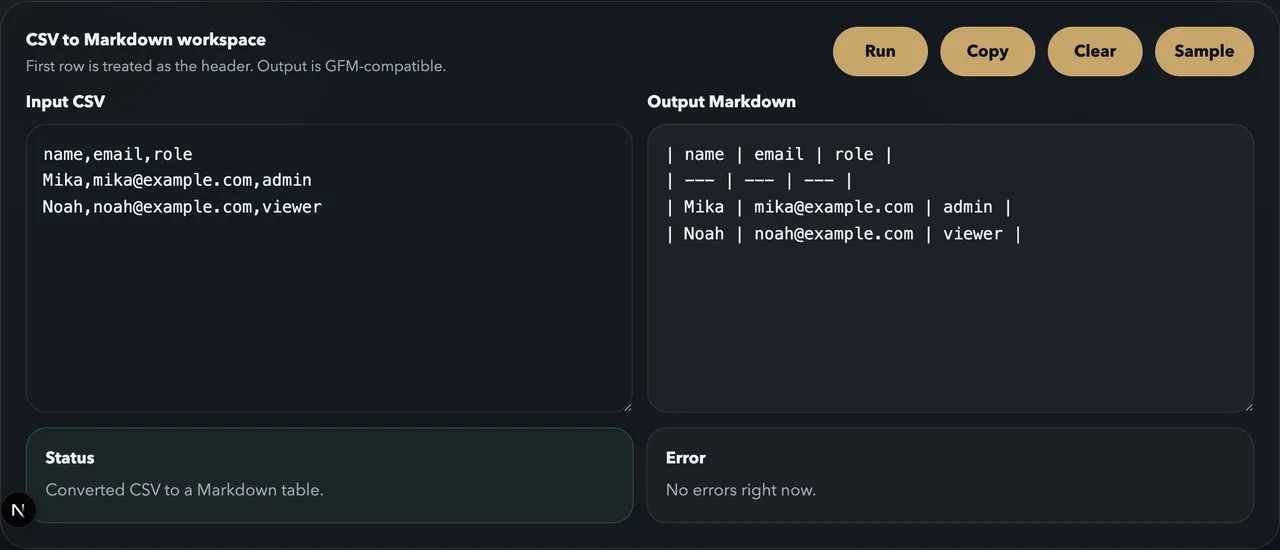
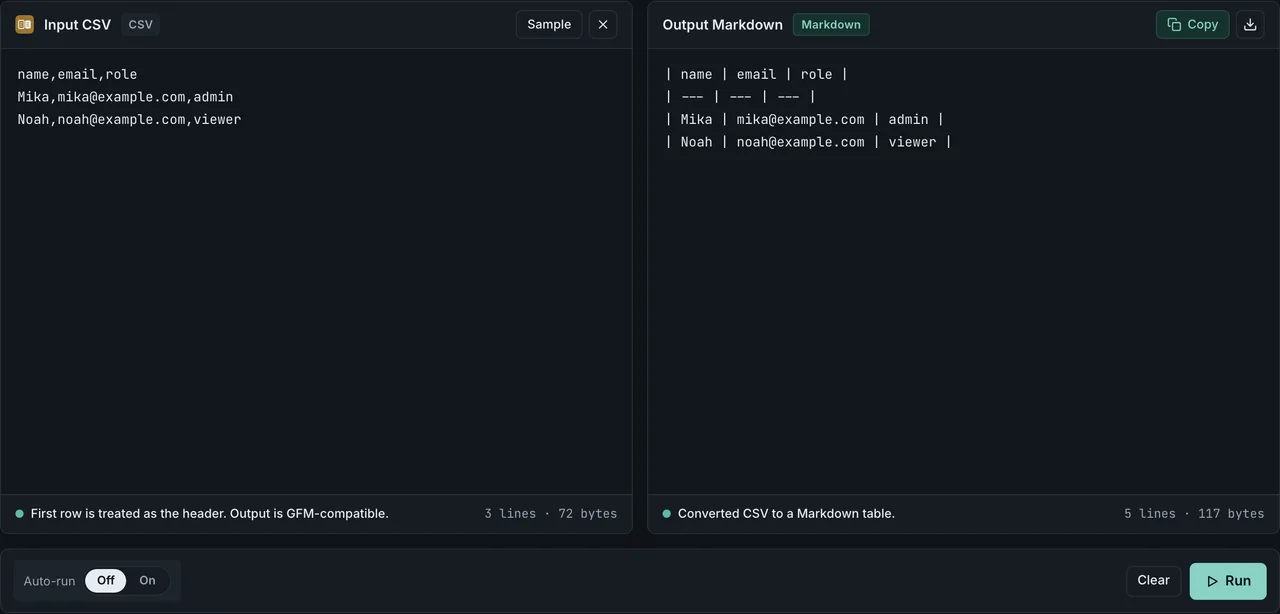
<table>when you need them. - Don't want to type pipes by hand? Paste CSV into CSV to Markdown and get a GFM-compatible table instantly.
This is a quick-reference card for people who already know roughly how to write a Markdown table. If you want to learn how to build one from scratch, start with Tables in Markdown: Syntax, Alignment & Copy-Paste Examples.
What GFM tables can and cannot do
| Can do | Cannot do |
|---|---|
| Header + data rows | A headerless table (the header row is mandatory) |
| Per-column left / center / right alignment | Numeric column widths |
| Inline formatting in cells (code, links, images, emphasis, strikethrough) | Code blocks, lists, or multiple paragraphs in a cell (block elements) |
A visible <br> line break (renderer-dependent) | Merging cells across rows or columns (rowspan / colspan) |
| Escaping pipes and special characters | Headings (#) or block quotes (>) inside a table |
When you need block elements or merged cells, write an HTML <table> directly in your Markdown (see "What Markdown tables can't do" below).
Basic structure — the minimal pair
A GFM table has three parts: a header row, a separator row, and data rows. The separator conventionally uses three hyphens per column (the GFM spec sets no minimum); leading and trailing pipes are optional.
Syntax:
| Name | Role |
| --- | --- |
| Mika | admin |
| Noah | viewer |
Rendered:
| Name | Role |
|---|---|
| Mika | admin |
| Noah | viewer |
The smallest possible table (one header row + one data row):
| key | value |
| --- | --- |
| name | FormatArc |
Alignment syntax cheatsheet
The position of the colons in the separator row sets column alignment.
| Syntax | Alignment |
|---|---|
:--- | Left (same as no colon) |
:---: | Center |
---: | Right |
Syntax:
| Product | Qty | Price |
| :--- | :---: | ---: |
| Apples | 3 | 1.20 |
| Oranges | 10 | 0.80 |
Rendered:
| Product | Qty | Price |
|---|---|---|
| Apples | 3 | 1.20 |
| Oranges | 10 | 0.80 |
Right-aligning numeric columns keeps digits lined up and easier to scan.
Inline formatting inside cells
Cells accept inline elements. Code blocks, lists, and multiple paragraphs are not allowed.
| What you want | Syntax (inside the cell) | Rendered |
|---|---|---|
| Inline code | `npm run build` | npm run build |
| Link | [FormatArc](https://formatarc.com/) | FormatArc |
| Image |  | (the image renders) |
| Emphasis | *italic* / **bold** | italic / bold |
| Strikethrough | ~~removed~~ | |
| Line break | line 1<br>line 2 | line 1 line 2 |
Images work in cells, but they make the table tall and hard to read, so small icons are the practical limit.
Empty and blank cells
Leaving a cell empty is allowed — put nothing between the pipes and the cell renders as blank.
Syntax:
| Name | Role | Note |
| --- | --- | --- |
| Mika | admin | |
| Noah | | viewer |
Rendered:
| Name | Role | Note |
|---|---|---|
| Mika | admin | |
| Noah | viewer |
Two things trip people up:
- The column count still has to match. An empty cell is
| |— two pipes with nothing between them — not a dropped pipe. Remove a pipe and the row has one fewer column, so the table misaligns. - When the first cell of a row is empty and you also omit the leading pipe, some renderers lose the row's first column. Keep the leading
|(| | value |), or, as a fallback, put an empty link[]()in that first cell so it isn't treated as missing.
An empty cell is not a merged cell. GFM has no rowspan or colspan, so a blank cell is just blank — it does not visually join with the cell above or beside it. When you need merging, switch to an HTML <table> (see below).
Escaping pipes and special characters
A literal | inside a cell collides with the column separator and breaks the table. Two safe ways to write one:
| Method | Syntax | Support |
|---|---|---|
| Backslash escape | cmd1 | cmd2 | Works on GitHub, GitLab, Notion, Obsidian, Zenn, Qiita, and most GFM renderers (documented by GitHub) |
| HTML numeric entity | cmd1 | cmd2 | Fallback when a renderer mishandles |. Survives copy-paste between editors better |
Syntax:
| Command | Meaning |
| --- | --- |
| cmd1 \| cmd2 | backslash escape |
| cmd1 | cmd2 | HTML entity |
Rendered:
| Command | Meaning |
|---|---|
| cmd1 | cmd2 | backslash escape |
| cmd1 | cmd2 | HTML entity |
To show a literal backslash, write \\; for a non-breaking space, use . If you build tables from CSV or HTML, pipe escaping is handled for you by CSV to Markdown and HTML to Markdown, so you don't have to think about it.
Line breaks inside cells, by platform
The Markdown table spec does not support raw newlines inside a cell. For a visible break, write a raw <br> tag — but support varies.
| Platform | <br> line break in a cell | Notes |
|---|---|---|
| GitHub | Works | Documented in GitHub's docs |
| GitLab | Works | GitLab's docs list it explicitly for in-cell breaks |
| Obsidian | Usually works | Live Preview vs Reading view can render it differently |
| Notion | Depends on the import path | Markdown import can mangle extension syntax, so <br> may not behave as expected |
| Zenn / Qiita | Works on most setups | Follows each platform's renderer |
If a table needs reliable line breaks in many columns, don't force it into a GFM table — use an HTML <table> or split the columns.
Why tables break — a checklist
When a table renders wrong, check these from the top:
- Is there a blank line before and after the table? — A table jammed against the previous line may not be recognized (especially on GitHub)
- Is there a header row? — GFM requires one. If you don't want visible headers, you still need an empty header row plus the separator
- Does the separator row's column count match the header row? — a mismatch there prevents table recognition entirely. The hyphen count itself is not the issue:
--parses fine, though three hyphens per column is the convention - Do the header, separator, and data rows have the same number of columns (pipes)? — Short data rows are padded with empty cells; long ones have the extra cells dropped
- Is there an unescaped
|inside a cell? — If so, change it to\|or| - Is a row indented (four or more leading spaces)? — It can be mistaken for a code block
- Is there a block element (code block, list) inside a cell? — Not allowed in GFM tables
If the checklist doesn't fix it, Markdown Table Not Rendering or Broken? Fix It by Symptom walks through fixes symptom by symptom.
Generate tables from CSV / HTML / JSON
Hand-writing a small table is fine, but as the number of rows or columns grows, aligning and escaping pipes becomes error-prone. Depending on your source format, a FormatArc tool turns it into a GFM-compatible table in one step.
- From CSV / a spreadsheet / Excel: paste into CSV to Markdown and run. For a walkthrough, see How to Convert CSV to a Markdown Table; for README use, see Adding a Table to a GitHub README.
- From existing HTML (a web page table, a Notion export, a CMS dump): paste the HTML into HTML to Markdown and
<table>elements become pipe tables. See the HTML to Markdown guide. - From JSON (an API response or logs): route it through CSV. Build a CSV where each object's keys are the column names and the values are the row cells, then feed it to CSV to Markdown. See the "Building a table from JSON data" section in Adding a Table to a GitHub README.
- To paste the resulting Markdown table into a CMS that doesn't support Markdown, or into an HTML email, convert it with Markdown to HTML. See the Markdown to HTML guide.
Everything runs in your browser, so internal data and customer lists are never sent to a server. No sign-up, no upload.
If the table is headed for an LLM prompt, a Markdown table costs far fewer tokens than the equivalent HTML and is extracted more accurately. See Markdown vs HTML for LLMs for the measured token and accuracy comparison.
What Markdown tables can't do — when to switch to HTML
GFM tables can't express the following. Switch to a raw HTML <table> inside your Markdown instead:
- Merged cells across rows or columns (
rowspan/colspan) - Bulleted lists, multiple paragraphs, or code blocks inside a cell
- Fixed column widths in pixels or percentages
- A heading or another table nested inside a table
Note that GitHub and similar platforms restrict in-table HTML for security: <br> passes through, but the style on <span style="..."> is removed attribute and all (the <span> itself survives), so you cannot change colors or font sizes that way.
Why GFM doesn't support cell merging (rowspan / colspan)
The GFM spec's Tables (extension)Opens in a new tab requires one row per line at the ABNF level, leaving no structural room for merged cells. This was a deliberate trade-off favoring readability and parser simplicity, and CommonMark's later table-extension discussions kept the same design. If you need merged cells, treat GFM tables as the wrong tool and switch to a raw HTML <table>.
Minimal HTML <table> examples for merging
Plain HTML written inside a Markdown file is rendered as HTML by GitHub and other GFM renderers.
Column merge (colspan):
<table>
  <tr><td colspan="2">Quarter (2026)</td></tr>
  <tr><td>Apr</td><td>Sep</td></tr>
</table>
Row merge (rowspan):
<table>
  <tr><td rowspan="2">Project A</td><td>Kickoff</td></tr>
  <tr><td>Delivery</td></tr>
</table>
Which HTML attributes GitHub allows in tables
GitHub sanitizes in-table HTML for security, and anything outside its allowlist is dropped attribute and all. The table below is what GitHub's own Markdown rendering API returned — the same pipeline that renders a README or an issue body. The measurement script and raw output are in the repository at scripts/benchmarks/github-table-attributes/.
| Attribute | Measured result | Notes |
|---|---|---|
colspan / rowspan | Kept | The safe pair for cell merging |
align (td/th) | Kept | Lets you override per-column alignment |
valign (td/th) | Kept | Sets vertical placement |
width / height (td) | Kept | Both width="50%" and width="120px" survive. The value itself is never inspected |
id | Value rewritten | id="foo" comes back as id="user-content-foo". The attribute stays, but the value you wrote will not anchor a link |
class | Removed | The attribute disappears |
style (inline) | Removed | Text color, background, font-size — none of it can be set |
bgcolor | Removed | |
<script> / on* handlers | Removed | Stripped entirely for XSS protection |
If you need color or size emphasis, put a figure or badge outside the table, lean on Markdown's **bold**, or render the table as an image and embed that instead.
Extension syntaxes that allow merging (none of them work on GitHub)
These won't render on GitHub, but for local Markdown previews or other platforms you have options:
- VS Code's Markdown Preview EnhancedOpens in a new tab —
>merges with the cell above,^merges with the cell to the left - Python-Markdown extension mdx_tableauOpens in a new tab — write colspan / rowspan in Markdown syntax
- Pandoc grid tables / multiline tablesOpens in a new tab —
+---+---+style supports merging
If your target is GitHub READMEs or issue bodies, skip the extensions and write a raw HTML <table> — it's the only reliable path.
Accessibility: what GFM gives you, and what it doesn't
GFM renders pipe tables as real <table>, <th> and <td> elements, so screen readers get table semantics without any extra markup from you. That covers the ordinary case — a header row and data rows. Three things it cannot express:
- A caption. There is no GFM syntax for
<caption>, so a table that needs a spoken title has to be written as raw HTML — the same escape hatch as in "Minimal HTML<table>examples for merging" above. - Row headers. GFM turns the first row into
<th>. There is no way to mark a first column as headers, which is what a comparison table needs when the leftmost column carries the label. That requires<th scope="row">, and only an HTML table gives you the attribute. - Keyboard access to a scrolled table. When a table is wider than its container, GitHub wraps it in a horizontally scrolling region. A scrollable region needs
tabindexto be reachable by keyboard, and Markdown has no way to add one.
None of this makes GFM tables inaccessible by default — the automatic <th> mapping already covers the most common case. It means that the moment a table needs a caption or a row-header column, the answer is the same one this article gives for merged cells: switch to HTML.
CommonMark and tables
Plain CommonMarkOpens in a new tab does not define table syntax. Pipe tables are a GFM extension, defined in the Tables (extension) section of the GitHub Flavored Markdown specOpens in a new tab. A renderer that implements strict CommonMark with no extensions will show | col | as plain text, not a table. The fastest way to tell whether your tool is GFM-compatible is to write one simple table and see if it renders.
Frequently asked questions
What is the smallest Markdown table?
Three lines: one header row, one separator row, one data row. Write | key | value |, then | --- | --- | below it, then | name | FormatArc |. Three hyphens per column (---) is the convention; the GFM spec itself permits as few as one.
How do I leave a cell empty?
Put nothing between the two pipes: | value | |. The column count must still match the header, so an empty cell is | |, not a dropped pipe. If the empty cell is the first one in a row, keep the leading pipe (| | value |) — some renderers drop a row's first column when both the leading pipe and the cell are missing. A blank cell is not a merged cell; GFM has no rowspan or colspan.
Should I use \| or |?
Use the backslash escape \| first. It's documented by GitHub and works in most GFM renderers. Fall back to | only when a renderer mishandles \| or when copy-pasting between editors breaks it.
Can I change text color or font size inside a cell?
Not with GFM tables alone. GitHub and similar platforms strip the style attribute inside tables, so writing <span style="..."> leaves you with a plain <span> and no color or size change. If you must style cells, pull the table out and use HTML, or rethink the layout.
Is there a guideline for column widths?
Markdown has no column-width syntax; renderers size columns to fit the content. As a practical rule, if a README or doc is read on both desktop and mobile, keep tables to five or six columns. Beyond that, GitHub adds horizontal scrolling and the table gets hard to read.
Can I merge cells (rowspan / colspan)?
Not in GFM tables. For merged cells, write an HTML <table> directly in your Markdown — but check the rendered output first, since GitHub and others restrict some HTML attributes.
My table shows up as | col | instead of rendering. Why?
The usual causes: no blank line before or after the table, no header row, a separator row whose column count doesn't match the header row, or a renderer that doesn't support the GFM table extension (strict CommonMark). Work through the "Why tables break" checklist above from the top.
Related articles
- Tables in Markdown: Syntax, Alignment & Copy-Paste Examples — a step-by-step tutorial for building a table from scratch
- How to Convert CSV to a Markdown Table — one-step conversion from Excel or spreadsheet data
- JSON to Markdown Table — Convert API Arrays to GFM Tables — turn API responses and arrays directly into tables
- HTML Table to Markdown — Extract Tables from Web Pages — pull a single
<table>out of a noisy HTML page - Adding a Table to a GitHub README — generate README tables from CSV / JSON
- Data format cheatsheet — JSON / YAML / CSV / Markdown side by side — pick the right format at a glance
- Markdown to HTML conversion guide — paste your table into a CMS that doesn't support Markdown
- HTML to Markdown guide — extract tables from web pages or Notion exports