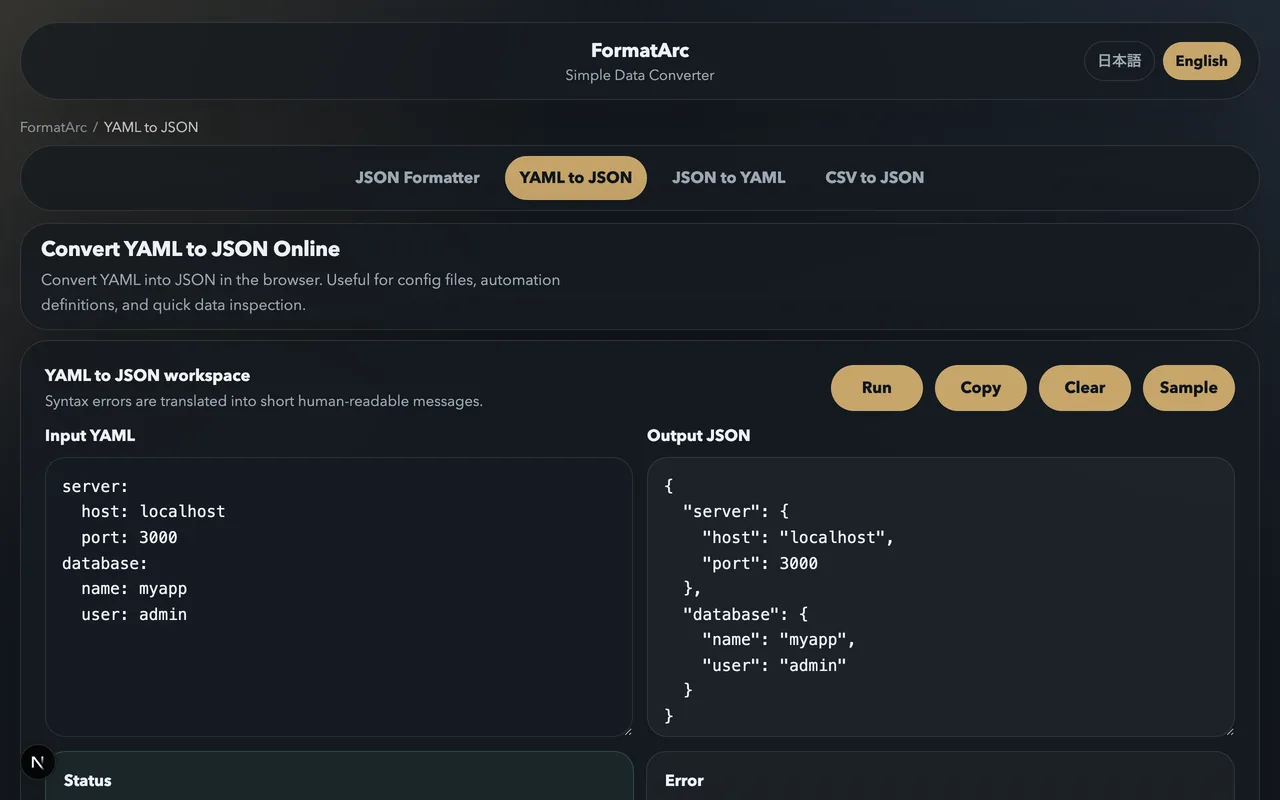
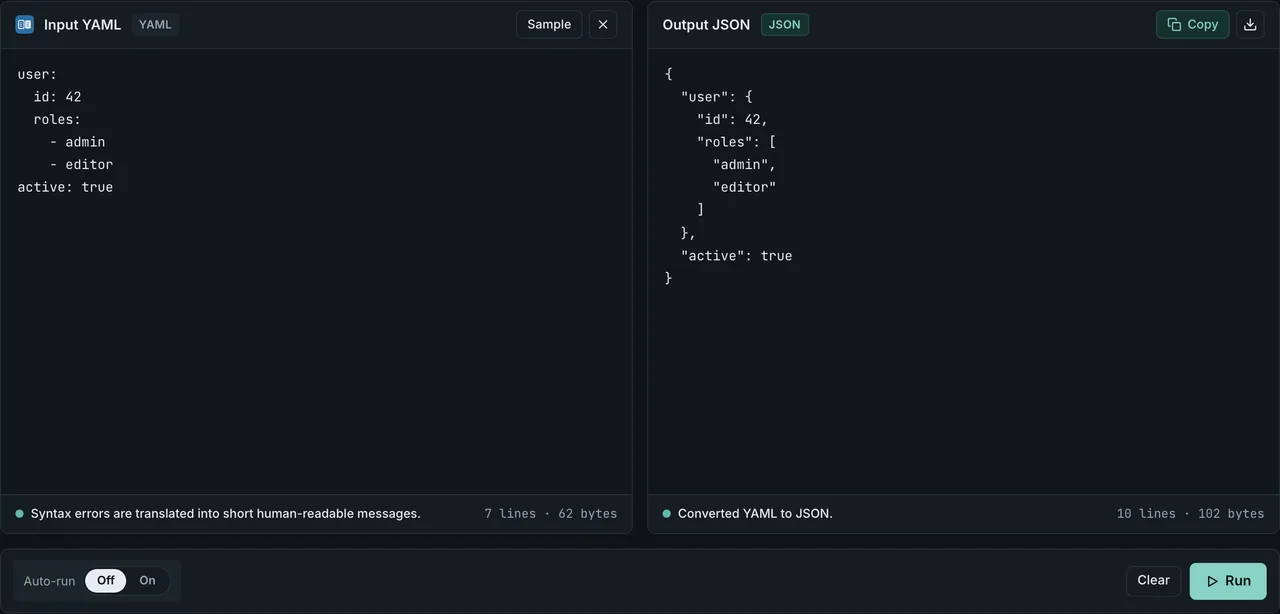
Markdown frontmatter — that little YAML block fenced by --- at the top of your post — gets in your way whenever you want to push articles into a headless CMS, build a JSON index of metadata, migrate between static site generators, or feed structured context to an LLM. The fix is small but the details are easy to get wrong, especially when your SSG accepts one format but the next tool in the pipeline expects another.
The shortest path is "open the .md file → copy the YAML between the two --- lines → paste into YAML to JSON". The whole conversion runs inside your browser, so private posts and proprietary CMS payloads never leave your machine. From there, this guide covers which SSGs natively accept which format, how to handle dates and multiline strings safely, and when a CLI is the right tool versus a browser-only converter.
The short answer: frontmatter is "delimiters + YAML body", convert just the body
A frontmatter block looks like this:
---
title: "My first post"
date: 2026-06-22
tags: ["intro", "demo"]
draft: false
---

The actual Markdown body starts here.
The two --- lines are document separators in YAML 1.2 terms, but when you feed a frontmatter block to a parser, what you actually want to convert is the four lines in between. Drop those four lines into YAML to JSON and you get:
{
  "title": "My first post",
  "date": "2026-06-22",
  "tags": ["intro", "demo"],
  "draft": false
}
Notice the types: title is a string, date becomes a string (JSON has no Date type), tags is an array, draft is a real boolean. YAML's type inference is what makes the JSON output faithful — and what causes the most bugs when it guesses wrong.
Why convert frontmatter at all? Four common use cases
Most conversion requests fall into one of four scenarios. Knowing which one you are in tells you what to extract and what to watch out for.
Headless CMS / API ingestion
Contentful, Strapi, Sanity, and microCMS treat post metadata as structured JSON. If your team historically wrote Markdown with YAML frontmatter and now wants to migrate into a CMS, you convert the frontmatter to JSON and include it in the REST or GraphQL payload.
Build scripts that only need metadata
You probably want generated artifacts like "post index", "tag counts", or "publication-date archive" without re-parsing every Markdown body. Extracting just the frontmatter as JSON keeps the build step cheap. In Node.js the canonical tool is gray-matter; in Python it is python-frontmatter.
Migrating between SSGs
Moving from Jekyll to Astro, or Hugo to Next.js, means auditing every title, layout, permalink, and custom field. Type drift between SSGs is real — Hugo's params.foo namespace is not a thing in Astro Content Collections — and converting frontmatter to JSON gives you a normalized form to grep against.
When the source is WordPress rather than another SSG, there is no frontmatter to audit yet — you have to build title, date, and slug from the export itself. WordPress to Markdown migration covers that step, including what the export XML does and does not carry over.
LLM / RAG context formatting
Feeding articles to ChatGPT, Claude, or a RAG pipeline is more accurate when you pass the metadata as structured JSON alongside the body. Tags, categories, and dates become machine-addressable instead of buried in a YAML preamble.
The three frontmatter formats: YAML, TOML, JSON
Frontmatter is not always YAML. Static site generators accept different formats with different delimiters, and that is where most cross-tool friction comes from.
YAML frontmatter (the default)
---
title: "Hello"
date: 2026-06-22
---
Delimited by three hyphens ---. Jekyll, Hugo, Astro, Eleventy, Gatsby, Docusaurus — almost every major SSG accepts this.
TOML frontmatter (Hugo / Zola territory)
+++
title = "Hello"
date = 2026-06-22
+++
Delimited by three plus signs +++. Zola requires TOML; Hugo accepts YAML, TOML, and JSON.
JSON frontmatter (Hugo and Eleventy)
{
  "title": "Hello",
  "date": "2026-06-22"
}
The curly braces themselves are the delimiters. Hugo and Eleventy parse this natively. Astro, Jekyll, Gatsby, and Docusaurus do not — Astro's docs explicitly say "YAML or TOML".
SSG frontmatter compatibility matrix
Here is what each major SSG accepts out of the box, based on official documentation as of mid-2026.
| SSG / Framework | YAML (---) | TOML (+++) | JSON ({...}) | Notes |
|---|---|---|---|---|
| Hugo | Yes | Yes | Yes | Also Org Mode (#+) for .org files |
| Jekyll | Yes | No | No | YAML only; even empty posts need ---\n--- at the top |
| Astro | Yes | Yes | No | JSON frontmatter must be converted first |
| Eleventy (11ty) | Yes | Plugin | Yes | TOML requires an add-on, not built in |
Next.js + MDX (@next/mdx) | Plugin | Plugin | Plugin | Frontmatter is not native; needs remark-frontmatter etc. |
| Gatsby | Yes | No | No | gatsby-transformer-remark is YAML-only |
| VuePress | Yes | No | No | YAML only |
| Zola | No | Yes | No | TOML only — a real pain when migrating from YAML |
| Docusaurus | Yes | No | No | YAML only, parsed by gray-matter |
Two practical takeaways:
- Going into Astro, Jekyll, Gatsby, or Docusaurus with JSON metadata? Convert to YAML first; they will not parse JSON frontmatter.
- Migrating to Zola? You need to translate every frontmatter block from YAML to TOML in bulk.
Hugo and Eleventy are the most lenient consumers — existing YAML or JSON metadata works without conversion.
Extracting the frontmatter from a full Markdown file
Before pasting anywhere, you need just the YAML body, not the surrounding --- lines or the Markdown body. The procedure:
- Confirm line 1 is exactly
---with no leading blank line. Most parsers reject frontmatter if there is anything above the opening fence. - Read forward until you hit the next
---on a line by itself. - The lines strictly between those two fences are your YAML body.
Paste that body into YAML to JSON. The conversion runs entirely in your browser, so unpublished posts, internal documentation, or CMS payloads with secrets in them never get uploaded anywhere. The split is simple. A CLI handles batch jobs across hundreds of files in CI, and a browser tool handles the single frontmatter block you want to inspect before sending it to a CMS. The two are complementary, not competing.
Common extraction errors
- "parse error: bad indentation" — your YAML mixes tab characters with spaces. Convert everything to spaces.
- "mapping values are not allowed here" — a value contains a colon but is not quoted. Wrap it:
title: "10:00 meeting". - "could not find expected ':'" — a list item or hash key is missing the space after
-or:.
Going the other way: JSON frontmatter back to YAML
If you pull metadata out of a CMS as JSON and need to write it back into a Markdown file, you want the reverse conversion. JSON to YAML takes a JSON object and returns YAML. To make it a valid frontmatter block, wrap the result in --- fences:
---
{ YAML conversion output goes here }
---
You will hit this every time you bring JSON-shaped data into Astro, Jekyll, Gatsby, or Docusaurus, since none of them accept JSON frontmatter directly.
Five types that break during YAML to JSON conversion
YAML and JSON have overlapping but non-identical type systems. These five categories trip up frontmatter conversions the most.
Date and time
YAML 1.1 parsers can turn 2026-06-22 into a native Date value, but JSON has no Date type, so it gets serialized as a string. Confirm the output is "2026-06-22" with the quotes, not a number or an object. Timezone-aware values like 2026-06-22T10:00:00+09:00 stay as ISO 8601 strings.
Multiline strings
YAML's | (literal block, preserves newlines) and > (folded block, collapses newlines to spaces) collapse into a single JSON string with \n escapes. Make sure the line breaks survived correctly.
description: |
  Line one
  Line two
becomes
{ "description": "Line one\nLine two\n" }
Anchors and aliases (& / *)
YAML lets you define an anchor (&id) and reuse it elsewhere with an alias (*id). JSON has no equivalent, so the alias is expanded into a copy. If your YAML reuses an object reference for memory efficiency, the JSON output will be larger and any later mutation will affect only one copy.
Custom tags (!Ruby/Symbol, !!python/object: etc.)
Language-specific YAML tags like Jekyll's Ruby symbols or PyYAML's Python objects cannot round-trip to JSON. Most parsers either error out or silently drop the tag and keep just the value. Audit your frontmatter for any ! prefix before converting.
Unicode and quoting
YAML treats single-quoted (') and double-quoted (") strings differently — singles preserve backslashes literally while doubles interpret escape sequences. JSON requires double quotes only, so single-quoted YAML values are rewritten to double-quoted JSON strings, sometimes changing how \n or \t are rendered.
When to use a CLI versus FormatArc
There are several mature tools for YAML-to-JSON frontmatter conversion. They are not in competition; each fits a different workflow.
| Tool | Best for | Constraint |
|---|---|---|
| FormatArc YAML to JSON | One-off checks, CMS payload inspection, sensitive content | Browser-only, not automatable |
| gray-matterOpens in a new tab (npm) | Node build scripts, Next.js getStaticProps, Astro Content Collections | Returns both body and metadata; YAML/TOML/JSON |
| markdown-to-jsonOpens in a new tab (npm) | Bulk directory conversion, generating a JSON blob | CLI only, YAML frontmatter only |
| python-frontmatter (PyPI) | Python-based article processing, Jekyll site scripts | YAML is primary, TOML and JSON are extensions |
| Frontmatter to JSON Converter (GitHub Action) | CI workflows that consume one file's frontmatter downstream | Single-file by default; loop for batches |
A reasonable split: ad-hoc inspection, CMS pre-flight, and privacy-sensitive content go to FormatArc; CI batches and codebase-wide indexing go to a CLI.
Real-world patterns
Pushing into Contentful or Strapi
Map your frontmatter keys to the CMS's Content Model fields. If the names diverge, transform the JSON output before POSTing — either by hand for a one-off migration, or with a small mapping function on top of gray-matter for repeated syncs.
Importing Notion exports
Notion's Markdown export does not produce a frontmatter block at all. You usually need to author one separately, then convert it to JSON for downstream tooling. Notion's page properties are also exportable as JSON separately, which is cleaner to merge later than trying to reconstruct frontmatter from the page header.
Frontmatter validation in CI
A common GitHub Actions job converts each file's frontmatter to JSON and validates it against a JSON Schema: required fields present, dates in ISO format, tags non-empty. Catching schema drift at PR time is much cheaper than hunting it in production.
Frontmatter for a multilingual site
title and date are enough for a single-language blog. Once the same post exists in more than one language, frontmatter needs two more things: a field saying which language the file is written in, and a field linking the translations of one post together. Without the second one a build script has no way to generate hreflang automatically. A minimal shape that survives the YAML to JSON conversion in this article without extra escaping:
---
title: "Markdown frontmatter: YAML to JSON"
locale: "en"
translationKey: "markdown-frontmatter-yaml-json"
date: "2026-06-22"
---
locale and translationKey are plain strings, so none of the five breaking types above apply to them. The risk sits in date (see "Date and time") and in any field whose value differs per language — a list of related-post slugs, for instance, where one language has an article the others do not.
Common pitfalls
--- collides with a body horizontal rule
A Markdown horizontal rule is also ---. If a stray HR sits early in the body, a permissive parser can mistake it for a closing frontmatter fence. Use *** or ___ for HRs to avoid the collision.
Tab characters in indentation
YAML forbids tab characters in indentation. A single tab character anywhere inside the frontmatter block throws "found character that cannot start any token". Configure your editor to convert tabs to spaces inside .md files.
Boolean over-inference (the Norway problem)
YAML 1.1 treats yes, no, on, off, y, n as booleans. A value like country: NO (Norway) silently becomes country: false after conversion. Quote ambiguous values: "NO". This is famous enough to have its own nickname ("the Norway problem"), and it bites every team eventually.
Numeric strings losing leading zeros
ISBNs, ZIP codes, and phone numbers like 01234 become 1234 because YAML parses them as integers. Quote them: "01234".
Frequently asked questions
Can frontmatter use raw JSON instead of YAML?
Yes, if your SSG supports it. Hugo and Eleventy accept { ... }-style JSON frontmatter out of the box, but Astro, Jekyll, Gatsby, and Docusaurus don't recognize it, so stick with YAML if you need broad compatibility.
Does this also work for Obsidian frontmatter?
Yes. Obsidian's properties and frontmatter are standard YAML, so you can copy the --- block at the top of a note straight into YAML to JSON and convert it as-is.
Will pasting the --- fences themselves break the converter?
It depends on the tool. The YAML spec treats --- as a valid document-start marker, but some conversion parsers can't handle a top-level fence and return an empty object instead. For a reliable conversion, paste only the YAML body between the fences, not the fences themselves.
Does any data leave my browser when I convert with FormatArc?
No. Every FormatArc conversion runs as JavaScript inside your browser — nothing you paste in, and nothing the tool produces, is ever sent to a server. That makes it safe to use on internal config files or unpublished drafts.
Wrap-up — the fastest frontmatter conversion path
Putting it together, the workflow for taking a YAML frontmatter block to JSON is:
- Open the Markdown file and copy the YAML body between the two
---fences (not the fences themselves). - Paste into YAML to JSON. Everything runs in the browser.
- Audit the output for the five fragile types: date, multiline, anchors, custom tags, and ambiguous booleans.
- Send the JSON to the CMS, build script, schema validator, or LLM that needs it.
When you need the inverse direction, JSON to YAML handles it. When you migrate between SSGs, the matrix above tells you which target accepts which format natively.
Related reading on YAML, JSON, and Markdown:
- YAML syntax guide — the building blocks of YAML
- Convert YAML to JSON: complete guide — the general case beyond frontmatter
- YAML vs JSON: when to use which — choosing a format
- What is YAML — YAML for newcomers
- Markdown to HTML guide — handling the body side
- CommonMark vs GFM — Markdown dialect differences