TL;DR — YAML syntax in one minute
- Use spaces only (no tabs). 2-space indent is the de-facto convention.
key: valueneeds a space after the colon.key:valueis a single string.- Lists use
-(dash + space). Mappings usekey: value. - Quote values that could be misread as numbers, booleans, or dates:
version: "1.0". - Catch errors fast by pasting into FormatArc's YAML to JSON validator — line-numbered messages point straight to the problem.
What is YAML and where you will see it
YAML (YAML Ain't Markup Language) is a human-readable text format for structured data. It covers the same data model as JSON — strings, numbers, booleans, nulls, lists, and mappings — but the syntax is based on indentation instead of braces and brackets.
If you work with modern DevOps or cloud-native tools, you have already met YAML:
- Kubernetes manifests and Helm charts
- Docker Compose files
- GitHub Actions, GitLab CI, and CircleCI workflows
- Ansible playbooks
- OpenAPI specifications
- Static site generators (Hugo, Jekyll, Eleventy)
This guide walks through every part of the YAML syntax you will actually use, with examples and a list of the mistakes that catch beginners most often. If you want to compare YAML to JSON directly, see YAML vs JSON: Key Differences, or read the step-by-step How to Convert YAML to JSON.
The three building blocks
Everything in a YAML file is one of three things:
- Scalar — a single value such as a string, number, boolean, or null
- Sequence — an ordered list of items
- Mapping — an unordered set of key-value pairs
You can nest these freely. A mapping can contain lists, a list can contain mappings, and both can contain other mappings or lists. That is all you need to represent any JSON-compatible structure.
Indentation rules
Indentation is how YAML expresses nesting. A few rules to internalize:
- Use spaces, never tabs — a literal tab character is a syntax error in most parsers
- Pick one indent size (2 spaces is the convention) and stay consistent
- All items at the same level must have the same indentation
- Indentation determines structure; there is no closing delimiter
Here is a simple valid example:
database:
  host: localhost
  port: 5432
  credentials:
    user: admin
    password: secret
database contains a mapping, which contains host, port, and credentials. credentials is a nested mapping. The two-space indent tells YAML exactly how the structure fits together.
Writing key-value pairs (mappings)
A mapping is written as key: value, with a space after the colon. The space is required — key:value is a single string, not a mapping.
name: Alice
age: 30
is_admin: true
bio: null
Keys are usually plain strings. They can contain spaces if quoted:
"full name": Alice Cooper
Values can be any YAML type: scalar, sequence, or another mapping.
Writing lists (sequences)
A sequence is a series of lines starting with - (a dash followed by a space).
fruits:
  - apple
  - banana
  - cherry
Lists can hold any type of value, including nested mappings:
users:
  - name: Alice
    role: admin
  - name: Bob
    role: editor
Each dash starts a new list item. The fields that follow belong to that item until another dash appears at the same indentation level.
Block style and flow style
Everything above is block style — one entry per line, indentation shows nesting. YAML also has an inline (flow) form that looks like JSON:
fruits: [apple, banana, cherry]
users: [{name: Alice, role: admin}, {name: Bob, role: editor}]
The flow form is handy for small lists but is harder to read once data grows. Stick with the block form for anything non-trivial. Leave a flow collection unclosed and every parser reports it differently — see the "Unclosed flow [" row in the parser message table below.
Strings: when to quote
Most strings in YAML can be written without quotes.
greeting: Hello, world
You only need quotes when:
- The value would otherwise be parsed as a different type:
version: "1.0",country: "NO",postal_code: "07030" - The value starts with a character YAML reads as structure:
[,],{,},,,*,|,>,%,@,`,",', or#,&,!. A leading-,:or?is only a problem when a space follows it - The value contains a colon followed by a space (which would otherwise look like a mapping)
- You want to include escape sequences such as
\nor\t
YAML supports both single and double quotes. Double quotes interpret escape sequences; single quotes treat everything literally.
escaped: "line1\nline2"
literal: 'line1\nline2'
The characters that actually cause trouble split into two groups, and the group decides whether a quote is needed at all. The table below is what our own converter's parser does (yaml (eemeli) 2.8.3, YAML.parse with defaults; measured 2026-08-15, reproduction script in the repository under scripts/benchmarks/yaml-quote-requirements/). Read it as: when the middle column says "safe", you can leave the value unquoted as long as the character is not at the front.
| Character | At the start of the value | Elsewhere in the value | Single quotes enough | Double quotes |
|---|---|---|---|---|
[ ] { } , | Parse error | Safe | Yes | Fine too |
* | Parse error (read as an alias) | Safe | Yes | Fine too |
& | No error — becomes an anchor and the value is lost | Safe | Yes | Fine too |
! | No error — becomes a tag | Safe | Yes | Fine too |
# | No error — the whole value is read as a comment and becomes null | Safe unless a space comes first | Yes | Fine too |
| > | Parse error (read as a block scalar) | Safe | Yes | Fine too |
% @ ` | Parse error (reserved) | Safe | Yes | Fine too |
- ? | Safe on its own, parse error when a space follows | Safe | Yes | Fine too |
: | Safe on its own, parse error when a space follows | Parse error when a space follows, anywhere | Yes | Fine too |
" | Parse error | Safe | Yes | Only with \" escapes |
' | Parse error | Safe | No — double it as '' | Yes |
Two things fall out of this. First, only : and # are dangerous in the middle of a value, so url: http://example.com/a,b needs no quotes at all — everything else is a start-of-value problem. Second, single quotes cover every case except a literal single quote, which is why they are the safer default when you paste Windows paths or regular expressions. Reach for double quotes when you need \n or \t to mean a real newline or tab.
Template syntax {{ }} at the start of a value breaks YAML
If you feed a Helm template or an unrendered Ansible file straight to a YAML parser, the leading { triggers the special-character trap:
# Helm template, before rendering
image: {{ .Values.image }}
The {{ is parsed as two nested flow mappings — and the failure mode depends on the parser. In our tests (2026-07-12, reproduction script in the repository under scripts/benchmarks/yaml-syntax-errors/), PyYAML and ruamel.yaml stop with a found unhashable key error, but js-yaml and eemeli/yaml raise no error at all and silently return a mangled object like {"image": {"[object Object]": null}}. The silent version is the dangerous one, because nothing fails until much later in your pipeline.
There are two fixes: quote the whole value so it becomes a string (image: "{{ .Values.image }}"), or only validate the YAML after the template has been rendered. Note that GitHub Actions' ${{ }} starts with $, so it never parses as a flow mapping and does not have this problem.
Multi-line strings
YAML has two operators for long text blocks.
The literal block (|) preserves newlines exactly as written:
description: |
  This is line one.
  This is line two.

  This is line four, after a blank line.
The folded scalar (>) replaces single newlines with spaces, which is useful for wrapping long paragraphs in the source file:
paragraph: >
  This long sentence is split across
  multiple lines in the source, but YAML
  will fold it into a single line.
Chomp indicators: strip, clip, and keep trailing newlines
YAML's block scalars accept a chomping indicator that decides what happens to the trailing newlines after the value. The indicator goes immediately after | or >.
| Indicator | Behavior | Example |
|---|---|---|
| (none) — clip | Keep a single final newline. Default. | | |
- — strip | Remove every trailing newline. | |- >- |
+ — keep | Keep every trailing blank line. | |+ >+ |
clip: |
  line one
  line two
strip: |-
  line one
  line two
keep: |+
  line one
  line two
The same three modes apply to the folded form (>, >-, >+). Use |- when you embed YAML inside a JSON or environment variable that must not have a trailing newline. Use |+ when you generate scripts where the trailing blank lines matter.
Types and parser inference
YAML infers types from unquoted values. The same literal can become an integer, a float, a date, or a string depending on which YAML version your parser implements and which schema it uses.
integer: 42
hex: 0xFF              # 255 (integer, hex)
octal: 0o17            # 15 (integer, octal, YAML 1.2)
octal_legacy: 0644     # 420 (integer, octal, YAML 1.1) — file mode trap
float: 3.14
negative: -7
exponential: 1e3       # 1000.0 (float, scientific notation)
infinity: .inf         # +Infinity (float)
negative_infinity: -.inf
not_a_number: .nan     # NaN (float)
boolean_true: true
boolean_false: false
null_value: null
tilde_null: ~
date: 2026-04-13
timestamp: 2026-04-13T09:30:00Z
Any of these can be forced to a string by quoting:
version_string: "1.0"    # not the number 1.0
zip_code: "07030"        # not the number 7030
file_mode: "0644"        # string, not octal integer
The next table summarises what unquoted literals become in a modern YAML 1.2 Core schema loader (PyYAML, js-yaml, SnakeYAML's default), versus a YAML 1.1 loader (legacy PyYAML, Symfony YAML). Most surprises live in this column gap.
| Literal | YAML 1.2 Core | YAML 1.1 | Watch out for |
|---|---|---|---|
42 | integer (42) | integer (42) | — |
0xFF | integer (255) | integer (255) | hex parse is intentional |
0o17 | integer (15) | (unrecognized) | YAML 1.2 only |
0644 | integer (644) | integer (420, octal) | file modes change between versions |
1e3 | float (1000.0) | float (1000.0) | display drops .0 in some tools |
.inf / -.inf | float (±Infinity) | float (±Infinity) | not JSON-serializable |
.nan | float (NaN) | float (NaN) | not JSON-serializable |
2026-04-13 | string | date (date object) | round-tripping JSON ↔ YAML changes type |
2026-04-13T09:30Z | string | timestamp | same issue |
true / false | boolean | boolean | — |
yes / no / on / off | string | boolean | the "Norway problem" |
NO | string | boolean (false) | covered next |
~ / null / Null / NULL | null | null | every casing parses |
1.0 | float (1.0) | float (1.0) | re-serialized as 1 by some tools |
If your parser is anywhere near production, treat anything in the right-most column as a potential bug. The fastest way to find out which version your loader uses is to paste a representative file into FormatArc's YAML to JSON converter and inspect the JSON output: "NO" versus false, "2026-04-13" versus an ISO date string, and so on.
The reason this column gap exists is that YAML 1.1 and YAML 1.2 define type inference differently. YAML 1.1 carried a broad set of implicit type tags — including timestamps, sexagesimal (base-60) numbers, and the wide boolean vocabulary that causes the Norway problem. YAML 1.2 replaced that with the narrower Core schemaOpens in a new tab, which limits booleans to true and false (the spec's Core regex accepts the capitalized and all-caps forms True/TRUE/False/FALSE too, but no longer yes/no/on/off), drops the implicit timestamp and sexagesimal tags, and otherwise mirrors JSON's value types. The full set of regular expressions that decide whether a literal is an integer, float, boolean, or null is published in the YAML 1.2.2 specOpens in a new tab. When two tools disagree about what an unquoted value means, the difference almost always traces back to one implementing the 1.1 type rules and the other implementing the 1.2 Core schema.
The Norway problem: when NO becomes false
The "Norway problem" is the most-quoted YAML gotcha. YAML 1.1 parsers (still the default in many tools — including PyYAML, Symfony YAML, and SnakeYAML's older releases) interpret a bare NO as the boolean false. So a country code list written this way:
countries:
  - DE
  - FR
  - NO
  - SE
silently becomes ["DE", "FR", false, "SE"] once parsed. The same trap fires for YES, ON, OFF, Y, N, and even capitalised variants depending on the parser.
The fix is to quote any value that could be misread:
countries:
  - "DE"
  - "FR"
  - "NO"
  - "SE"
YAML 1.2 narrowed booleans to just true and false, but most production tools still ship a 1.1-era loader. When you write country codes, two-letter language codes, version strings, or any short identifier, quote it. If you maintain a parser-agnostic config, paste it into FormatArc's YAML to JSON converter — the JSON output instantly shows whether your NO survived as a string.
The exact rules live in the official specs: the YAML 1.2.2 specOpens in a new tab defines today's strict boolean set, while the YAML 1.1 specOpens in a new tab is the one most legacy tools still implement. Knowing which version your loader follows tells you whether NO parses as a string or as false.
Comments
Comments start with # and run to the end of the line. They can occupy a line on their own or follow a value.
# Maximum number of retries for upstream requests
retries: 3  # Any higher and we exceed the upstream timeout
Comments are one of YAML's biggest wins over JSON for configuration files — use them to explain why a setting exists, not what it is. Converting to JSON will drop every comment, so keep the YAML file as your source of truth. If you have to live with JSON, see How to Add Comments to JSON for the JSONC and JSON5 workarounds.
Anchors and aliases for reuse
YAML lets you define a value once with &anchor and reference it elsewhere with *alias. The <<: merge key pulls a mapping in as a set of defaults.
defaults: &defaults
  adapter: postgres
  host: db.internal
  pool: 5

development:
  <<: *defaults
  database: myapp_dev

production:
  <<: *defaults
  database: myapp_prod
  pool: 20
production starts from defaults and then overrides pool. This is a clean way to share configuration between environments without copy-pasting.
Merge keys (<<:) for sharing config
The <<: merge key is anchors' most useful companion. It pulls the keys from one mapping into another, so you can express "same as that, but with these overrides" without repeating yourself. Docker Compose, GitLab CI, and Rails database.yml all rely on this pattern.
base: &base
  image: node:20
  restart: unless-stopped
  environment:
    NODE_ENV: production

services:
  api:
    <<: *base
    command: npm run start:api
  worker:
    <<: *base
    command: npm run start:worker
    environment:
      NODE_ENV: production
      WORKER_QUEUE: high
Two things to remember:
- The merge key only merges at one level. Nested mappings (like
environmentabove) are replaced wholesale, not deep-merged. - The merge key is a YAML 1.1 feature. Strict YAML 1.2 parsers may ignore it; tools like Docker Compose and GitLab still support it because they pin to 1.1 semantics.
Schemas and tags: how YAML decides types
YAML 1.2 defines three schemas that control how unquoted literals are interpreted:
- FailSafe — only strings, mappings, and sequences. The safest schema; everything else is a string. Rarely the default.
- JSON — JSON-compatible types: string, integer, float, boolean, null, mapping, sequence. Matches what
JSON.parsewould produce. - Core — the typical default. Adds the type inference rules in the table above (hex, octal,
.inf,.nan,~).
Most parsers ship Core (PyYAML's safe_load, js-yaml's default, SnakeYAML's SafeConstructor). Symfony YAML still defaults to YAML 1.1 semantics. Knowing which schema your loader uses tells you which row in the type table applies.
When the schema gets it wrong — version: 1.0 parsing as a float when you wanted a string — use an explicit tag to override:
version: !!str 1.0       # forces string "1.0"
count: !!int "42"        # forces integer 42 even though it is quoted
empty: !!null ""         # explicit null instead of empty string
The !! prefix means "use the tag from the default tag library." Custom tags use a single ! (for example !Ref in CloudFormation templates) and require the parser to understand them. Most application-level YAML files only need !!str to disarm the type traps.
Multi-document files
A single YAML file can contain several documents separated by ---.
---
kind: Service
name: web
---
kind: Deployment
name: web
replicas: 3
This is the same format Kubernetes uses when you concatenate several manifests. JSON has no equivalent — converting a multi-document YAML to JSON forces you to either pick one document or wrap them in an outer array.
Where anchors, merge keys, and multi-doc actually work (compatibility matrix)
Anchors, merge keys, and multi-document streams are all valid YAML — yet whether they work depends entirely on where you paste them. We measured the four parsers and Docker Compose directly (2026-07-12, reproduction scripts in the repository under scripts/benchmarks/yaml-tool-acceptance/) and checked official sources for the hosted platforms.
| Environment | Anchors & * | Merge keys <<: | Multi-document --- |
|---|---|---|---|
| js-yaml | Supported (measured) | Supported (measured) | load errors; use loadAll (measured) |
| PyYAML | Supported (measured) | Supported (measured) | safe_load errors; use safe_load_all (measured) |
| yaml (eemeli) — the parser behind FormatArc's converter | Supported (measured) | Not expanded by default — << stays as a literal key (measured) | parse errors; use parseAllDocuments (measured) |
| Docker Compose v5.3.0 | Supported (measured) | Supported (measured) | Accepted — documents are merged into one config (measured) |
| GitHub Actions | Supported since 2025-09-18Opens in a new tab | Not supported — fails with a syntax errorOpens in a new tab | Not mentioned in official docs |
| GitLab CI | SupportedOpens in a new tab | SupportedOpens in a new tab | Not mentioned in official docs |
| Kubernetes (kubectl) | Not explicit in official docs | Not explicit in official docs | SupportedOpens in a new tab |
Three things worth noticing:
- GitHub Actions splits the pair: anchors landed in September 2025, but
<<:still fails with a syntax error — so a workflow copied from GitLab CI will not port cleanly. - eemeli/yaml defaults to YAML 1.2, which dropped merge keys from the spec, so
<<:is not expanded — you silently end up with a literal"<<"key instead of merged values. - Multi-document support is an API question: all four parsers reject
---streams through their single-document API and accept them through the multi-document one.
Real-world YAML examples
The same syntax rules apply whether you are writing a five-line config or a production manifest. Here are the three most common places you will encounter YAML in 2026.
Kubernetes Deployment manifest
A minimal Deployment exercises mappings, sequences, multi-line strings, and the Norway-problem booleans all at once. Most failures here come from indentation drift in the spec.template.spec.containers block.
apiVersion: apps/v1
kind: Deployment
metadata:
  name: web
  labels:
    app: web
    tier: frontend
spec:
  replicas: 3
  selector:
    matchLabels:
      app: web
  template:
    metadata:
      labels:
        app: web
    spec:
      containers:
        - name: web
          image: nginx:1.27-alpine
          ports:
            - containerPort: 80
          env:
            - name: FEATURE_FLAG_NEW_HEADER
              value: "true"      # quoted on purpose — bare true is a boolean
          resources:
            limits:
              cpu: "500m"
              memory: 256Mi
Notice value: "true" is quoted. Without the quotes Kubernetes would happily accept the boolean and your container would receive True (Python style) or fail to start depending on the language. The mistake-by-mistake breakdown is in the next section.
GitHub Actions workflow
GitHub Actions workflows are deeply nested mappings with frequent multi-line scripts. The run block is where YAML's | (literal) and > (folded) modifiers earn their keep.
name: CI
on:
  push:
    branches: [main]
  pull_request:
    branches: [main]
jobs:
  test:
    runs-on: ubuntu-latest
    steps:
      - uses: actions/checkout@v4
      - uses: actions/setup-node@v4
        with:
          node-version: "20"      # quoted to keep the trailing zero
      - name: Install
        run: npm ci
      - name: Test
        run: |
          npm run lint
          npm run build
          npm test -- --run
The most common breakage here is removing the quotes around node-version: "20" — YAML coerces it to the integer 20, which setup-node may or may not accept depending on the version. Quote any value that "looks like" a number but should stay a string.
Docker Compose service
Compose files mix mappings, sequences, environment dictionaries, and bind-mount strings. They are short enough to paste in full and are a great way to practice spotting indentation issues.
services:
  web:
    image: nginx:1.27-alpine
    ports:
      - "8080:80"               # quoted to avoid sexagesimal parsing
    environment:
      NGINX_HOST: example.com
      NGINX_PORT: "80"          # quoted: env values must be strings
    volumes:
      - ./html:/usr/share/nginx/html:ro
    depends_on:
      - api
  api:
    build: ./api
    restart: unless-stopped
    healthcheck:
      test: ["CMD", "curl", "-f", "http://localhost/health"]
      interval: 30s
      timeout: 5s
      retries: 3
Two subtle traps here: "8080:80" must be quoted (otherwise YAML 1.1 parsers can read it as a sexagesimal number), and every value under environment: should be quoted because Docker Compose ultimately needs strings. The mistakes that follow show what these look like when they go wrong.
Common mistakes — and what each parser actually says about them (measured)
These are the YAML mistakes that trip up almost everyone at some point.
- Tabs instead of spaces — a hidden tab character breaks parsing with a confusing error
- Missing space after the colon —
key:valueis one string, not a mapping - Inconsistent indentation — items at the same level must share the same indent
- Booleans from unquoted
NO,OFF,YES,ON— the "Norway problem" - Colons in unquoted values —
time: 10:30might parse as a sexagesimal number - Mixing block and flow syntax in ways the parser does not expect
- Duplicate keys in the same mapping — behavior is implementation-defined
The annoying part when you search for these errors is that the same mistake produces a completely different message in every parser. We fed six representative mistakes to js-yaml, to yaml (eemeli) — the parser behind FormatArc's converter — and to PyYAML, and recorded the exact strings they emit (measured 2026-07-12; raw logs for all four parsers including ruamel.yaml, plus the reproduction script, are in the repository under scripts/benchmarks/yaml-syntax-errors/). The reproduction script covers a seventh case as well, the {{ }} template trap, but that one has its own section above, so it is not repeated here.
| Mistake | js-yaml error | yaml (eemeli) error | PyYAML error |
|---|---|---|---|
| Tab used for indentation | tab characters must not be used in indentation (line 2) | Tabs are not allowed as indentation (line 2) | found character '\t' that cannot start any token (line 2) |
| Inconsistent indent (2 vs 3 spaces) | bad indentation of a mapping entry (line 3) | Nested mappings are not allowed in compact mappings (line 2) | mapping values are not allowed here (line 3) |
Unquoted : inside a value (url: http://x.com: 8080) | bad indentation of a mapping entry (line 1, col 24) | Nested mappings are not allowed in compact mappings (line 1, col 6) | mapping values are not allowed here (line 1, col 24) |
| Unclosed double quote | unexpected end of the stream within a double quoted scalar (last line) | Missing closing "quote (line 2, col 8) | while scanning a quoted scalar ... found unexpected end of stream (points at the opening quote) |
*alias to an undefined anchor | unidentified alias "missing" | Unresolved alias (the anchor must be set before the alias): missing (no line reported) | found undefined alias 'missing' |
Unclosed flow [ | missed comma between flow collection entries (next line) | Flow sequence in block collection must be sufficiently indented and end with a ] (line 2) | while parsing a flow sequence ... expected ',' or ']' |
Three tips for reading these. First, mapping values are not allowed here (PyYAML) and bad indentation of a mapping entry (js-yaml) look unrelated but are sibling errors — both mean "there is a : where a mapping cannot start", and eemeli's Nested mappings are not allowed in compact mappings is the same diagnosis in a third wording. Second, the reported line number shifts between parsers: for an unclosed quote, js-yaml points at the end of the stream while PyYAML points at the opening quote, so check both the reported line and wherever the nearest quote opens. Third, eemeli often points one line earlier than js-yaml for the same document, because it reports where the compact mapping began rather than where it broke.
The fastest way to catch these is to let a parser read the file. You can do that without installing anything by pasting your YAML into FormatArc's YAML to JSON converter. If the file is valid, you will see the JSON equivalent immediately. If it is not, the converter tells you that the document has a syntax error and gives you the line to jump to — it deliberately does not print the parser's raw message, so when you want to search for the exact wording your own toolchain emits, use the table above instead.
Fix: "It is forbidden to specify block composed value at the same line as key"
This is a YAML inspection from the JetBrains/IntelliJ family of IDEs (IntelliJ IDEA, PyCharm, GoLand, Rider, DataGrip). The exact wording lives in YAMLBundle.propertiesOpens in a new tab as annotator.same.line.composed.value.message.
The message means one thing only: a block collection started on the same line as its key. Reading the annotator sourceOpens in a new tab, it checks exactly two shapes — a block sequence whose first item shares the key's line, and a block mapping whose first key-value shares the key's line. Nothing else triggers it.
Shape 1: a block sequence starting on the key's line.
# Triggers the inspection
key: - item1
     - item2
Fix: move the first item down to its own line.
key:
  - item1
  - item2
Shape 2: a block mapping starting on the key's line.
# Triggers the inspection
key: sub: value
     sub2: value2
Fix: same treatment — break after the colon.
key:
  sub: value
  sub2: value2
Both shapes are genuine YAML errors, not just IDE opinions. Parsers reject them too, with wording close to IntelliJ's: the yaml package returns Unexpected block-seq-ind on same line with key for shape 1 and Nested mappings are not allowed in compact mappings for shape 2.
This is not the duplicate-key inspection. Duplicate mapping keys produce a separate message, Key 'x' is duplicated (YAMLDuplicatedKeysInspection.duplicated.key in the same bundle). If your IDE says a key is duplicated, the fix is to rename or re-parent that key, and it has nothing to do with block composed values.
When the message appears on valid Helm or Jinja templates. The annotator returns early when the element contains injected template fragments, so a correctly written template should not be flagged. If it still is, that is a known false positive class — JetBrains tracks it under issues such as IJPL-64437Opens in a new tab — and the file itself needs no change.
After editing, paste the file into YAML to JSON to confirm the block collection now starts on its own line. The conversion runs entirely in your browser — your YAML is not uploaded anywhere.
Validate your YAML in the browser with FormatArc
FormatArc's browser-only tools work well as a quick YAML linter:
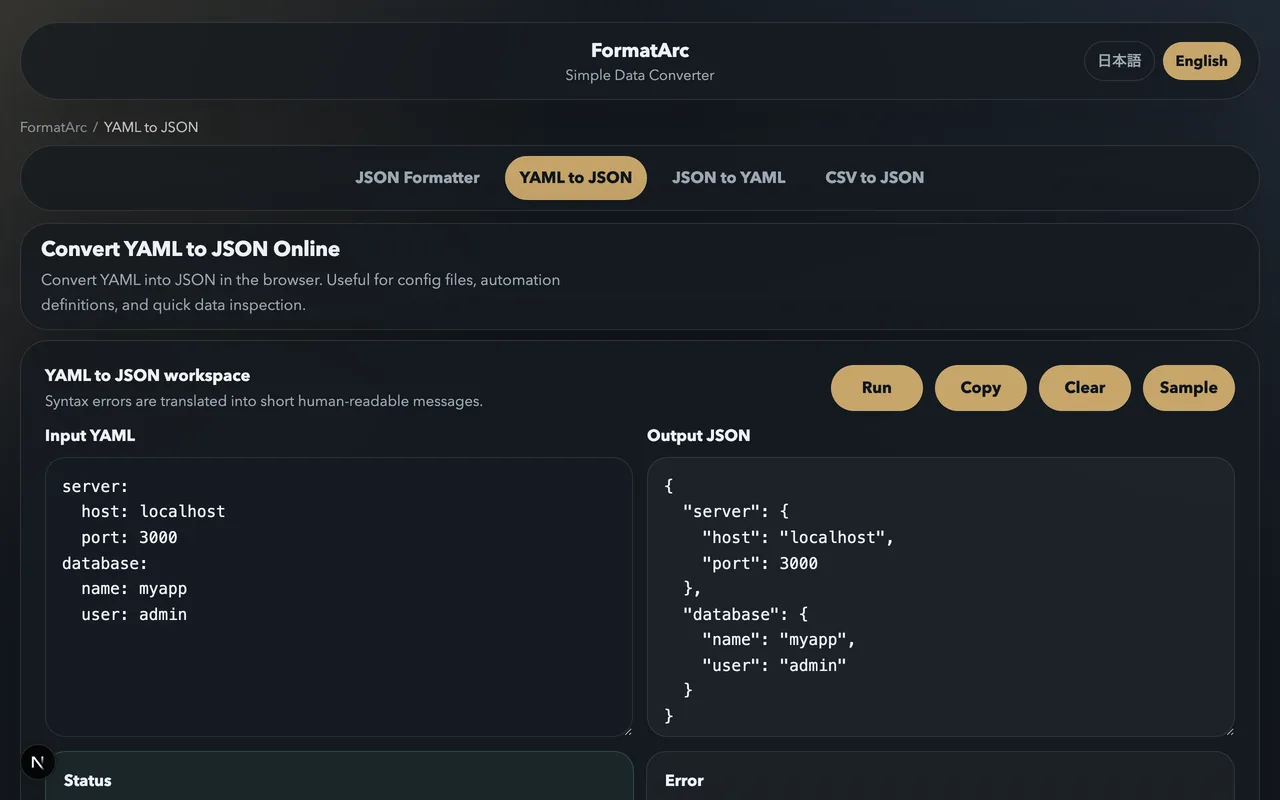
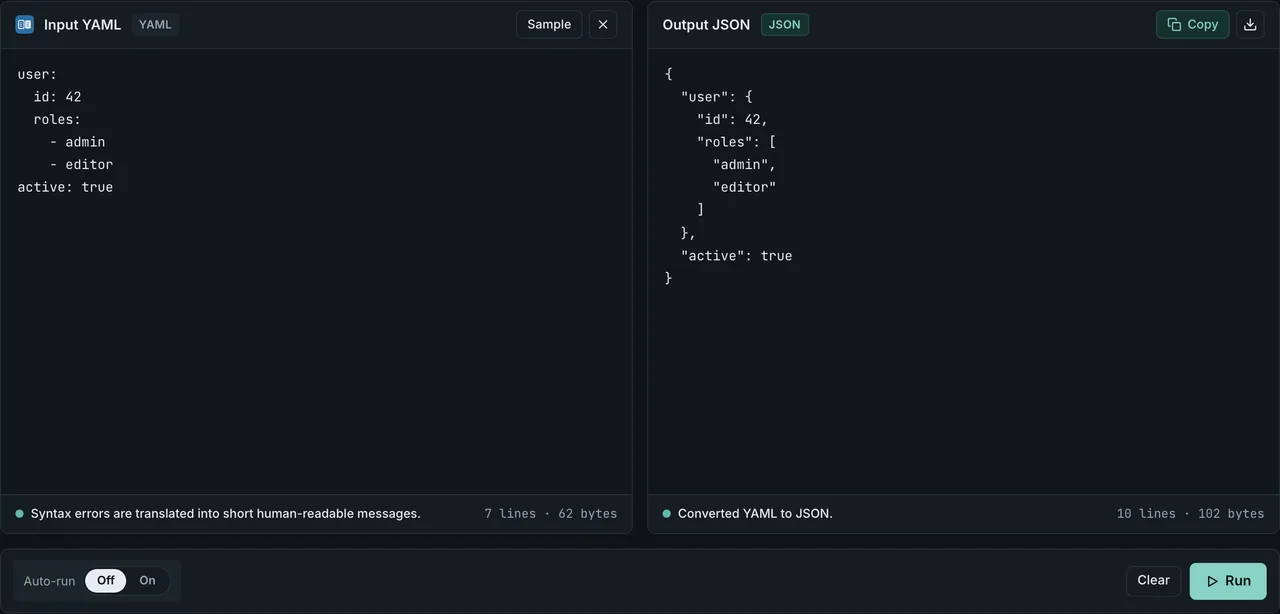
- YAML to JSON — paste YAML, see JSON output, and get line-numbered errors when something is wrong
- JSON to YAML — starting from JSON and want to see the YAML equivalent? Use this to learn the mapping between the two formats
- JSON Formatter — pretty-print the JSON that comes out of your YAML
Everything runs in the browser. Nothing leaves your machine, so you can safely paste internal config files or secrets while you are debugging.
Frequently asked questions
Can I use tabs for indentation in YAML?
No. The YAML spec requires spaces, and a literal tab character will produce a syntax error in most parsers. Configure your editor to insert two spaces when you press Tab in a .yml or .yaml file.
What is the difference between .yml and .yaml?
None. Both extensions are treated identically by every YAML parser. The official spec recommends .yaml, but .yml is common and fully supported.
Do I always need quotes around strings?
No. YAML lets you write most strings without quotes. Add quotes only when the value would otherwise be parsed as a different type, or when it starts with a special character such as -, :, [, {, |, or >.
Why does version: 1.0 become 1?
YAML parses 1.0 as a floating-point number, and some tools later serialize the float as 1. To keep it as a string, quote it: version: "1.0".
How many spaces should I use for indentation?
Two is the convention used by Kubernetes, Docker Compose, GitHub Actions, and most examples you will see online. Four is fine as long as you are consistent inside a single file.
How do I validate a YAML file without installing anything?
Paste it into FormatArc's YAML to JSON converter. If the YAML is valid, you will see the JSON output immediately. If it is not, the error message includes the line number so you can fix the problem fast.
Can I write multiple YAML documents in one file?
Yes. Separate them with a line containing just ---. This is how Kubernetes manifests are typically bundled. A single YAML file can hold as many documents as you want.
Related reading
- What is YAML? — the high-level introduction if you are new to the format
- YAML vs JSON: Key Differences — compare YAML and JSON side-by-side
- How to Convert YAML to JSON — step-by-step conversion guide
- JSON Syntax Guide — the JSON equivalent of this article
- How to Add Comments to JSON — the workaround when you cannot use YAML
- Markdown frontmatter YAML to JSON — SSG compatibility (Hugo / Jekyll / Astro) and the YAML types that break
Summary
- YAML uses indentation, not braces, to express structure
- Spaces only — never tabs, and be consistent
- Quote strings only when they would be misinterpreted
- Use comments, multi-line strings, and anchors to make config files readable
- Validate your YAML fast by pasting it into FormatArc's YAML to JSON tool