Does JSON allow comments? — the short answer
No. JSON does not permit // or /* ... */ comments, under either RFC 8259 or ECMA-404 — the two standards that define the JSON grammar. The ban is structural: Section 2's grammar excludes them, so any conforming parser must reject a comment with an "Unexpected token" error. RFC 8259 Section 9 does, however, state that a parser "MAY accept non-JSON forms or extensions" — that single sentence is why JSONC and JSON5 can exist as legal alternatives.
If you need comments in your JSON, you have four practical options:
- JSONC — JSON with Comments, used by VS Code
- JSON5 — a well-specified superset of JSON that also adds comments, trailing commas, and more
- A workaround field such as
"_comment": "..."that lives inside the JSON itself - Strip the comments before feeding the file to a strict parser
This article walks through each option, explains when to pick which, and shows how to convert a JSON-with-comments file into clean JSON you can use everywhere.
Quick decision:
- If you are editing a VS Code or Microsoft config file: use JSONC
- If you are picking a config format for a new project: use JSON5
- If the parser is strict and you cannot change it: use a
_commentfield or strip the comments
Once you strip the comments, you can format and verify the result in FormatArc's JSON Formatter — everything runs in the browser, and nothing leaves your machine. For tips on producing clean, reviewable JSON output, see JSON Formatting Tips.
What RFC 8259 actually says about comments
RFC 8259Opens in a new tab (Internet Standard 90, December 2017) does not contain the word "comment" anywhere. Comments are excluded structurally, not by an explicit prohibition.
The grammar (Section 2)
The whole JSON grammar fits in a few ABNF lines. The only insignificant characters between tokens are four whitespace bytes:
ws = *(
        %x20 /              ; Space
        %x09 /              ; Horizontal tab
        %x0A /              ; Line feed
        %x0D )              ; Carriage return
// and /* */ are not in the grammar, so a strict parser must reject them as an "Unexpected token" error. That is the formal reason every standards-conforming JSON parser refuses comments — there is simply no production rule that accepts them.
What parsers MAY do (Section 9)
The same RFC explicitly allows extensions:
A JSON parser MUST accept all texts that conform to the JSON grammar. A JSON parser MAY accept non-JSON forms or extensions.
This single sentence is why JSONC and JSON5 can exist without violating the standard. They are "extensions" the RFC explicitly permits, as long as data sent over the wire still conforms to the strict grammar so any other parser can read it.
The same rule across all three IETF revisions
JSON's IETF specification has gone through three revisions — RFC 4627 (2006), RFC 7159 (2014), and RFC 8259 (2017) — and none of them have ever included comments in the grammar. Comments have been out of JSON since the format was first written down.
ECMA-404 vs RFC 8259: do both forbid comments?
Yes. Both standards that define JSON's grammar — ECMA-404Opens in a new tab and RFC 8259Opens in a new tab — exclude // and /* */ from the syntax. The two are deliberately aligned so that a single grammar describes JSON wherever it appears, but they cover different surface area.
What each standard actually defines
| ECMA-404 (2nd edition, 2017) | RFC 8259 (Internet Standard 90, 2017) | |
|---|---|---|
| Publisher | Ecma International | IETF |
| Scope | Syntax only. Section 1 states its sole purpose is to define the syntax of valid JSON text | Syntax plus semantic constraints for interoperability |
| Comments in grammar | No | No |
| Handling of non-conforming input | Section 2: "A conforming processor of JSON texts should not accept any inputs that are not conforming JSON texts" | Section 9: "A JSON parser MAY accept non-JSON forms or extensions" |
| Relationship to the other spec | Section 3 states the two specifications are intended to describe the same syntactic language, and notes that RFC 8259's semantic constraints are not normative for this specification | Defines the same grammar under a different formalism |
| MUST / SHOULD / MAY language | No | Yes (RFC 2119 keywords) |
Why both reach the same answer on comments
The ABNF in RFC 8259 Section 2Opens in a new tab defines only four insignificant characters between tokens — space, tab, line feed, and carriage return — and ECMA-404 uses an equivalent railroad diagram with the same whitespace set. Neither has a production rule for // or /* */, so any conforming parser must reject comments as an "Unexpected token" error. ECMA-404 does not even have an extensions clause; the only legal escape hatch is RFC 8259 Section 9, which is why JSONC and JSON5 are framed as "extensions a parser MAY accept" rather than competing standards.
Why this matters for the standard error messages
When VS Code prints "Comments are not permitted in JSON.", it is enforcing exactly this grammar — the file is being parsed as strict JSON, and the comment is rejected because neither ECMA-404 nor RFC 8259 allows it. The same rule is the reason JSON.parse returns "Unexpected token '/'", Python's json.loads says "Expecting property name", and jq complains about an "Invalid numeric literal". They are all reactions to the same missing production rule. The exact error each parser actually throws is in the next section.
The exact errors JSON comments cause in each parser
Most parsers never say the word "comment". They stop at the first unexpected / and report whatever token they were hoping to find instead, which makes the error surprisingly hard to trace back to a stray comment. The table below shows what each common parser actually prints when it reads this file:
{
  // server settings
  "host": "localhost",
  "port": 8080 /* default */
}
| Parser | Exact error message |
|---|---|
JSON.parse (Node.js v26.7.0 / V8, the engine behind Chrome and Edge) | SyntaxError: Expected property name or '}' in JSON at position 4 (line 2 column 3) |
JSON.parse, comment before a value | SyntaxError: Unexpected token '/', "{"port": /* default"... is not valid JSON |
JSON.parse, comment after a value | SyntaxError: Expected ',' or '}' after property value in JSON at position 14 (line 1 column 15) |
Python 3.14.6 json.loads | json.decoder.JSONDecodeError: Expecting property name enclosed in double quotes: line 2 column 3 (char 4) |
Python json.loads, comment before a value | json.decoder.JSONDecodeError: Expecting value: line 1 column 10 (char 9) |
jq 1.7.1-apple | jq: parse error: Invalid numeric literal at line 2, column 5 |
| VS Code (file treated as strict JSON) | Comments are not permitted in JSON. |
All six rows above except VS Code were reproduced locally against the snippet shown, using our own benchmark. The VS Code line alone is UI copy from the editor's language service and cannot be reproduced from the command line. Three details are worth noticing:
- Only VS Code names the real problem. Its JSON language service flags each comment with "Comments are not permitted in JSON." — but only in files it treats as strict JSON. The same comment in
settings.jsonortsconfig.jsonis silently accepted, because those files are parsed as JSONC. JSON.parseandjson.loadsblame the next token, not the comment. "Expected property name" or "Expecting value" means the parser stopped at the/— the line and column numbers point at the comment itself, even though the message never mentions it.jqmisreads the/as a number. "Invalid numeric literal" looks like a data problem, but at that line and column it is usually a comment.
If you are staring at one of these messages and the file has no visible comments, something else is wrong with the syntax — How to Fix JSON Parse Errors walks through the other causes line by line.
How to fix "Comments are not permitted in JSON" in VS Code
The warning comes from VS Code's JSON language service, and what it really says is "this file is currently associated with the strict JSON mode". Which fix is right depends on who reads the file:
The file legitimately supports comments (JSONC)
Click the language indicator labeled JSON in the bottom-right status bar, choose Change Language Mode, then pick JSON with Comments. The squiggles disappear immediately — the file is now parsed as JSONC, the same mode VS Code already uses for settings.json and tsconfig.json.
The switch lasts only for the current editor session. To make it permanent for a file or a naming pattern, map it in your settings.json:
{
  "files.associations": {
    "*.config.json": "jsonc"
  }
}
A strict parser will read the file
Changing the language mode only silences the editor. If the file is later consumed by JSON.parse, Python's json.loads, or any other strict parser from the error table above, the runtime error remains — the comments themselves have to go. Move the notes into a _comment field or strip them before shipping.
Why the JSON spec does not allow comments
Douglas Crockford, the original designer of JSON, removed comments on purpose. In his own words, people were using comments to embed parsing directives, which broke interoperability. The spec was simplified so that any two JSON parsers would behave identically.
The result is that JSON is:
- Small — the grammar fits on one page
- Unambiguous — every value has exactly one interpretation
- Portable — every language has a built-in parser that behaves the same
The cost is obvious: you cannot annotate a JSON file to explain why a setting exists. That is the tradeoff, and it is also the reason so many tools reach for a superset like JSONC or JSON5.
For the underlying syntax rules, see JSON Syntax Guide.
Option 1: JSONC — JSON with Comments
JSONC is an informal extension invented at Microsoft and used throughout VS Code. It adds two things on top of JSON:
// single-line comments/* multi-line comments */
Everything else is the same as JSON. A JSONC file typically looks like this:
{
  // Which theme VS Code should use at startup
  "workbench.colorTheme": "Default Dark Modern",

  /* Editor settings
     applied to every language */
  "editor.tabSize": 2,
  "editor.formatOnSave": true
}
VS Code's settings.json, tsconfig.json, launch.json, and many Microsoft tools expect JSONC. You will also see it in Deno configs (deno.json) and other developer tooling.
How to parse JSONC
JSONC is not supported by built-in JSON.parse — you need a helper.
Node.js:
// npm install jsonc-parser
import { parse } from "jsonc-parser";
const data = parse(sourceText);
Python:
# pip install jstyleson
import jstyleson
data = jstyleson.loads(source_text)
VS Code itself ships with its own JSONC parser — that is why you can write comments inside settings.json without breaking anything.
Option 2: JSON5 — a cleaner specification
JSON5 (json5.orgOpens in a new tab) is a formally specified superset of JSON that adds several ECMAScript 5 conveniences:
- Single-line and multi-line comments
- Trailing commas in objects and arrays
- Unquoted keys (when they are valid identifiers)
- Single quotes for strings
- Multi-line strings with line continuations
- Hexadecimal numbers, leading and trailing decimal points, and explicit
InfinityandNaN
A JSON5 file can look remarkably relaxed:
{
  // Feature flags for the staging environment
  features: {
    newDashboard: true,
    legacyNotifications: false,
    rateLimitRps: 0xff,
  },
  welcomeMessage: 'Hello, world',
  /* trailing commas are fine */
}
Because JSON5 has an actual specification, libraries for it exist in almost every language: json5Opens in a new tab for Node.js, pyjson5 for Python, json5 for Ruby, and so on.
What Happens When You Put Infinity or NaN in JSON
JSON.stringify({ ratio: 1 / 0 }) returns {"ratio":null}. Infinity, -Infinity, and NaN are not part of standard JSON's number grammar, so JSON.stringify silently swaps them for null instead of throwing. It is easy to miss this swap when you are storing a division-by-zero result or a parse-failure fallback, and the silent null can corrupt downstream aggregation without an error anywhere in the pipeline.
JSON5 (above) accepts Infinity and NaN as literals, but the same null conversion happens the moment the data crosses back into standard JSON (an API response, a saved file). If a value crossing a service boundary might be non-finite, store it as the string "Infinity" explicitly, or add a separate boolean field (for example "ratioIsFinite": false) instead of relying on the number field surviving the round trip.
JSONC vs JSON5: which should you use?
They look similar but have different trade-offs.
| JSONC | JSON5 | |
|---|---|---|
| Official spec | No | Yes (spec.json5.orgOpens in a new tab) |
| Comments | Yes | Yes |
| Trailing commas | Sometimes | Yes |
| Unquoted keys | No | Yes |
| Single-quoted strings | No | Yes |
| Ecosystem | Microsoft / VS Code | Independent, npm and others |
A simple rule of thumb:
- If you are editing a Microsoft or VS Code configuration file, you are already using JSONC — keep doing that
- If you are choosing a config format for a new project and want a spec you can point tools at, pick JSON5
- If interoperability with strict JSON parsers is critical, stay on pure JSON and use the workaround field pattern below
Implementation support: what each form actually allows
The table below maps five common "non-JSON" features against the strict standard and the two supersets. The RFC 8259 column reflects the grammar in RFC 8259Opens in a new tab Section 2 (the same grammar codified in ECMA-404Opens in a new tab); the JSON5 column reflects the published JSON5 specificationOpens in a new tab; the JSONC column reflects the informal Microsoft extension as documented for VS Code.
| Feature | Allowed by RFC 8259? | JSONC | JSON5 |
|---|---|---|---|
Single-line // comment | No | Yes | Yes |
Block /* */ comment | No | Yes | Yes |
| Trailing comma | No | Optional | Yes |
| Unquoted keys | No | No | Yes |
| Single-quoted strings | No | No | Yes |
The RFC 8259 column is "No" for every row because Section 2's grammar has no production rule for any of these features — strings must be double-quoted, keys are strings, and there is no element after the final value in an object or array. JSON5 permits all five because its specification explicitly adds ECMAScript 5 syntax. JSONC always adds the two comment forms and keeps strict JSON's double-quoted keys and strings; trailing-comma support is parser-dependent (the JSONC spec says parsers MAY accept them, and the reference jsonc-parser leaves allowTrailingComma off by default), which is why the cell reads "Optional" rather than a flat "Yes".
Workarounds for strict JSON
If you cannot change the parser — for example, because a third-party service expects plain JSON — you can still leave notes inside the file using ordinary string fields.
Pattern 1: the _comment field
{
  "_comment": "Increase retries before the upstream timeout kicks in",
  "retries": 3,
  "timeout_ms": 5000
}
Underscore-prefixed keys are conventionally ignored by consumers, and most code treats them as ordinary data. This is the simplest workaround.
Pattern 2: sibling keys for per-field comments
{
  "retries": 3,
  "retries_comment": "Any higher and we exceed the upstream timeout",
  "timeout_ms": 5000,
  "timeout_ms_comment": "Matches the load balancer timeout"
}
More verbose but makes it clear which comment belongs to which field.
Pattern 3: outer metadata block
{
  "$meta": {
    "generated_by": "deploy.sh",
    "purpose": "Service configuration for the staging environment"
  },
  "service": {
    "port": 8080,
    "retries": 3
  }
}
A top-level metadata object keeps the payload clean while preserving context.
These workarounds add real data to the file, which means strict parsers still accept them. The downside is that the extra fields become part of the schema and must be documented as such.
Writing comments in package.json
package.json is a plain JSON file read by npm, so neither // nor /* */ comments are allowed. If you write one, npm install fails at the JSON.parse step. However, npm ignores unknown top-level keys, so you can apply the workaround patterns above.
The common approach is to put notes under the conventional "//" key.
{
  "//": "Uses a private registry. Valid for internal CI only",
  "name": "my-app",
  "version": "1.0.0",
  "scripts": {
    "build": "tsc -p ."
  }
}
A key can be used only once per object, so to leave several notes use an array.
{
  "__comments": [
    "Deployment scripts are not managed in this file",
    "engines must match the CI Node version"
  ],
  "name": "my-app",
  "engines": { "node": ">=20" }
}
npm itself ignores these keys, but npm publish ships the notes with the published package, so this suits package.json files for internal tools or private repositories. If you want the intent preserved robustly, write it as JSONC using the comment-stripping pattern below and convert before publishing.
Strip comments before using a strict parser
If you have a JSONC or JSON5 file and need to feed it to a strict JSON parser, you have two choices: parse it with a JSONC/JSON5 library and re-serialize as JSON, or strip the comments with a regex.
Quick Node.js example using the json5 package:
// npm install json5
import JSON5 from "json5";
import fs from "node:fs";

const source = fs.readFileSync("config.json5", "utf8");
const data = JSON5.parse(source);
fs.writeFileSync("config.json", JSON.stringify(data, null, 2));
Or a minimal regex approach — fine for files you control, but fragile if strings can contain //:
const stripped = source
  .replace(/\/\/[^\n\r]*/g, "")
  .replace(/\/\*[\s\S]*?\*\//g, "");
const data = JSON.parse(stripped);
The safer path is always to use a real parser. Once the comments are gone, see JSON Formatting Tips for handling complex structures and spotting any remaining syntax errors.
Do comments survive when you programmatically rewrite a JSON-with-comments file?
No. If you load a JSONC or JSON5 file with a typical parser, change a value, and write it back with JSON.stringify(parsed, null, 2), every comment disappears. Most JSONC/JSON5 parsers just skip comments; they do not keep any comment information in the object they return.
When CI or a script automatically updates a comment-bearing config file such as tsconfig.json or settings.json, you need one of these:
- Replace only the key you are changing with a regular expression (do not run it through a
JSON.parsethat destroys the structure) - Parse with a library that keeps comments as nodes (such as
comment-json) and write back with the same library - Restore the comments by hand or with a diff after the change
Before you call fs.writeFileSync, always check whether you are writing back a comment-free object from a file you read with its comments intact.
Format the result with FormatArc
Once you have plain JSON, paste it into FormatArc's JSON Formatter to pretty-print the output and spot any remaining issues. If the parser is still complaining — typically with an "Unexpected token /" error — that error almost always means a comment is still in the file. See How to Fix JSON Parse Errors for the full list of causes.
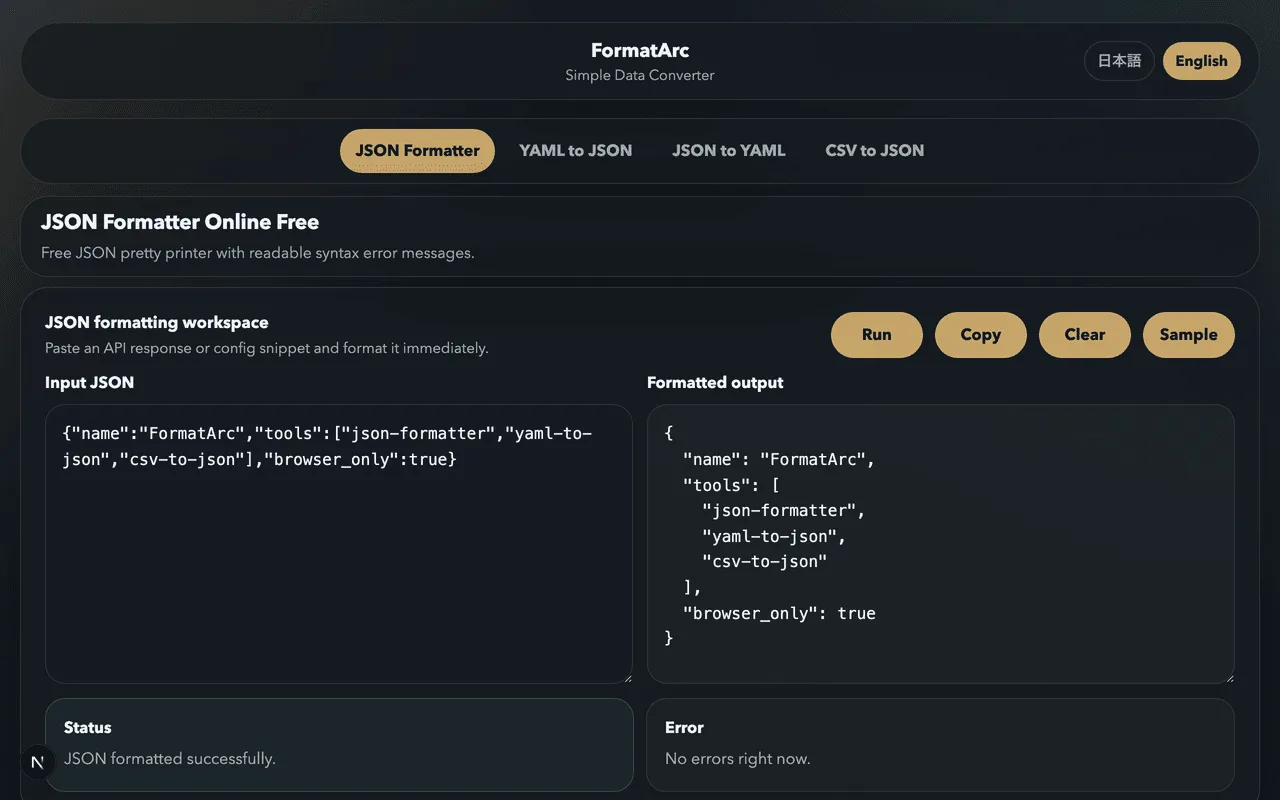
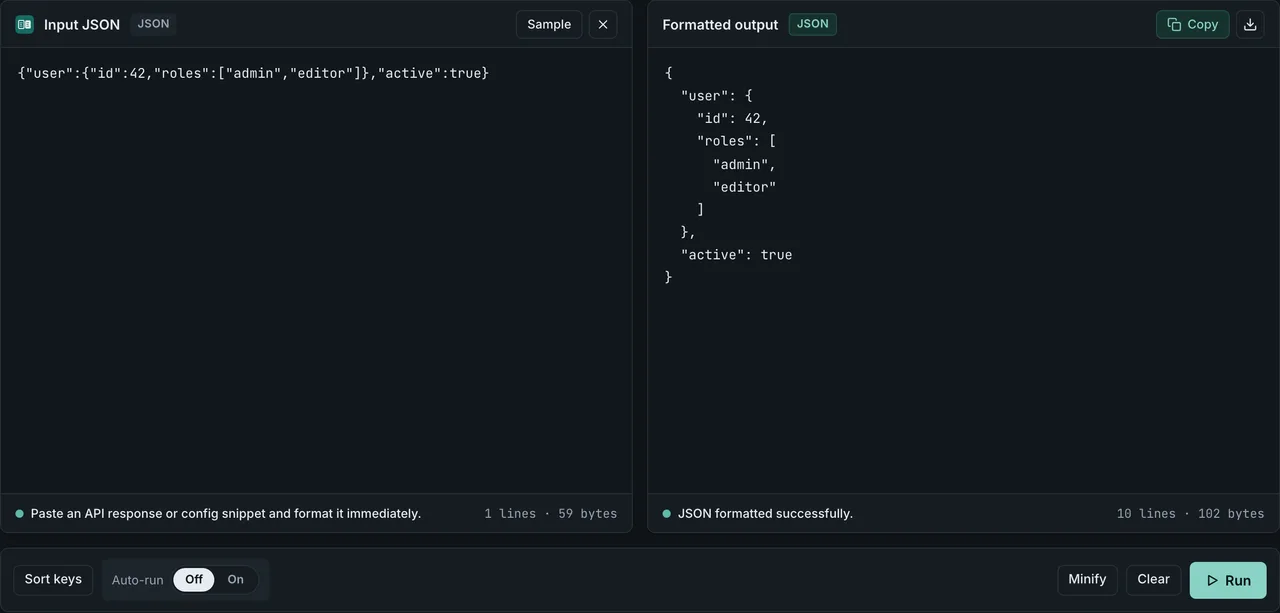
FormatArc itself uses the built-in JSON.parse, so it will reject JSONC and JSON5 directly. The workflow is:
- Strip comments (or parse with a JSONC/JSON5 library, then stringify)
- Paste the result into the JSON Formatter
- Read, verify, or copy the clean JSON
Everything runs in the browser — nothing leaves your machine.
Frequently asked questions
Are JSON comments permitted in RFC 8259?
No. JSON comments are not permitted by RFC 8259. The specification's grammar in Section 2 has no production rule for // or /* */, so any conforming parser must reject them as "Unexpected token". The standards-compatible alternatives are JSONC, JSON5, or stripping comments before parsing.
Does RFC 8259 explicitly say JSON comments are not allowed?
Not in those words — RFC 8259 never uses the term "comment". The prohibition is implicit. Section 2 defines the entire JSON grammar in ABNF and lists only four insignificant characters between tokens (space, tab, line feed, carriage return). Because // and /* */ are absent from the grammar, a conforming parser must reject them. Section 9 then permits parsers to accept "non-JSON forms or extensions", which is the legal basis for JSONC and JSON5.
Where does RFC 8259 say JSON comments are not allowed?
RFC 8259 never uses the word "comment". The ban is structural: Section 2 defines the entire JSON grammar in ABNF, and the only insignificant characters between tokens are space, tab, line feed, and carriage return (ws = *( %x20 / %x09 / %x0A / %x0D )). There is no production rule for // or /* */, so a conforming parser must reject them as "Unexpected token". Section 9 then allows parsers to accept "non-JSON forms or extensions" — which is the legal basis for JSONC and JSON5.
Why do VS Code settings.json and tsconfig.json allow comments?
Both files are technically invalid JSON under RFC 8259, but VS Code and the TypeScript compiler ship their own JSONC parsers and treat the files as JSONC rather than strict JSON. This is exactly the "non-JSON forms or extensions" case Section 9 permits. The trade-off is portability: other tools that use JSON.parse directly will fail on the same file with an "Unexpected token /" error unless they also understand JSONC.
Can I use // or /* comments in a regular .json file?
Not if the file is going to be read by a strict parser such as JSON.parse, json.loads, or encoding/json. The parser will reject the file with an "Unexpected token" error on the first comment. Rename the file to .jsonc and use a JSONC-aware loader, or switch to JSON5.
Why does VS Code let me write comments in settings.json?
VS Code treats settings.json and similar files as JSONC, not strict JSON. Its built-in parser accepts // and /* */ comments. Other editors that use JSON.parse to read the same file will fail unless they also understand JSONC.
Is JSON5 a standard?
JSON5 has a published specification at spec.json5.orgOpens in a new tab, but it is not an IETF or ECMA standard. It is widely supported in developer tooling but is not a replacement for RFC 8259 JSON in APIs or on the wire.
Should I use _comment or switch to JSON5 for my config file?
If the file is read by many different tools — some of which only understand strict JSON — stay on plain JSON and use the _comment pattern. If the file is consumed only by code you control, JSON5 gives you real comments and is less noisy.
Does FormatArc support JSONC or JSON5?
FormatArc's tools use the browser's built-in JSON.parse, which is strict. You will need to remove comments or parse through a JSONC/JSON5 library first, then paste the result into FormatArc's JSON Formatter.
What about YAML?
YAML supports comments natively with #. If you mostly need the comments and can change the format, YAML is often the better choice for configuration files. See YAML vs JSON: Key Differences for the full comparison, or jump straight to the YAML Syntax Guide.
What about TOML?
TOML supports comments with # and is built for configuration files, so keys stay readable without a schema. It is a better fit than JSON when the file is edited by hand, and a worse one when the data has to travel between services, since TOML parsers are less universal than JSON ones.
Related reading
If you want to understand JSON itself better:
- What is JSON? — the basics of the format
- JSON Syntax Guide — the rules strict JSON follows
If you chose JSONC or JSON5 and need to work with the output:
- JSON Formatting Tips — clean output once the comments are gone
- How to Fix JSON Parse Errors — when your comments slip past you
- JSON Trailing Comma: Why It Fails and How to Remove It — the other syntax error JSON5 quietly allows
If you need comments and can switch formats:
- YAML vs JSON: Key Differences — the config-friendly alternative
- YAML Syntax Guide — learn YAML if you need comments and more
Summary
- Standard JSON does not support comments — that is by design
- JSONC adds
//and/* */comments and is used by VS Code - JSON5 is a formal superset with comments, trailing commas, and looser syntax
- If you cannot change the parser, add an
_commentfield or an outer metadata block - After stripping comments, pretty-print the result in FormatArc's JSON Formatter