JSON trailing comma — the short answer
A trailing comma is the comma left after the last item in an object or array, right before the closing } or ]. Standard JSON (RFC 8259) does not allow it, so a strict parser rejects the file with an error such as Unexpected token } or Expecting property name enclosed in double quotes. The fix is to delete that one comma.
This page is specifically about trailing commas (,), not about // or /* */ comments. If you actually meant comments in JSON, that is a separate topic covered in Are JSON comments allowed?. Here we focus on the extra comma: why it errors, how to find it, how to remove it, and how the supersets JSON5 and JSONC differ.
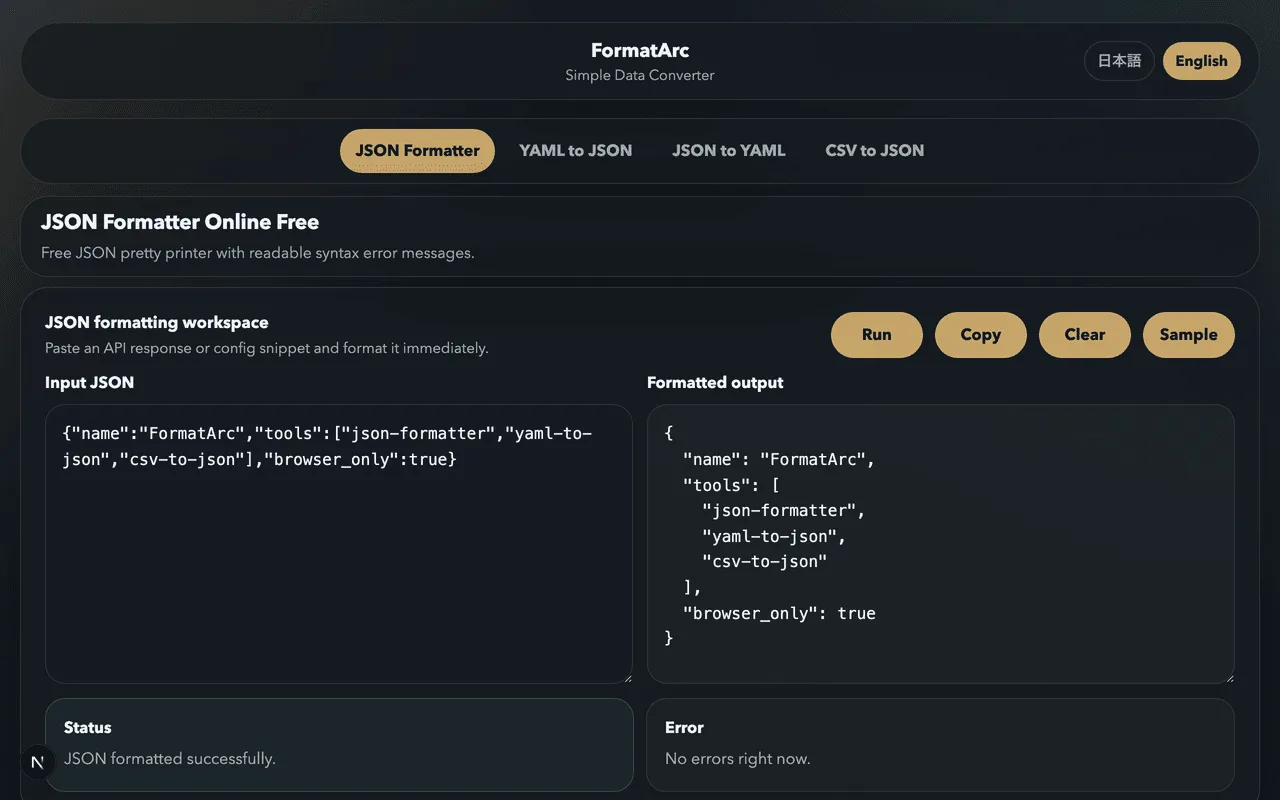
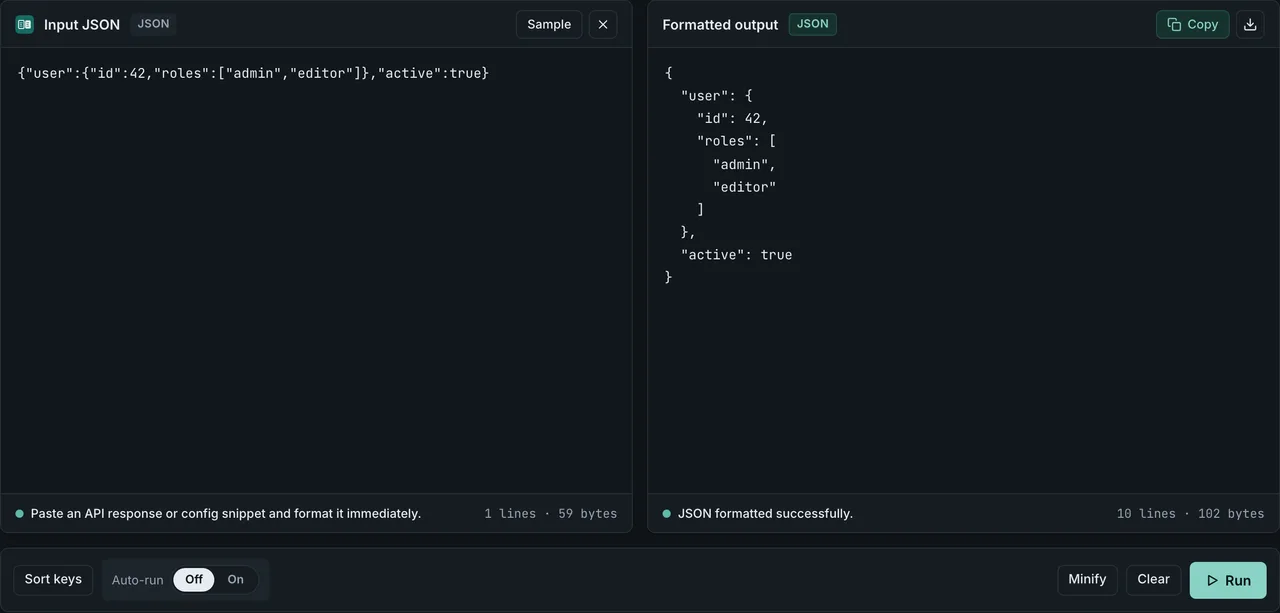
Fix it now in your browser
If you just need the error gone, you do not have to count characters by hand:
- Open the JSON Formatter
- Paste the JSON that is failing
- Read the error line — it points at the closing bracket that follows the stray comma
- Delete the comma directly before that
}or], then click Run again - Copy the clean, formatted JSON from the output
The formatter runs entirely in your browser. The JSON you paste is never uploaded, logged, or stored, which matters when the payload is an API response or a config file with internal data.
Before and after
A trailing comma can appear in three places. Here is each broken case next to its fix.
Trailing comma in an object:
{
  "name": "Aoi",
  "role": "Engineer",
}
{
  "name": "Aoi",
  "role": "Engineer"
}
Trailing comma in an array:
[
  "red",
  "green",
  "blue",
]
[
  "red",
  "green",
  "blue"
]
Nested — a trailing comma can hide inside an inner object or array:
{
  "tags": ["a", "b",],
  "meta": {
    "active": true,
  }
}
{
  "tags": ["a", "b"],
  "meta": {
    "active": true
  }
}
In every case the fix is the same: remove the comma that sits between the last value and the closing bracket. The values themselves are fine.
The error messages you will see
Different parsers describe the same trailing comma differently, so the wording depends on which language reads the file.
Browser and Node.js (V8) JSON.parse:
SyntaxError: Unexpected token } in JSON at position 42
SyntaxError: Expected double-quoted property name in JSON at position 42
Python json.loads:
json.decoder.JSONDecodeError: Expecting property name enclosed in double quotes: line 4 column 1 (char 42)
The common thread is that the parser reaches the comma, expects another value or key after it, and instead finds a closing bracket. In most parsers, the position or line number it reports is the closing } or ], so the comma to delete is on the line just before — Python is the exception, as the table below shows.
Running the same input through five parsers shows how much that reported position actually varies (measured in scripts/benchmarks/json-trailing-comma/, 2026-08-17, Node.js v26.7.0 / Python 3.14.6 / jq 1.7.1-apple / json5 2.2.3 / jsonc-parser 3.3.1). The input is this multi-line object:
{
  "a": 1,
  "b": 2,
}
| Parser | What it does with the trailing comma |
|---|---|
V8 (Node.js) JSON.parse | Rejects it. Expected double-quoted property name in JSON at position 22 (line 4 column 1) |
Python json.loads | Rejects it. Illegal trailing comma before end of object: line 3 column 9 (char 20) |
| jq | Rejects it. jq: parse error: Expected another key-value pair at line 4, column 1 |
| JSON5 | Accepts it (no error) |
| jsonc-parser | Rejects it. PropertyNameExpected at offset 22; ValueExpected at offset 22 |
The reported position splits by parser: V8 and jsonc-parser point at the closing bracket (offset 22 / line 4 column 1), jq points at the line the bracket sits on, and Python alone points at the comma itself (line 3 column 9).
If you see one of these messages but cannot spot the comma, paste the file into the JSON Formatter and it will mark the line for you. For the full list of parse-error causes — single quotes, unquoted keys, missing commas — see How to Fix JSON Parse Errors.
Why JSON forbids trailing commas
Under RFC 8259Opens in a new tab, a comma is a separator between values, not a terminator after each value. The grammar in Section 2 defines an array as values separated by commas and an object as members separated by commas — there is no production rule that allows an element after the final value. So a comma followed only by whitespace and a closing bracket has nothing to separate, and a conforming parser must reject it.
This is also why the mistake is so common: JavaScript object and array literals do allow trailing commas, and many editors format .js files that way. But JSON.parse() reads strict JSON, not JavaScript, so the same text that runs fine inside a .js file fails the moment it is parsed as JSON. Copying an object out of code into a .json file is the classic way a trailing comma sneaks in.
For the rest of strict JSON's rules, see the JSON Syntax Guide.
Remove trailing commas automatically
Deleting one comma by hand is quick. When you are generating JSON or cleaning up many files, automate it instead.
Generate JSON with a serializer, not string concatenation. JSON.stringify (and the equivalent in every language) never emits a trailing comma, so the problem cannot occur:
const data = { name: "Aoi", role: "Engineer" };
const json = JSON.stringify(data, null, 2);
// always valid — no trailing comma is ever produced
Format on save. In VS Code, running Format Document (or Prettier with format-on-save) on a .json file removes trailing commas as part of reformatting. This is the easiest way to keep hand-edited config files clean.
A regex is a last resort. The pattern ,\s*([}\]]) matches a comma followed by whitespace and a closing bracket:
const cleaned = source.replace(/,(\s*[}\]])/g, "$1");
const data = JSON.parse(cleaned);
Treat this as a fallback only. It can misfire on a comma that appears inside a string value (for example "a,}"), so use it only on files you control, and validate the result in the JSON Formatter afterward.
Parser options accept, they do not rewrite. Some libraries can tolerate trailing commas — .NET's JsonSerializerOptions.AllowTrailingCommas, Go struct decoding in some configurations, and others. These let your code read the file, but they do not change the file on disk or make it valid for a different strict parser. If the JSON has to travel over the wire to another service, you still need to remove the comma.
Remove trailing commas in Python
The standard-library json module rejects trailing commas, but the json5 package parses them under the JSON5 spec (which allows trailing commas). Because it goes through a real parser, it will not corrupt a ,} sequence inside a string value the way a regex can.
# pip install json5
import json, json5

with open("broken.json") as f:
    data = json5.load(f)

with open("fixed.json", "w") as f:
    json.dump(data, f, indent=2)
Remove trailing commas in Node.js
Read the file with the npm json5 package, then write it back out with the standard JSON.stringify.
// npm install json5
import JSON5 from "json5";
import fs from "node:fs";

const data = JSON5.parse(fs.readFileSync("broken.json", "utf8"));
fs.writeFileSync("fixed.json", JSON.stringify(data, null, 2));
Batch-fix many files with sed
For CI pipelines or shell scripts that need to clean up many files at once, sed is the quickest option. It carries the same misfire risk as the regex above, so always validate the output with a parse step.
sed -E 's/,[[:space:]]*([}\]])/\1/g' broken.json > fixed.json
python3 -c "import json; json.load(open('fixed.json'))"  # validate
Why jq cannot fix it
jq's parser is strict: it rejects any input that contains a trailing comma, so jq . broken.json stops with an error instead of repairing the file. jq is a tool for transforming and querying valid JSON — use one of the methods above to remove the comma first, then reach for jq to process the repaired output.
Stop trailing commas coming back
Fixing the file once does not stop the next one. A couple of guardrails catch them early:
- Editor: VS Code flags trailing commas in
.jsonfiles (though not in.jsonc). Keep the file extension as.jsonso the warning stays on. - Know where they appear: trailing commas show up most in hand-edited config files, in JSON pasted out of
.jssource, and in strings assembled by concatenation. Generated JSON from a real serializer is safe.
Where trailingComma actually comes from
Format-on-save can be the reason a trailing comma returns. Here is what Prettier's own docs and issue tracker say about when that happens:
| What | Detail | Source |
|---|---|---|
| Prettier's default | trailingComma defaults to "all" as of v3.0.0, changed from "es5" in earlier versions | prettier.io/docs/optionsOpens in a new tab |
| VS Code extension | Force-disabling trailingComma is handled by the Prettier VS Code extension itself, not Prettier core, and only takes effect when the parser is json — the request to change it is closed and locked | prettier-vscode#589Opens in a new tab |
tsconfig.json | Prettier core infers this file as JSONC even though its extension is .json, so saving it can add a trailing comma — closed as not planned | prettier#15942Opens in a new tab |
.jsonc files generally | The same JSONC inference applies to .jsonc files as a class — the issue is still open | prettier#15956Opens in a new tab |
A JSON.parse gate in CI
A JSON-aware linter or a JSON.parse step in your build catches a trailing comma before it ships, not after a downstream service chokes on it. A minimal version needs no dependency:
node -e "JSON.parse(require('fs').readFileSync(process.argv[1], 'utf8'))" config.json
Run it as a pre-commit hook, or loop it over every .json file in CI. This is worth adding for config files that are edited by hand, since those are where a trailing comma is most likely to sneak back in.
JSON5 and JSONC do allow trailing commas
If you keep wanting a trailing comma — for cleaner diffs when you add a line, for example — there are formats that allow it.
- JSON5 is a formally specified superset of JSON that allows trailing commas, comments, unquoted keys, and single quotes unconditionally — it is the only one of five measured parsers with
accepted: trueand no error at all (scripts/benchmarks/json-trailing-comma/). - JSONC (JSON with Comments, used by VS Code) adds comments. Its
jsonc-parserimplementation does lenient recovery: it never throws on a trailing comma and still returns a value, but it records that trailing comma as an error in itserrorsarray (see thejsonc-parserrow above). Returning a value and being formally accepted are two different things — the sense in which a VS Code config file "allows" a trailing comma is the former, not the latter.
The catch is reach: these are fine for config files read by tooling that understands them, but they are not valid for an API payload, for package.json, or for any service that uses a strict JSON.parse. The full comparison, including how RFC 8259 Section 9 permits these extensions, is in Are JSON comments allowed?, which covers the same supersets from the comments angle.
If your goal is just clean, readable strict JSON, run the result through the JSON Formatter and see JSON Formatting Tips for keeping larger payloads tidy.
Frequently asked questions
Are trailing commas allowed in JSON?
No. RFC 8259 defines commas as separators between values, with no element allowed after the last value, so a comma before a closing } or ] is invalid. A strict parser rejects it with an error like Unexpected token }.
How do I find and remove a trailing comma?
Paste the JSON into the JSON Formatter. The error message points at the closing bracket that follows the stray comma, so delete the comma on the line just before it and run again. To prevent it entirely, generate JSON with JSON.stringify instead of building strings by hand.
Why does JavaScript allow trailing commas but JSON does not?
JavaScript object and array literals permit trailing commas as a language convenience. JSON is a strict data format read by JSON.parse, which follows RFC 8259 and has no rule for an element after the final value. The same text is valid as a JS literal and invalid as JSON.
What error message does a trailing comma cause?
Most often Unexpected token } (or ]) in V8/Node, Expected double-quoted property name in newer V8, and Expecting property name enclosed in double quotes in Python. All of them mean the parser found a closing bracket where it expected another value or key.
Can I just allow trailing commas instead of removing them?
Some parsers can be configured to tolerate them (for example .NET's AllowTrailingCommas). But that only helps the code that reads the file. It does not make the file valid for a different parser or for transmission. For interoperable JSON, remove the comma.
Do trailing commas work in JSON5?
Yes. JSON5 explicitly allows trailing commas, along with comments and unquoted keys. It is suitable for local config files but not for API data, which must be strict RFC 8259 JSON.
Summary
- A trailing comma is the comma before a closing
}or]; standard JSON forbids it - Errors look like
Unexpected token }orExpecting property name enclosed in double quotes— the reported position is the bracket, so the comma is just before it - The fastest fix is to paste the file into the JSON Formatter, read the line, and delete the comma
- Generate JSON with
JSON.stringifyand format on save to stop trailing commas coming back - JSON5 and JSONC allow trailing commas, but only for tooling that understands them — not for API payloads