A line that starts with * turns into a bullet. # price list becomes a page heading. The <version> placeholder you typed has vanished from the preview. All of these happen because Markdown read your symbol as a formatting instruction — and none of them produce an error message. This guide covers how to escape characters so they display as typed, backed by 23 test cases run against 4 renderers.
The short answer — put one backslash before the symbol
Type a backslash \ directly before the character you want to display. That's it.
\*this will not be italic\*
The backslash itself disappears from the output. The example above renders as the plain string *this will not be italic*, asterisks included.
To display a literal backslash, double it: \\.
Quick reference — from symptom to fix
Work backwards from what went wrong. Every symptom below comes from the measured cases later in this article.
| What happened | Cause | Fix |
|---|---|---|
| Text turned italic or bold | Words wrapped in * or _ | Escape as \* \_ |
| A whole line became a heading | Line starts with # plus a space | Write \# |
| A numbered list appeared | Line starts with a number and a period | Escape the period: 1986\. |
| A bullet list appeared | Line starts with - or * | Write \- \* |
| Text disappeared from the page | A word wrapped in < and > | Write \< and \> |
| A table cell split, or lost its second half | A pipe inside the cell | Backslash before the pipe (details below) |
Which characters can be escaped
The CommonMark spec on backslash escapesOpens in a new tab states that "Any ASCII punctuation character may be backslash-escaped". That covers these 32 characters:
! " # $ % & ' ( ) * + , - . / : ; < = > ? @ [ \ ] ^ _ ` { | } ~
Two flip sides of this rule cause most of the confusion:
- Only ASCII punctuation qualifies. Before anything else, the backslash is just a character: the spec says "Backslashes before other characters are treated as literal backslashes". So
\ndoes not become a line break — it renders as a backslash followed by an n - Escaping is about position, not just the character.
#only makes a heading at the start of a line with a space after it; a#in the middle of a sentence is already safe
The next section pins down those boundaries with measurements.
Tested — what breaks without escaping, and whether the backslash works
Plenty of guides list escapable characters. Very few show what actually happens when you don't escape, or verify that the backslash works across implementations. So we ran 23 cases through 4 renderers: GitHub's production renderer (via the Markdown API), marked 18.0.5, remark-gfm 4.0.1, and strict CommonMark (remark-parse with no extensions). Measured on 2026-08-26; the reproduction script and raw data live in this site's repository under scripts/benchmarks/markdown-escape-characters/.
Here are the headline cases.
| Input (measured string) | Without escaping | With escaping |
|---|---|---|
Buy the *limited edition* today. | Renders italic (4/4 renderers) | \*limited edition\* displays as typed (4/4) |
# price list at line start | Becomes an h1 heading (4/4) | \# price list displays as typed (4/4) |
1986. What a year. at line start | Becomes an ordered list starting at 1986 (4/4) | 1986\. What a year. displays as typed (4/4) |
Replace <version> with 2.0 | <version> vanishes from the page (4/4) | \<version\> stays visible (4/4) |
grep a | b inside a table cell | The pipe splits the cell and the overflow is dropped (all 3 GFM renderers) | A backslash keeps it in one cell (all 3 GFM renderers) |
The number-plus-period case is the easiest to miss. Whether it's 1. or 1986., a number followed by a period at the start of a line becomes an ordered list and the rest of the sentence gets indented. If you open a sentence with a year or a model number, escape the period.
To see how your Markdown is interpreted, paste it into Markdown to HTML — the conversion runs entirely in your browser and nothing you paste is uploaded anywhere.
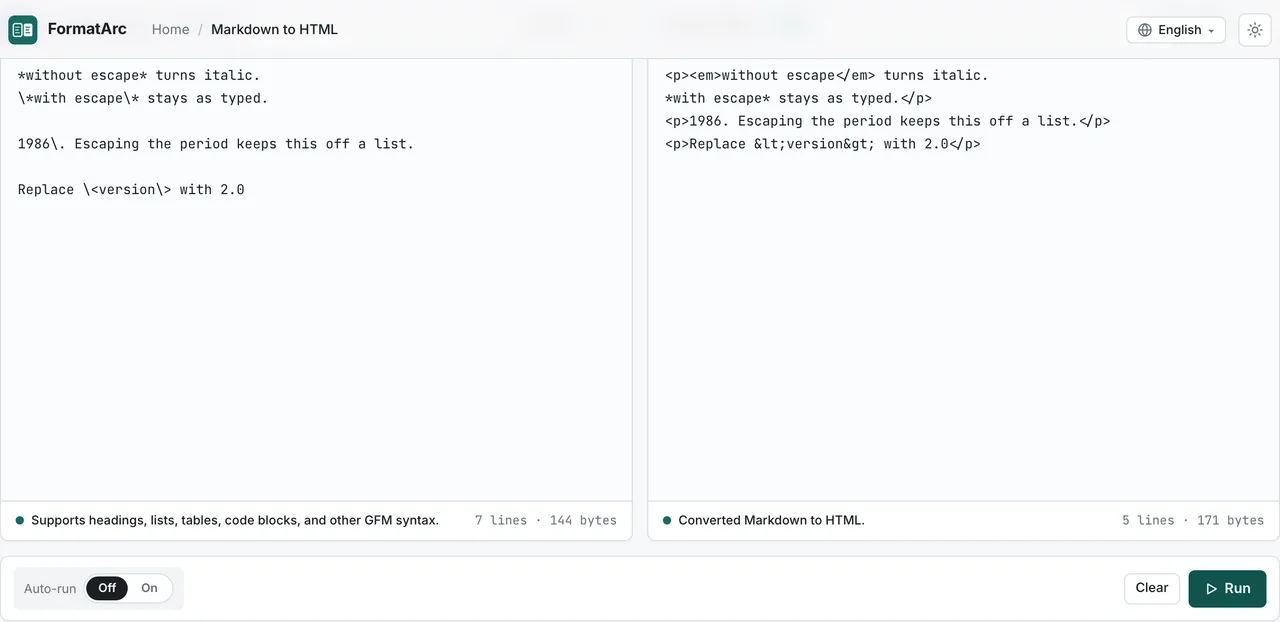
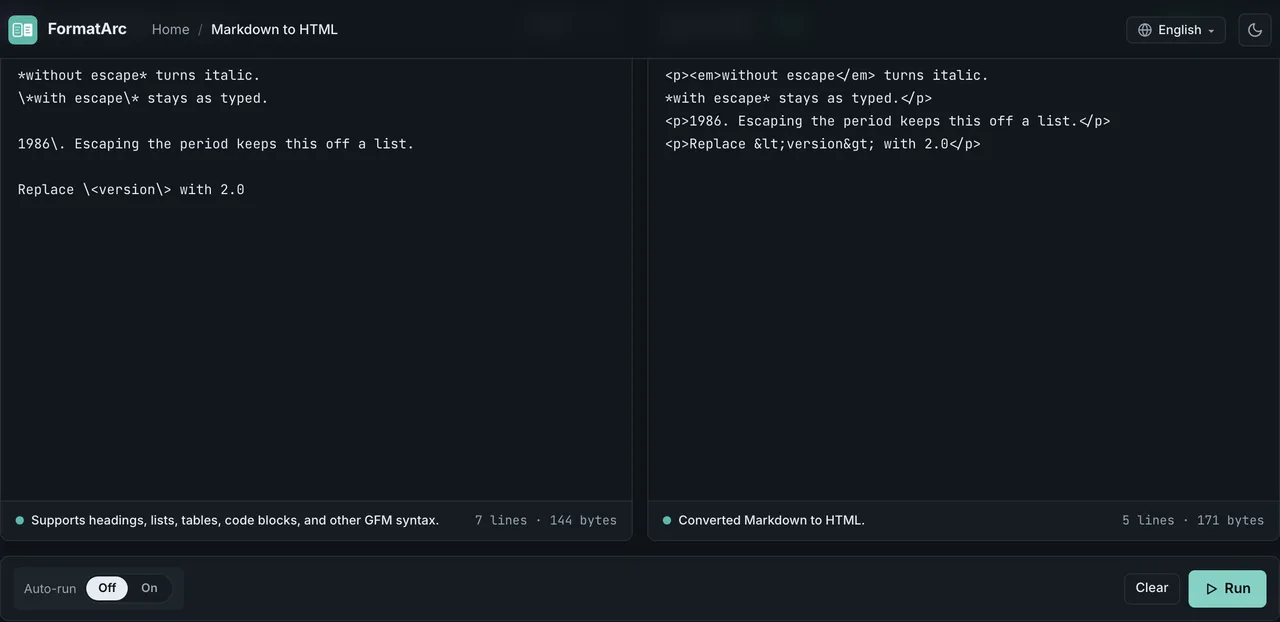
All four implementations here are CommonMark-based, and their escape behavior matched cleanly. Where dialects do diverge is a separate topic — see CommonMark vs GFM for those measurements.
Cases where you don't need to escape
Over-escaping makes your source harder to read and adds noise to diffs. Three common patterns tested as safe without any escaping:
- Intraword underscores.
max_retry_count_limitrendered as typed in all 4 renderers — an_inside a word is not treated as emphasis #hashtagwith no space. A#only creates a heading when a space follows it;#hashtagstayed plain text in all 4 renderers- Brackets with no URL attached.
[TODO] fix laterrendered as typed in all 4 renderers. One caveat: if your document contains a reference definition like[TODO]: https://...somewhere, the brackets become a link — escape as\[TODO\]only in that case
The asymmetry to remember: asterisks do not behave like underscores. foo*bar*baz turned italic in all 4 renderers, even though the asterisks sit inside a word. Don't extend your snake_case instincts to *.
Where backslash escapes don't work
The CommonMark spec is explicit: "Backslash escapes do not work in code blocks, code spans, autolinks, or raw HTML". Our tests confirm it — a \* written inside a code span or a fenced code block displayed the backslash itself, in all 4 renderers.
Two practical consequences:
- Inside code blocks, escape nothing.
*and#display exactly as typed - Trying to escape inside code backfires. Write
`\*`and your readers see\*, not*
One more trap sits at the end of the line. Per the spec, "A backslash at the end of the line is a hard line break" — and all 4 renderers converted a trailing \ into <br>. If you meant to escape a symbol at the end of a line and left the backslash last, you get an extra line break instead of a symbol.
The disappearing characters — watch out for < and >
Most symbols fail towards unwanted formatting. < and > fail towards invisible text, which is worse. If you write placeholders like <version>, this one is for you.
In our tests, the <version> in Replace <version> with 2.0 disappeared from the rendered page in all 4 renderers. The mechanism differs: GitHub's sanitizer strips the unknown tag, while marked and remark pass it through as raw HTML that the browser then swallows. Either way, your readers see nothing.
Three fixes:
Replace \<version\> with 2.0
Replace `<version>` with 2.0
Replace <version> with 2.0
\<version\> stayed visible in all 4 renderers. If the placeholder is part of a command or code, a code span communicates that intent better. The HTML character reference <version> also survived in all 4 renderers (remark normalises the output to <, but it reads the same on screen) — the same technique the table section below uses for pipes.
The one contextual exception — pipes inside table cells
Everything above applies anywhere in a document. Pipes inside table cells are the one place with extra rules. Tables are not core CommonMark — they're a GFM extensionOpens in a new tab — and a raw pipe inside a cell starts a new column. Worse, the GFM spec says that cells beyond the header column count are ignored ("the excess is ignored"): in our tests, a cell containing grep a | b was split at the pipe and the trailing b was silently dropped (all 3 GFM renderers). This is the only escape failure that loses data instead of just changing formatting.
Escape pipes with a backslash, or use the HTML character reference |. Both kept the pipe inside a single cell in all 3 GFM renderers.
| command |
| --- |
| grep a \| b |
| grep a | b |
If your table comes from CSV or spreadsheet data, CSV to Markdown escapes in-cell pipes automatically when it generates the table — no manual cell-by-cell checking, and the conversion never leaves your browser.
Prefer a code span when the symbol is code
Wrapping text in backticks also displays symbols literally, but the two techniques serve different purposes:
- Use a backslash when the symbol belongs to the prose.
Prices may change \*without notice\*keeps the sentence looking like a sentence, symbols included - Use a code span when the text is a command, a path, or a regex.
C:\Users\nameand\d+read better in monospace, and the styling tells readers it's code
Since escape processing is disabled inside code spans, a regex like \d+ can be written as-is. For how escaping is handled when converting existing HTML or rich text into Markdown, see the HTML to Markdown guide.
Where you paste it matters — the backslash doesn't always apply
Everything measured above is about Markdown renderers, but the place you actually type is often a product like Slack or Notion, and those have to be treated separately from the renderer question. Here is what each service's own documentation states.
| Destination | Backslash escaping | Source consulted |
|---|---|---|
GitHub (.md / issues / PRs) | Supported | This article's own measurement (GitHub Markdown API) plus the GFM specOpens in a new tab |
| GitLab | Supported | GitLab's documentationOpens in a new tab enumerates 31 reserved ASCII characters |
| Obsidian | Supported | Obsidian's helpOpens in a new tab names \* \_ \# \` | \~ |
| Slack | Not supported | Slack's documentationOpens in a new tab specifies HTML entities for & < > only and never mentions the backslash |
| Notion | Not documented | Notion's helpOpens in a new tab explains the ** * ` ~ shortcuts but has no escaping section |
Two things follow from this.
- GitHub, GitLab, and Obsidian back the renderer behavior with their own documentation. The measurement table above transfers directly
- Slack needs a different approach. Slack's escaping rules cover only the HTML entities for
&<>; there is no documented way to cancel*or_with a backslash. Wrapping the symbol in backticks as a code span is the practical workaround
Notion is listed as "not documented" rather than supported or unsupported, because its help pages say nothing about escaping. Declaring undocumented behavior from a single observation turns into a wrong statement the moment the product changes. Discord was a candidate too, but its official documentation was not reachable, so it is left out of the table.
Frequently asked questions
Which characters can be escaped in Markdown?
All 32 ASCII punctuation characters (CommonMark specOpens in a new tab). A backslash before a letter, digit, or non-ASCII character is not an escape — it renders as a literal backslash.
I typed \n but there's no line break
\n is a programming-language notation, not a Markdown escape. A backslash before a letter renders literally (confirmed in all 4 renderers). To break a line in Markdown, leave a blank line for a new paragraph, or end the line with a backslash for a hard break.
Do underscores in snake_case need escaping?
No. Intraword _ was not treated as emphasis in any of the 4 renderers. Asterisks are the exception: foo*bar*baz turns italic even inside a word.
How do I escape a pipe inside a table cell?
Put a backslash before the pipe, or use the character reference |. Both worked in all 3 GFM renderers we tested. If you generate tables from CSV, CSV to Markdown escapes them for you. For building the table itself — alignment, empty cells, line breaks — see Markdown table syntax.
How do I show a backslash or asterisk inside a code block?
Do nothing. Escape processing doesn't apply inside code blocks and code spans, so * and \ display exactly as typed. Writing \* there would show the backslash too.
Summary
- The core rule: one backslash directly before the symbol. It covers the 32 ASCII punctuation characters and nothing else
- snake_case,
#hashtag, and unlinked brackets need no escaping — over-escaping just clutters your source - Escapes don't work inside code blocks or code spans, and a backslash at the end of a line becomes a hard line break
<>fail by making text invisible, and in-cell pipes fail by dropping data — fix those two first
To check how your Markdown renders, paste it into Markdown to HTML — free, no signup, and nothing you paste leaves your browser.