TL;DR — pick a method in 10 seconds
- Paste it and get a table right now: FormatArc JSON to CSV. Runs in your browser, nothing is uploaded, nested objects become dot-notation columns.
- Your JSON has arrays of objects inside each record (orders with line items): decide first whether you want one row per order or one row per item. See Shape by shape.
- You need one row per array element:
mlr --ijson --ocsv cat(Miller) orpandas.json_normalize(data, record_path=...). - The data has IDs longer than 15 digits: do not use a JavaScript-based converter. See integers beyond 2^53.
- You want the file to survive Excel: read Opening the CSV without breaking it before you double-click it.
| Method | Setup | Nested objects | Arrays inside a record | Runs in the browser, no upload |
|---|---|---|---|---|
| FormatArc | none | dot-notation columns | kept as JSON text in one cell | yes |
| json-2-csv (npm) | npm i json-2-csv | dot-notation columns | kept as JSON text in one cell | no (Node) |
Miller (mlr) | brew install miller | dot-notation columns | expanded to items.1.sku, items.2.sku… | no (CLI) |
pandas json_normalize | pip install pandas | dot-notation columns | Python repr in one cell, or rows via record_path | no (Python) |
jq | brew install jq | you write the mapping | you write the mapping | no (CLI) |
Everything in the table above is measured, not assumed. The inputs, the measurement script and the raw outputs live in the repository under scripts/benchmarks/json-to-csv-guide/ (measured 2026-07-26), and every output below is quoted from that run verbatim.
Convert in 30 seconds
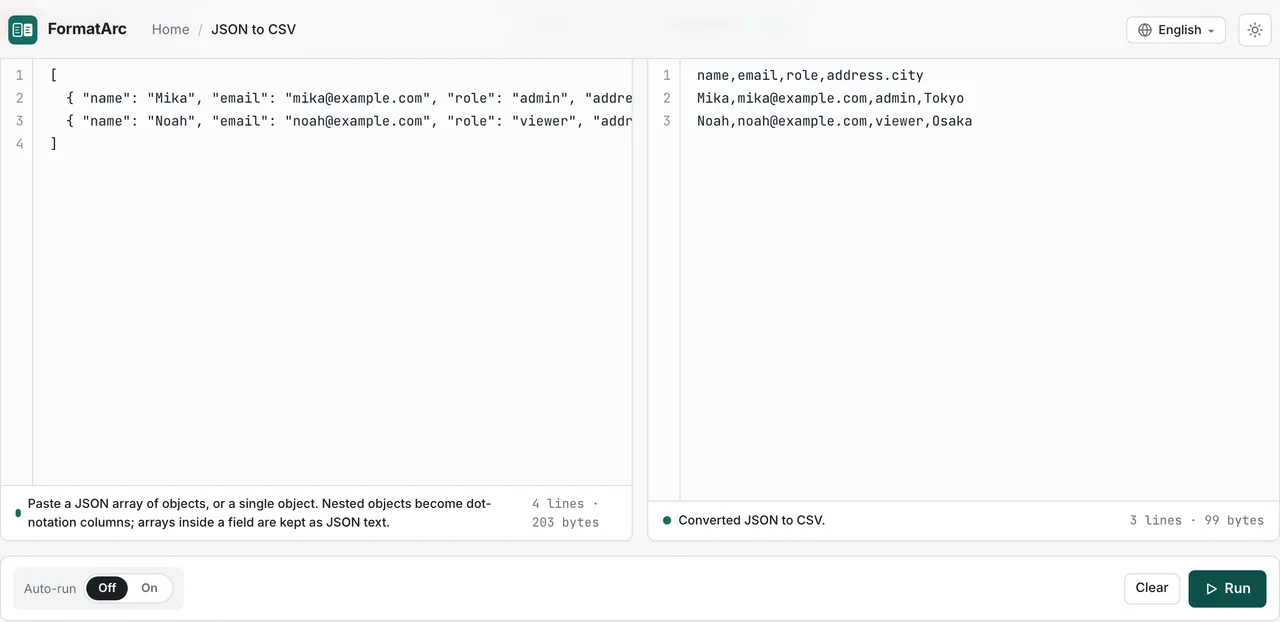
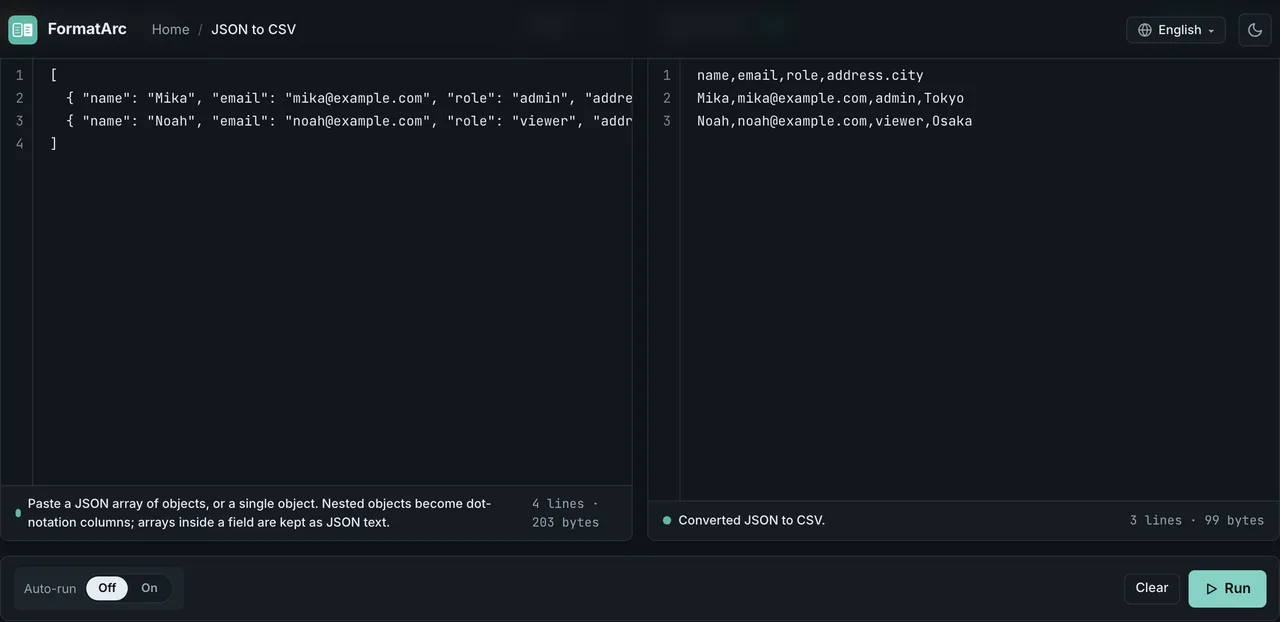
Open JSON to CSV, paste an array of objects, press Run. This input:
[
  { "name": "Mika", "email": "mika@example.com", "role": "admin", "address": { "city": "Tokyo" } },
  { "name": "Noah", "email": "noah@example.com", "role": "viewer", "address": { "city": "Osaka" } }
]
produces this CSV:
name,email,role,address.city
Mika,mika@example.com,admin,Tokyo
Noah,noah@example.com,viewer,Osaka
The conversion happens in the page itself. Your JSON is never sent to a server, which matters when the payload is a production API response with customer records in it — see Are online converters safe? for what that actually protects you from.
If the input is rejected, the error comes back with a line number, the same way JSON Formatter reports it. Fixing JSON parse errors covers the common causes.
The same JSON, four converters, four different answers
JSON is a tree. CSV is a rectangle. Every converter has to invent rules to squash one into the other, and those rules are not the same across tools. We pushed 15 inputs through four converters and recorded the exact output of each.
Environment (from results.json): Node v26.3.1 on macOS arm64, FormatArc lib/tooling.ts (PapaParse 5.5.2), json-2-csv 5.5.11, Miller 6.19.0, pandas 3.0.5. Every converter runs with default options — that is the point: this is what you get when you do not configure anything.
Where all four agree
Nested objects flatten to dot notation. Given {"name":"Mika","address":{"city":"Tokyo","zip":"150-0001"}}, all four emit:
name,address.city,address.zip
Mika,Tokyo,150-0001
Three levels behave the same way (meta.created.by.name). A single top-level object, not wrapped in an array, becomes a one-row CSV in all four. And values containing a comma, a double quote or a newline are quoted identically:
who,quote,note
"Smith, John","She said ""hi""","line1
line2"
That matches the quoting rules in RFC 4180Opens in a new tab section 2: fields containing line breaks, double quotes or commas are enclosed in double quotes, and an inner double quote is escaped by doubling it. One difference worth knowing if you diff files: FormatArc ends records with CRLF (the PapaParse default, which is what RFC 4180 specifies), while json-2-csv, Miller and pandas end them with LF.
Arrays split the field three ways
Input:
[{"name":"Mika","tags":["admin","billing"]},{"name":"Noah","tags":["viewer"]}]
| Converter | Output |
|---|---|
| FormatArc | name,tags / Mika,"[""admin"",""billing""]" / Noah,"[""viewer""]" |
| json-2-csv | identical to FormatArc |
| Miller | name,tags.1,tags.2 / Mika,admin,billing / Noah,viewer, |
| pandas | name,tags / Mika,"['admin', 'billing']" / Noah,['viewer'] |
Three genuinely different products. FormatArc and json-2-csv keep the array as valid JSON text inside one cell, so you can parse the cell later. Miller widens the table, which is convenient until a record has 40 tags and your column count explodes. pandas writes a Python repr with single quotes, which is not valid JSON and will bite you if anything downstream tries to JSON.parse that cell.
Arrays of objects behave the same way. {"order":"A-1","items":[{"sku":"X1","qty":2},{"sku":"X2","qty":1}]} becomes one cell of JSON text in FormatArc and json-2-csv, and items.1.sku, items.1.qty, items.2.sku, items.2.qty in Miller.
Missing keys: empty cell, the word "undefined", or a hard error
Real API responses have optional fields. Input:
[{"id":1,"name":"Mika"},{"id":2,"name":"Noah","nickname":"No"},{"id":3,"phone":"03-0000-0000"}]
FormatArc and pandas produce empty cells:
id,name,nickname,phone
1,Mika,,
2,Noah,No,
3,,,03-0000-0000
json-2-csv writes the literal string undefined into every gap:
id,name,nickname,phone
1,Mika,undefined,undefined
2,Noah,No,undefined
3,undefined,undefined,03-0000-0000
Miller refuses the file outright: mlr: CSV schema change: first keys "id,name"; current keys "id,phone". That is defensible behaviour for a streaming tool, but it means a single optional field can stop a pipeline that worked yesterday.
FormatArc takes the union of every key across every record, in first-seen order, so the column count is fixed before the first row is written. No row can shift.
null: an empty cell or the four letters n-u-l-l
[{"id":1,"deleted_at":null},{"id":2,"deleted_at":"2026-07-01"}]
FormatArc and pandas write an empty cell. json-2-csv and Miller write the text null. If you then load the CSV into a database, one group gives you a real NULL and the other gives you a four-character string that looks like one. This is the single most common source of "why does my WHERE clause not match" after a JSON to CSV round trip.
An empty object produces four different tables
[{"id":1,"meta":{}},{"id":2,"meta":{"source":"api"}}]:
| Converter | Output |
|---|---|
| FormatArc | id,meta,meta.source — the empty {} keeps a meta column that stays blank on every row |
| json-2-csv | same header, but writes the literal {} and a duplicated {"source":"api"} cell |
| Miller | error: CSV schema change: first keys "id,meta"; current keys "id,meta.source" |
| pandas | drops the meta column entirely: id,meta.source |
FormatArc's behaviour here is honest but not pretty: you get a stray empty column. If you see one, an empty object somewhere in the payload is the reason.
A literal dot in a key name silently overwrites a column
This one costs data, and three of the four converters lose it. Input:
[{"a.b":1,"a":{"b":2}}]
The record has two distinct values: the key literally named a.b holding 1, and the nested a.b path holding 2. FormatArc, Miller and pandas all emit:
a.b
2
The 1 is gone. Only json-2-csv distinguishes them, by escaping the literal key:
a\.b,a.b
1,2
If your JSON uses dotted key names — analytics events like page.view.count, MongoDB-ish documents, Prometheus-style labels — check for collisions before converting, or convert with json-2-csv.
Integers beyond 2^53 are rounded by JavaScript converters
[{"id":9007199254740993,"order_no":12345678901234567890}]
| Converter | Output |
|---|---|
| FormatArc | 9007199254740992,12345678901234567000 |
| json-2-csv | 9007199254740992,12345678901234567000 |
| Miller | 9007199254740993,12345678901234567890 |
| pandas | 9007199254740993,12345678901234567890 |
This is not a CSV problem and not a bug in either JavaScript tool: JSON.parse turns every number into a double, and doubles cannot represent every integer above 2^53. The value is already wrong before the CSV writer sees it. Snowflake IDs, Twitter/X IDs, some payment references and 64-bit database keys all land in this range. If your IDs are long, either quote them as strings in the JSON, or convert with Miller, pandas or jq, which keep the digits.
Broken input: an explicit error or a silent empty file
| Input | FormatArc | json-2-csv | Miller | pandas |
|---|---|---|---|---|
["a","b","c"] | error: "Every array element must be an object" | three blank lines, no error | exception | exception |
[] | error: "The JSON array is empty" | one blank line, no error | empty output, no error | empty output, no error |
An empty output with a zero exit code is the worst of the three outcomes, because a cron job will happily overwrite yesterday's good file with nothing.
What FormatArc's converter does, exactly
The rules below are the implementation, not a summary of one. They come from convertJsonToCsv in lib/tooling.ts and match the measurements above.
- The top level must be an array of objects, or a single object. A single object becomes a one-row CSV. An array of primitives, an empty array, and a bare string or number are all rejected with a message.
- Nested objects are flattened recursively into dot-notation columns:
address.city,meta.created.by.name. There is no depth limit. - Arrays are not expanded. The array is serialized with
JSON.stringifyand stored as JSON text in one cell, so["admin","billing"]stays parseable. - Columns are the union of every key across every record, in first-seen order. A key that only appears on the last record still gets a column, and every earlier row gets an empty cell for it. Rows cannot shift.
nullandundefinedbecome empty cells. An empty object{}also becomes an empty cell, and keeps its own column.- Quoting follows PapaParse's
unparse: fields with commas, quotes or newlines are quoted, inner quotes are doubled, records end with CRLF. - Invalid JSON is reported with a line number, using the same error path as JSON Formatter.
Nothing leaves the tab. There is no upload step and no temporary file on a server: the conversion is a function call inside the page you already loaded.
Shape by shape: what to do with each kind of JSON
A flat array of objects
Nothing to decide. Paste and run.
Records with nested objects
Dot notation is the default answer everywhere, and it is reversible by hand: address.city tells you exactly where the value came from. Two things to check first: key names that already contain a dot (see above), and whether the consumer of the CSV can cope with dots in headers — some SQL loaders need the header quoted, and Google Sheets is fine with it.
Records with an array of scalars
Pick one:
- Keep it as JSON text in one cell (FormatArc default). Best when the CSV is an intermediate file that a script will read back.
- Expand to
tags.1,tags.2with Miller. Best when the maximum length is small and fixed (acoordinatespair, an RGB triple). - Join with a separator before converting, when a human will read the column:
jq '.[] |= (.tags |= join(";"))' data.jsonand then convert. Use;rather than,so the cell does not need quoting.
Records with an array of objects (the hard one)
Decide what one CSV row means, before touching a converter.
- One row per parent (one row per order): keep the array as JSON text in one cell. FormatArc does this by default. The line items stay intact, and a script can parse the cell later.
- One row per child (one row per line item): this is a different table, not a different format. Use
pandas.json_normalize(data, record_path="items", meta=["order"]), which repeats the parent fields on every child row, orjqto reshape first. - Two files: convert the parent fields to
orders.csv, then extract the children withjq '[.[] | .order as $o | .items[] | {order:$o} + .]' data.jsonand convert that toitems.csv. This is the normalized answer, and the one to pick if the CSV is going into a database.
Widening the parent row into items.1.sku, items.2.sku, … (Miller's default) is the option to avoid for variable-length arrays: the column count is decided by whichever record happens to have the most children, so the schema changes every time the data changes.
Records with inconsistent keys
FormatArc and pandas handle this without configuration. Miller needs unsparsify, which fills the gaps instead of aborting:
mlr --ijson --ocsv unsparsify data.json
Or unify the records first with jq '[.[] | {id, name, nickname, phone}]', which forces every record to carry every key.
Opening the CSV in Excel or Sheets without breaking it
The converter is rarely what corrupts your data. The spreadsheet is.
- Encoding. CSV has no encoding field; RFC 4180Opens in a new tab only notes that character sets other than US-ASCII are used via the MIME
charsetparameter, which a local file does not carry. FormatArc downloads UTF-8 without a byte order mark. Excel on Windows may then read non-ASCII text as Windows-1252, so import through Data, From Text/CSV and choose UTF-8 rather than double-clicking the file. Google Sheets detects UTF-8 correctly. - Numbers longer than 15 digits. Excel's own specification lists number precision as 15 digitsOpens in a new tab; everything beyond that is replaced with zeros. Combined with the 2^53 rounding above, a long ID can be damaged twice. Import such columns as Text.
- Leading zeros.
007and03-0000-0000become7and a date unless the column is imported as Text. - Date-like strings. Values such as
2026-07-01, and worse, gene names and version numbers like1-2, are auto-converted. Import as Text, or prefix nothing and fix the column type in the import dialog. - Cells starting with
=,+,-or@. No converter in our matrix escapes them — all four wrote=1+1through unchanged. The spreadsheet decides whether to evaluate it, which is the basis of CSV injectionOpens in a new tab. If the CSV contains user-supplied text and someone else will open it, prefix those cells with a single quote or import the column as Text.
IMPORTDATA reads CSV or TSV, not JSON
Pointing =IMPORTDATA("https://api.example.com/data.json") at a JSON endpoint is a natural thing to try, and it returns an error or a single garbled cell instead of a table. Google's reference for the function says why: it "imports data at a given url in .csv (comma-separated value) or .tsv (tab-separated value) format" (IMPORTDATAOpens in a new tab) — JSON is not one of the two formats it reads, however well-formed the response is. Search the error and you will find guides that describe IMPORTDATA as able to pull in JSON directly; the function's own documentation does not support that.
The fix is the conversion this page already covers. Run the JSON through FormatArc's JSON to CSV or one of the command-line tools below, then paste the resulting CSV into the sheet or upload the downloaded .csv with File, Import. Host that CSV at a stable URL and IMPORTDATA reads it exactly as documented — it is the JSON response itself that the function cannot parse.
Comma, semicolon or tab: which delimiter the file gets
FormatArc always writes commas. The output goes through PapaParse's unparse with no options (convertJsonToCsv in lib/tooling.ts), so there is no delimiter setting, and RFC 4180Opens in a new tab names the comma as the separator.
That default holds until someone double-clicks the file. Microsoft states that when Excel saves a workbook as .csv, "the default list separator (delimiter) is a comma. You can change this to another separator character using Windows Region settings" (Import or export text filesOpens in a new tab). The same page adds that setting the decimal separator to a comma "forces Excel to use a semi-colon for the list separator" — which is the normal configuration across most of continental Europe and Latin America. On such a machine, a comma-separated file opened by double-click can land entirely in column A.
Two things work, and one does not.
- Import instead of double-clicking. Data, From Text/CSV, then pick Comma as the delimiter and UTF-8 as the encoding. This is the same import path the encoding note above already asks for, so it adds no step.
- Write a semicolon file with Miller when you are handing the CSV to someone who will double-click it. Measured on Miller 6.19.0, the build used in the comparison above,
mlr --ijson --ocsv --ofs ';' cat data.jsonturns the headera,bintoa;b. - Do not search-and-replace commas with semicolons. Every field that contained a comma is already quoted, and the replacement splits those fields in half.
When the browser is not the right place
Browser conversion is the fastest path for an API response you just pasted from curl. It is the wrong tool for a 2 GB export or for a step inside a nightly job.
The limit is not only size. The same convertJsonToCsv parses the whole input before it writes the first row, so the pasted text, the record array built from it and the finished CSV all sit in memory at once — there is no point at which part of the work is finished and released. A tab also cannot watch a folder, work through a batch of files unattended, or start on a schedule: every conversion needs someone present to paste or drop the input and copy the result before the page is closed. A step inside a script replaces that, whatever the size of any single file.
# Miller: flattens objects, expands arrays into indexed columns, streams
mlr --ijson --ocsv cat data.json > out.csv

# jq: you write the mapping explicitly, so nothing is guessed
jq -r '(.[0] | keys_unsorted), (.[] | [.[]]) | @csv' data.json > out.csv

# pandas: dot-notation flattening, plus one row per array element via record_path
python3 -c "import pandas,json,sys; print(pandas.json_normalize(json.load(open('data.json'))).to_csv(index=False))" > out.csv
These three are not interchangeable. json_normalize expands dictionaries into dotted columns but needs record_path before it will produce one row per array element. jq's @csv needs the data already shaped into arrays of scalars, and it will fail on a nested object rather than flatten it. Miller flattens objects and arrays by default with 1-based indices, and stops with a schema error on heterogeneous records, as measured above. Details are in the Miller flatten documentationOpens in a new tab, the jq manualOpens in a new tab and the pandas.json_normalize referenceOpens in a new tab.
For the reverse direction and its own set of traps — type inference, encodings, NDJSON output — see Convert CSV to JSON.
Converting back is not lossless
A round trip does not return the original document. Take the CSV from the first example back through CSV to JSON:
[
  {
    "name": "Mika",
    "email": "mika@example.com",
    "role": "admin",
    "address.city": "Tokyo"
  }
]
address.city comes back as a flat key with a dot in its name, not as a nested address object. Nothing re-nests dot notation automatically, because address.city is a perfectly legal key name in its own right and the converter cannot tell which one you meant — exactly the collision measured in case C13.
Treat JSON to CSV as a one-way export for spreadsheets and analysis, and keep the JSON as the source of truth. If you need the nested shape back, re-nest deliberately, for example with jq 'map(reduce (to_entries[]) as {$key,$value} ({}; setpath($key | split("."); $value)))', and check the result.
Frequently asked questions
Why is my CSV one column wide with JSON inside it?
The top level was a single object with one big array in it, like {"data":[...]}. Extract the array first — paste data's value on its own, or run jq '.data' response.json — then convert. FormatArc flattens the wrapper into columns like data rather than treating the array as the rows.
Can I get one row per element of a nested array?
Not with the browser converter, and that is deliberate: the row count would depend on the data, and the parent fields would be duplicated silently. Use pandas.json_normalize(data, record_path="items", meta=[...]) or reshape with jq first, as described above.
Why does a column contain [{"sku":"X1"...}] instead of values?
That is an array of objects preserved as JSON text in a single cell. It is intentional and reversible. See the hard one for the three ways to change it.
Does the converter change my numbers?
Only in the way JavaScript itself does: integers above 2^53 are rounded during parsing, as measured in case C14. Strings are untouched. If your IDs are longer than 15 digits, quote them in the JSON or use a non-JavaScript tool.
Is my data uploaded anywhere?
No. The conversion runs in the page, so the JSON never leaves the tab; there is no request that carries it. Are online converters safe? explains why that distinction matters and how to verify it yourself in the network panel.
What if my JSON is invalid?
You get a message with a line number rather than a broken CSV. Fixing JSON parse errors covers trailing commas, single quotes and the other usual suspects, and JSON formatting tips covers keeping it readable afterwards.
Which format should I keep as the original?
Whichever one carries the structure. CSV is a rectangle with no types: nesting, arrays and the difference between null and "" are all lost. Keep the JSON, and treat the CSV as a view of it. What is CSV? covers the format's limits in more detail.