YAML Syntax Guide: How to Write Valid YAML from Scratch
Learn how to write YAML from scratch — indentation rules, key-value pairs, lists, multi-line strings, anchors, comments, and the common mistakes that break config files.
What is YAML and where you will see it
YAML (YAML Ain't Markup Language) is a human-readable text format for structured data. It covers the same data model as JSON — strings, numbers, booleans, nulls, lists, and mappings — but the syntax is based on indentation instead of braces and brackets.
If you work with modern DevOps or cloud-native tools, you have already met YAML:
- Kubernetes manifests and Helm charts
- Docker Compose files
- GitHub Actions, GitLab CI, and CircleCI workflows
- Ansible playbooks
- OpenAPI specifications
- Static site generators (Hugo, Jekyll, Eleventy)
This guide walks through every part of the YAML syntax you will actually use, with examples and a list of the mistakes that catch beginners most often. If you want to compare YAML to JSON directly, see YAML vs JSON: Key Differences.
The three building blocks
Everything in a YAML file is one of three things:
- Scalar — a single value such as a string, number, boolean, or null
- Sequence — an ordered list of items
- Mapping — an unordered set of key-value pairs
You can nest these freely. A mapping can contain lists, a list can contain mappings, and both can contain other mappings or lists. That is all you need to represent any JSON-compatible structure.
Indentation rules
Indentation is how YAML expresses nesting. A few rules to internalize:
- Use spaces, never tabs — a literal tab character is a syntax error in most parsers
- Pick one indent size (2 spaces is the convention) and stay consistent
- All items at the same level must have the same indentation
- Indentation determines structure; there is no closing delimiter
Here is a simple valid example:
database:
  host: localhost
  port: 5432
  credentials:
    user: admin
    password: secret
database contains a mapping, which contains host, port, and credentials. credentials is a nested mapping. The two-space indent tells YAML exactly how the structure fits together.
Writing key-value pairs (mappings)
A mapping is written as key: value, with a space after the colon. The space is required — key:value is a single string, not a mapping.
name: Alice
age: 30
is_admin: true
bio: null
Keys are usually plain strings. They can contain spaces if quoted:
"full name": Alice Cooper
Values can be any YAML type: scalar, sequence, or another mapping.
Writing lists (sequences)
A sequence is a series of lines starting with - (a dash followed by a space).
fruits:
  - apple
  - banana
  - cherry
Lists can hold any type of value, including nested mappings:
users:
  - name: Alice
    role: admin
  - name: Bob
    role: editor
Each dash starts a new list item. The fields that follow belong to that item until another dash appears at the same indentation level.
An inline (flow) form also exists, which looks like JSON:
fruits: [apple, banana, cherry]
users: [{name: Alice, role: admin}, {name: Bob, role: editor}]
The flow form is handy for small lists but is harder to read once data grows. Stick with the block form for anything non-trivial.
Strings: when to quote
Most strings in YAML can be written without quotes.
greeting: Hello, world
You only need quotes when:
- The value would otherwise be parsed as a different type:
version: "1.0",country: "NO",postal_code: "07030" - The value starts with a special character such as
-,:,[,{,|,>,*,&,!,%,@ - The value contains a colon followed by a space (which would otherwise look like a mapping)
- You want to include escape sequences such as
\nor\t
YAML supports both single and double quotes. Double quotes interpret escape sequences; single quotes treat everything literally.
escaped: "line1\nline2"
literal: 'line1\nline2'
Multi-line strings
YAML has two operators for long text blocks.
The literal block (|) preserves newlines exactly as written:
description: |
  This is line one.
  This is line two.

  This is line four, after a blank line.
The folded scalar (>) replaces single newlines with spaces, which is useful for wrapping long paragraphs in the source file:
paragraph: >
  This long sentence is split across
  multiple lines in the source, but YAML
  will fold it into a single line.
You can append a chomping indicator (- or +) to strip or keep trailing newlines:
|-strips the final newline|+keeps all trailing blank lines>-folds and strips the final newline
Numbers, booleans, null, and dates
YAML infers types from unquoted values.
integer: 42
float: 3.14
negative: -7
boolean_true: true
boolean_false: false
null_value: null
tilde_null: ~
date: 2026-04-13
timestamp: 2026-04-13T09:30:00Z
Any of these can be forced to a string by quoting:
version_string: "1.0"    # not the number 1.0
zip_code: "07030"        # not the number 7030
Be aware that YAML 1.1 still accepts yes, no, on, and off as booleans. If you hit this, quote the value.
Comments
Comments start with # and run to the end of the line. They can occupy a line on their own or follow a value.
# Maximum number of retries for upstream requests
retries: 3  # Any higher and we exceed the upstream timeout
Comments are one of YAML's biggest wins over JSON for configuration files — use them to explain why a setting exists, not what it is. Converting to JSON will drop every comment, so keep the YAML file as your source of truth.
Anchors and aliases for reuse
YAML lets you define a value once with &anchor and reference it elsewhere with *alias. The <<: merge key pulls a mapping in as a set of defaults.
defaults: &defaults
  adapter: postgres
  host: db.internal
  pool: 5

development:
  <<: *defaults
  database: myapp_dev

production:
  <<: *defaults
  database: myapp_prod
  pool: 20
production starts from defaults and then overrides pool. This is a clean way to share configuration between environments without copy-pasting.
Multi-document files
A single YAML file can contain several documents separated by ---.
---
kind: Service
name: web
---
kind: Deployment
name: web
replicas: 3
This is the same format Kubernetes uses when you concatenate several manifests. JSON has no equivalent — converting a multi-document YAML to JSON forces you to either pick one document or wrap them in an outer array.
Common mistakes and how to catch them
These are the YAML mistakes that trip up almost everyone at some point.
- Tabs instead of spaces — a hidden tab character breaks parsing with a confusing error
- Missing space after the colon —
key:valueis one string, not a mapping - Inconsistent indentation — items at the same level must share the same indent
- Booleans from unquoted
NO,OFF,YES,ON— the "Norway problem" - Colons in unquoted values —
time: 10:30might parse as a sexagesimal number - Mixing block and flow syntax in ways the parser does not expect
- Duplicate keys in the same mapping — behavior is implementation-defined
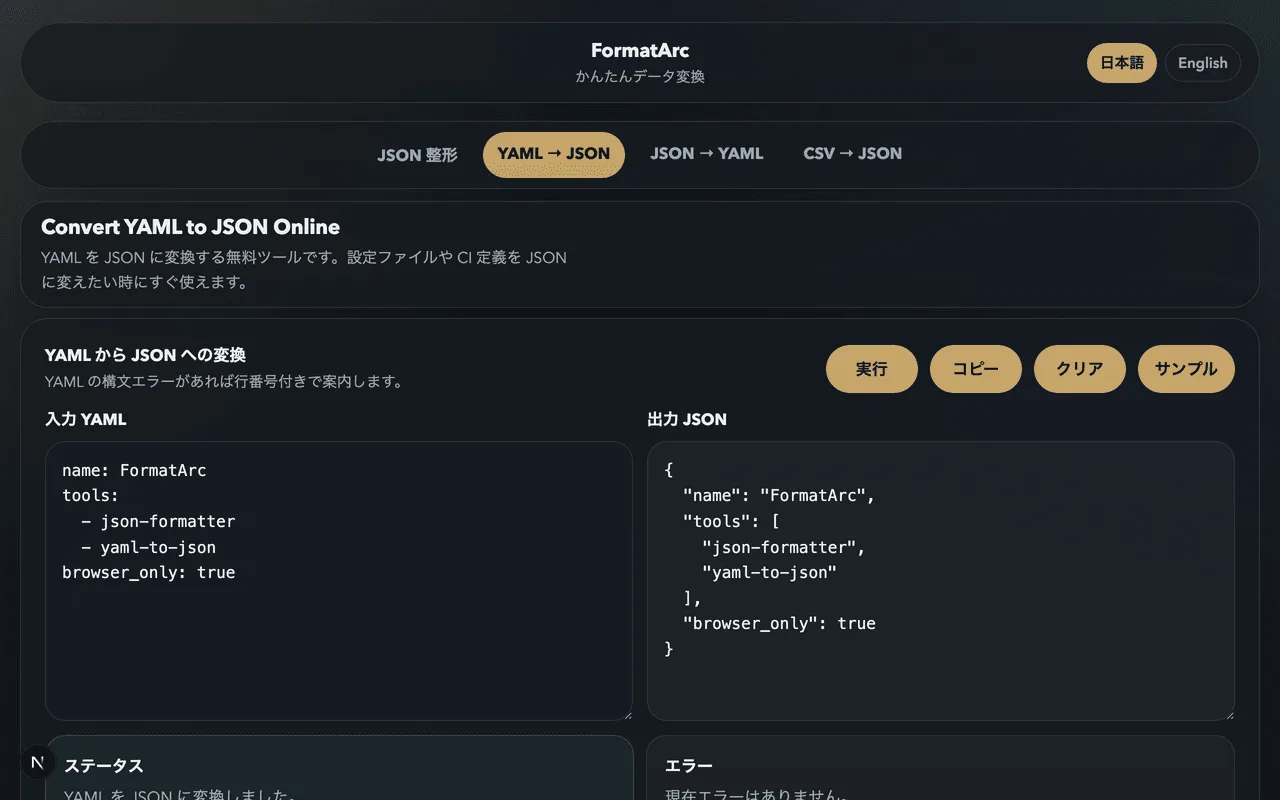
The fastest way to catch these is to let a parser read the file. You can do that without installing anything by pasting your YAML into FormatArc's YAML to JSON converter. If the file is valid, you will see the JSON equivalent immediately. If it is not, the error message includes the line number so you can jump to the problem.
Validate your YAML in the browser with FormatArc
FormatArc's browser-only tools work well as a quick YAML linter:
- YAML to JSON → — paste YAML, see JSON output, and get line-numbered errors when something is wrong
- JSON to YAML → — starting from JSON and want to see the YAML equivalent? Use this to learn the mapping between the two formats
- JSON Formatter → — pretty-print the JSON that comes out of your YAML
Everything runs in the browser. Nothing leaves your machine, so you can safely paste internal config files or secrets while you are debugging.
Frequently asked questions
Can I use tabs for indentation in YAML?
No. The YAML spec requires spaces, and a literal tab character will produce a syntax error in most parsers. Configure your editor to insert two spaces when you press Tab in a .yml or .yaml file.
What is the difference between .yml and .yaml?
None. Both extensions are treated identically by every YAML parser. The official spec recommends .yaml, but .yml is common and fully supported.
Do I always need quotes around strings?
No. YAML lets you write most strings without quotes. Add quotes only when the value would otherwise be parsed as a different type, or when it starts with a special character such as -, :, [, {, |, or >.
Why does version: 1.0 become 1?
YAML parses 1.0 as a floating-point number, and some tools later serialize the float as 1. To keep it as a string, quote it: version: "1.0".
How many spaces should I use for indentation?
Two is the convention used by Kubernetes, Docker Compose, GitHub Actions, and most examples you will see online. Four is fine as long as you are consistent inside a single file.
How do I validate a YAML file without installing anything?
Paste it into FormatArc's YAML to JSON converter. If the YAML is valid, you will see the JSON output immediately. If it is not, the error message includes the line number so you can fix the problem fast.
Can I write multiple YAML documents in one file?
Yes. Separate them with a line containing just ---. This is how Kubernetes manifests are typically bundled. A single YAML file can hold as many documents as you want.
Related reading
- What is YAML? — the high-level introduction if you are new to the format
- YAML vs JSON: Key Differences — compare YAML and JSON side-by-side
- How to Convert YAML to JSON — step-by-step conversion guide
- JSON Syntax Guide — the JSON equivalent of this article
- How to Add Comments to JSON — the workaround when you cannot use YAML
Summary
- YAML uses indentation, not braces, to express structure
- Spaces only — never tabs, and be consistent
- Quote strings only when they would be misinterpreted
- Use comments, multi-line strings, and anchors to make config files readable
- Validate your YAML fast by pasting it into FormatArc's YAML to JSON tool