How to Pretty-Print JSON from curl — jq, Python & Browser Tools
Learn how to format JSON responses from curl using jq, Python json.tool, formatarc CLI, and browser tools. One-line commands to make API output readable.
Why curl output is hard to read
When you hit an API with curl, the JSON response comes back as a single line.
curl -s https://api.example.com/users/1
{"id":1,"name":"Tanaka","email":"tanaka@example.com","address":{"city":"Tokyo","zip":"100-0001"},"roles":["admin","editor"]}
No line breaks, no indentation. As nesting increases, this becomes impossible to scan. Here are four ways to turn that wall of text into readable JSON.
Pretty-print with jq
jq is the most popular command-line JSON processor.
Installing jq
# macOS
brew install jq

# Ubuntu / Debian
sudo apt install jq

# Windows (Chocolatey)
choco install jq
Basic usage
Pipe curl output into jq with a dot filter.
curl -s https://api.example.com/users/1 | jq .
{
  "id": 1,
  "name": "Tanaka",
  "email": "tanaka@example.com",
  "address": {
    "city": "Tokyo",
    "zip": "100-0001"
  },
  "roles": [
    "admin",
    "editor"
  ]
}
The -s flag silences curl's progress bar so only JSON reaches jq.
Useful filters
jq does more than pretty-printing. It can extract specific fields from the response.
Extract a single key:
curl -s https://api.example.com/users/1 | jq '.name'
"Tanaka"
Access nested keys with dot notation:
curl -s https://api.example.com/users/1 | jq '.address.city'
"Tokyo"
Pull a field from every element in an array:
curl -s https://api.example.com/users | jq '.[].name'
"Tanaka"
"Suzuki"
"Sato"
Filter elements by condition with select:
curl -s https://api.example.com/users | jq '.[] | select(.roles[] == "admin")'
Pretty-print with Python json.tool
If Python is already installed, you don't need any extra tools. The standard library includes json.tool.
curl -s https://api.example.com/users/1 | python3 -m json.tool
{
    "id": 1,
    "name": "Tanaka",
    "email": "tanaka@example.com",
    "address": {
        "city": "Tokyo",
        "zip": "100-0001"
    },
    "roles": [
        "admin",
        "editor"
    ]
}
It doesn't have jq's filtering capabilities, but for quick formatting it does the job. On systems with Python 2 only, use python instead of python3.
Pretty-print with formatarc CLI
Installation and usage
formatarc runs instantly via npx with no installation required.
curl -s https://api.example.com/users/1 | npx formatarc json-format
{
  "id": 1,
  "name": "Tanaka",
  "email": "tanaka@example.com",
  "address": {
    "city": "Tokyo",
    "zip": "100-0001"
  },
  "roles": [
    "admin",
    "editor"
  ]
}
For frequent use, install it globally to skip the npx startup time.
npm install -g formatarc
curl -s https://api.example.com/users/1 | formatarc json-format
Pipe to YAML or CSV
formatarc can also convert the JSON output to YAML or CSV in the same pipeline.
curl -s https://api.example.com/users/1 | npx formatarc json-to-yaml
id: 1
name: Tanaka
email: tanaka@example.com
address:
  city: Tokyo
  zip: "100-0001"
roles:
  - admin
  - editor
See the formatarc CLI guide for the full list of commands and options.
Format in the browser
Using FormatArc JSON Formatter
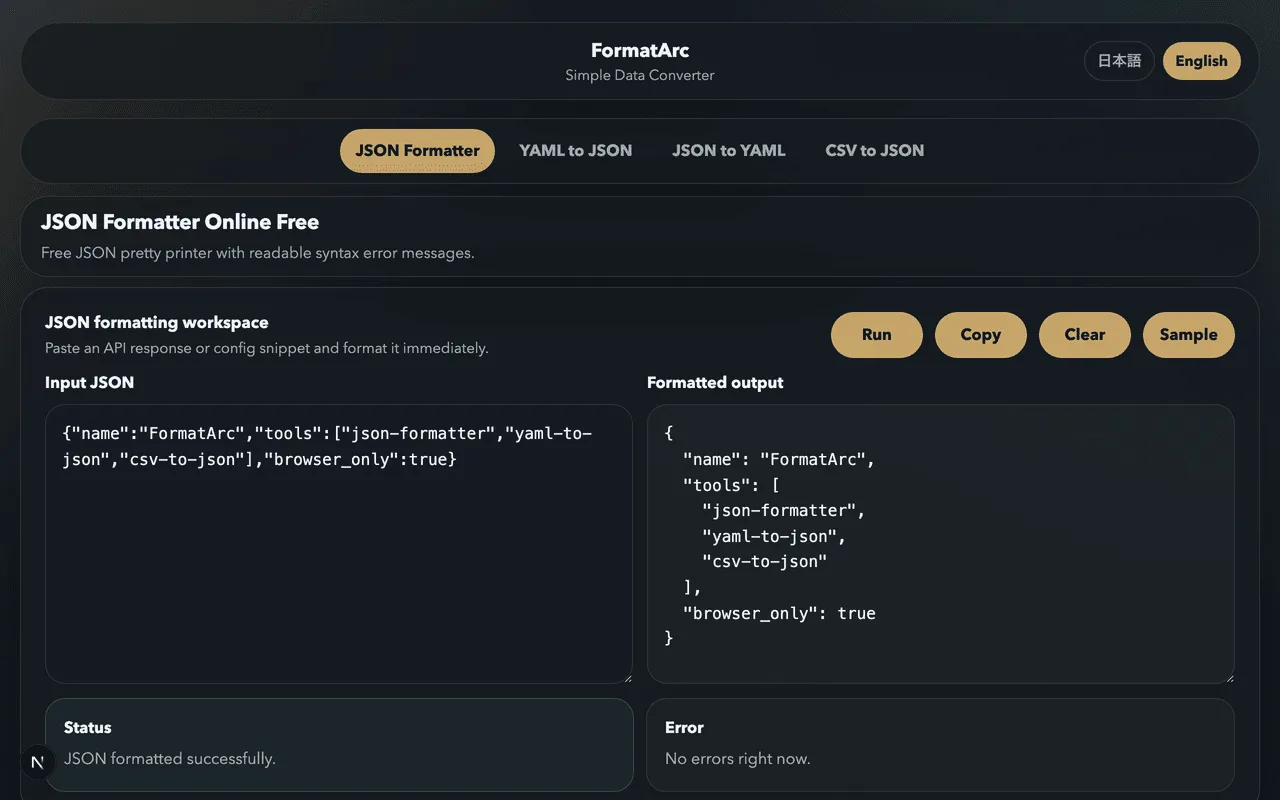
If you prefer not to use the command line, copy the curl output and paste it into JSON Formatter.
- Copy the curl response
- Open FormatArc JSON Formatter
- Paste into the left text area
- Click "Format"
The formatted result can be copied or converted to YAML / CSV directly from the tool.
Handling parse errors
If the JSON contains syntax errors, formatting will fail. Common causes and fixes are covered in How to Fix JSON Parse Errors.
Which method to choose
| Method | Installation | Filtering | Best for |
|---|---|---|---|
| jq | Required | Powerful | Developers who work with APIs daily |
| Python json.tool | None (needs Python) | None | Quick formatting without extra tools |
| formatarc CLI | npx (instant) | None (conversion only) | When you also need YAML/CSV conversion |
| Browser (FormatArc) | None | None | Non-CLI users or one-off formatting |
Using jq for everyday work and adding formatarc CLI when you need format conversion is an efficient combination.
Related articles
Summary
This article covered four ways to pretty-print JSON from curl: jq, Python's json.tool, formatarc CLI, and browser-based tools. jq is the most capable option with its filtering features. Python's json.tool requires no installation on most systems. formatarc CLI adds YAML and CSV conversion to the pipeline. For a visual approach, try FormatArc JSON Formatter.