What is YAML? A Practical Introduction
Learn what YAML is, how its indentation-based syntax works, and where it's used in tools like Kubernetes and GitHub Actions.
YAML is one of those formats that you might use every day without ever sitting down to learn properly. You copy a GitHub Actions workflow from a blog post, tweak a Docker Compose file, or edit a Kubernetes manifest, and it mostly works. Until it does not, and you spend twenty minutes figuring out that you used a tab instead of spaces.
This guide covers what YAML actually is, how its syntax works, and where you are likely to encounter it.
What YAML stands for
YAML originally stood for "Yet Another Markup Language," but it was later rebranded as the recursive acronym "YAML Ain't Markup Language." The renaming reflects the format's purpose: YAML is meant for data serialization, not document markup. It is not trying to do what HTML or XML does.
The format was first proposed in 2001 by Clark Evans, and it has gone through several spec revisions since then. The current widely-used version is YAML 1.2, which was designed to be a superset of JSON. That means any valid JSON document is technically valid YAML too, though nobody writes YAML that way in practice.
What YAML looks like
Here is a simple YAML document:
name: Alice
age: 30
isStudent: false
Compare that to the JSON equivalent:
{
  "name": "Alice",
  "age": 30,
  "isStudent": false
}
YAML drops the curly braces, the double quotes around keys, and the commas. It uses indentation to show structure instead. For many people, this makes YAML easier to read at a glance, especially for configuration files that humans edit frequently.
Indentation rules
This is where YAML earns its reputation for being fussy. The rules are straightforward, but the consequences of breaking them are not always obvious.
Spaces only, no tabs
YAML requires spaces for indentation. Tabs are not allowed. Most editors can be configured to insert spaces when you press Tab, but if your editor is not set up that way, you will get parse errors that can be hard to diagnose.
Consistent indentation depth
You choose how many spaces to indent — two spaces is the most common convention — but you must be consistent within a given block. Mixing two-space and four-space indentation in the same nesting level will break things.
# This is fine
server:
  host: localhost
  port: 8080

# This will cause problems
server:
  host: localhost
    port: 8080    # wrong — different indent level than host
Nesting shows hierarchy
Indentation defines parent-child relationships. Everything indented under a key belongs to that key.
database:
  primary:
    host: db-primary.example.com
    port: 5432
  replica:
    host: db-replica.example.com
    port: 5432
This is equivalent to nested objects in JSON. The primary and replica keys are children of database, and each has its own host and port.
Data types
YAML infers types from values. You do not need to declare them, but you do need to know what YAML will interpret your values as.
Strings
Most values that are not obviously something else get treated as strings. You can quote them, but you often do not need to.
city: Tokyo
greeting: "Hello, world"
path: '/usr/local/bin'
Quoting is required when your value contains characters that YAML would otherwise interpret as syntax, like colons, hashes, or leading special characters.
# Without quotes, this breaks
message: "Note: this needs quotes"
selector: "#main-content"
Numbers
Integers and floats are recognized automatically.
count: 42
ratio: 3.14
hex: 0xFF
Booleans
Here is one of YAML's more surprising behaviors. All of these are interpreted as booleans:
a: true
b: false
c: yes
d: no
e: on
f: off
The yes/no and on/off aliases catch people off guard regularly. If you have a field where "yes" or "no" should be a string — say, a country code like NO for Norway — you need to quote it.
country: "NO" # string, not boolean false
YAML 1.2 tightened this up and only recognizes true and false, but many parsers still support the older behavior for backward compatibility.
Null
value: null
also_null: ~
and_this:
All three of these represent null. An empty value (just the key with nothing after the colon) is also null.
Arrays
Arrays use a dash followed by a space:
colors:
  - red
  - green
  - blue
You can also write arrays inline using square brackets, which looks just like JSON:
colors: [red, green, blue]
Objects
Objects are just indented key-value pairs, as shown throughout this guide. Inline syntax uses curly braces:
point: {x: 10, y: 20}
Comments
This is one of YAML's genuine advantages over JSON. You can add comments with #.
# Database configuration
database:
  host: localhost    # override in production
  port: 5432
  name: myapp
Comments are ignored by the parser. They are invaluable in configuration files where you need to explain why a particular value is set, or leave notes for the next person who edits the file.
JSON has no comment syntax at all, which is one of the main reasons people prefer YAML for configuration. For a full comparison of the two formats, see YAML vs JSON: choosing the right format.
Multi-line strings
YAML has two special indicators for multi-line strings, and they behave differently.
Literal block ( | )
Preserves newlines exactly as written:
description: |
  This is line one.
  This is line two.
  This is line three.
The resulting string contains the newlines between each line.
Folded block ( > )
Folds newlines into spaces, creating a single long line:
description: >
  This is a long paragraph
  that will be joined into
  a single line.
The result is "This is a long paragraph that will be joined into a single line." — useful for long descriptions that you want to wrap in your YAML file for readability.
Anchors and aliases
YAML has a feature for reusing values. You define an anchor with & and reference it with *.
defaults: &default_settings
  timeout: 30
  retries: 3

production:
  <<: *default_settings
  timeout: 60

staging:
  <<: *default_settings
The << merge key copies all values from the anchor, and you can override individual keys. This reduces duplication in large configuration files, though it can make the file harder to follow if overused.
Where YAML is used
Kubernetes
Kubernetes is probably the single biggest driver of YAML usage today. Every Kubernetes resource — pods, deployments, services, configmaps — is defined in YAML.
apiVersion: apps/v1
kind: Deployment
metadata:
  name: nginx
spec:
  replicas: 3
  selector:
    matchLabels:
      app: nginx
  template:
    metadata:
      labels:
        app: nginx
    spec:
      containers:
        - name: nginx
          image: nginx:1.25
          ports:
            - containerPort: 80
These manifests can get long, and small indentation errors can cause confusing deployment failures. Many teams validate their YAML before applying it.
GitHub Actions
GitHub Actions workflows live in .github/workflows/ and are written in YAML.
name: CI
on: [push, pull_request]
jobs:
  test:
    runs-on: ubuntu-latest
    steps:
      - uses: actions/checkout@v4
      - run: npm install
      - run: npm test
Docker Compose
Docker Compose uses YAML to define multi-container applications.
services:
  web:
    image: nginx
    ports:
      - "80:80"
  db:
    image: postgres:16
    environment:
      POSTGRES_PASSWORD: secret
Other tools
Ansible playbooks, Helm charts, CloudFormation templates, Swagger/OpenAPI specs, Jekyll and Hugo site configs — YAML is the go-to format for tools that need human-editable configuration.
Common mistakes
Using tabs
The most common YAML error. Your file looks perfectly indented in your editor, but the parser rejects it because there are tab characters hidden in the whitespace. Configure your editor to show invisible characters if you are debugging a mysterious YAML error.
Unquoted special strings
Values like yes, no, on, off, null, and ~ get interpreted as booleans or null. Timestamps like 2026-03-20 get parsed as date objects in some parsers. When in doubt, quote your strings.
Inconsistent indentation
Mixing two-space and four-space indentation, or accidentally indenting a key one space too many, produces errors that can be hard to locate in a large file.
Forgetting the space after a colon
key:value is not the same as key: value. The space after the colon is required.
Converting between YAML and JSON
Since YAML 1.2 is a superset of JSON, conversion between the two is straightforward. Every YAML document can be represented as JSON, though you lose comments and multi-line string formatting in the process.
Converting is useful when you need to feed YAML configuration into a tool that expects JSON, or when you want to validate the structure of your YAML by looking at it in a more explicit format.
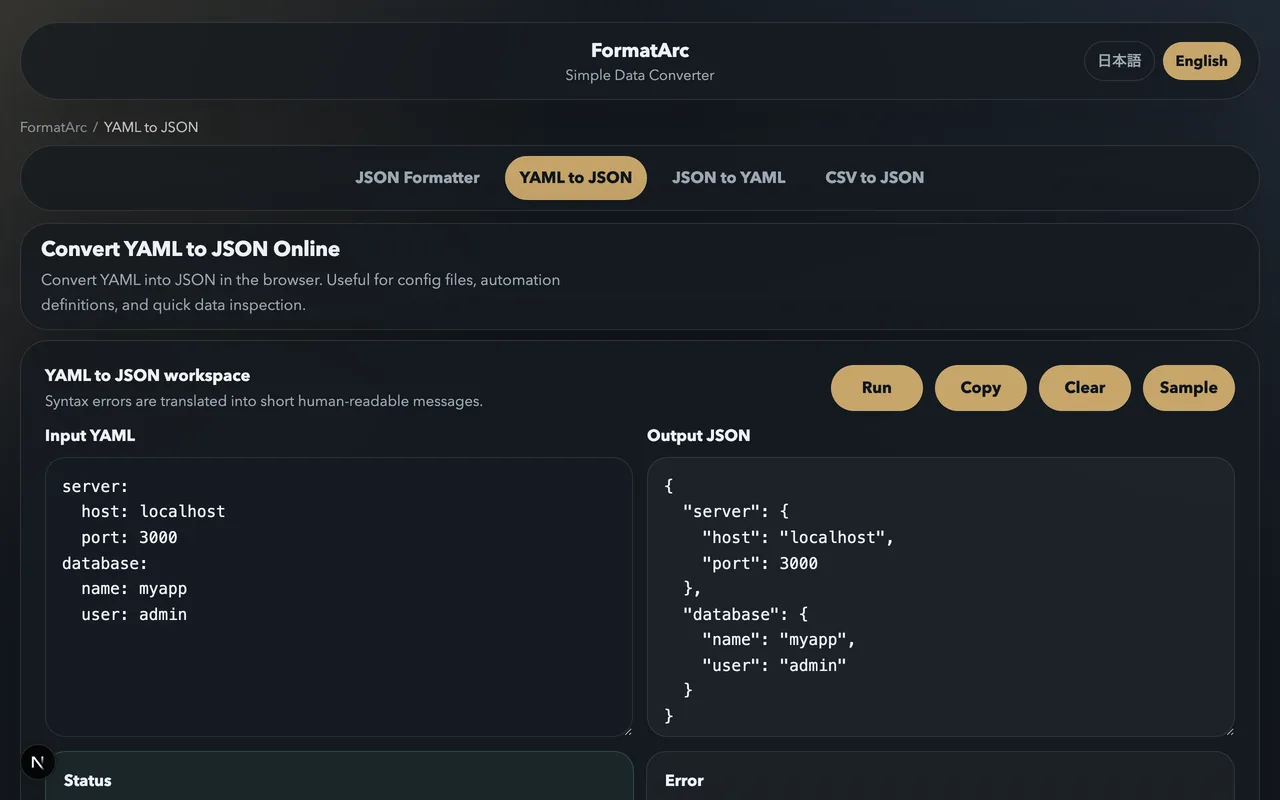
You can convert YAML to JSON instantly using the YAML to JSON tool. Paste in your YAML, and you get clean JSON output. For a step-by-step walkthrough, see How to convert YAML to JSON.
Wrapping up
YAML's appeal comes from its readability. For configuration files that humans edit regularly, the lack of braces and quotes makes a real difference. The tradeoff is that indentation errors can be subtle and that some of YAML's type inference rules are surprising.
If you are working with YAML regularly, it is worth spending an hour learning the rules properly rather than copy-pasting and hoping for the best. Understanding indentation, quoting rules, and type coercion will save you from the majority of YAML-related headaches.
For a head-to-head comparison of YAML and JSON, including when to use each one, read YAML vs JSON: choosing the right format.