How to Use the FormatArc Chrome Extension — JSON / YAML / CSV Converter
Learn how to use the FormatArc Chrome extension to format JSON, convert YAML and CSV right from your browser toolbar. Popup conversion, right-click formatting, and more.
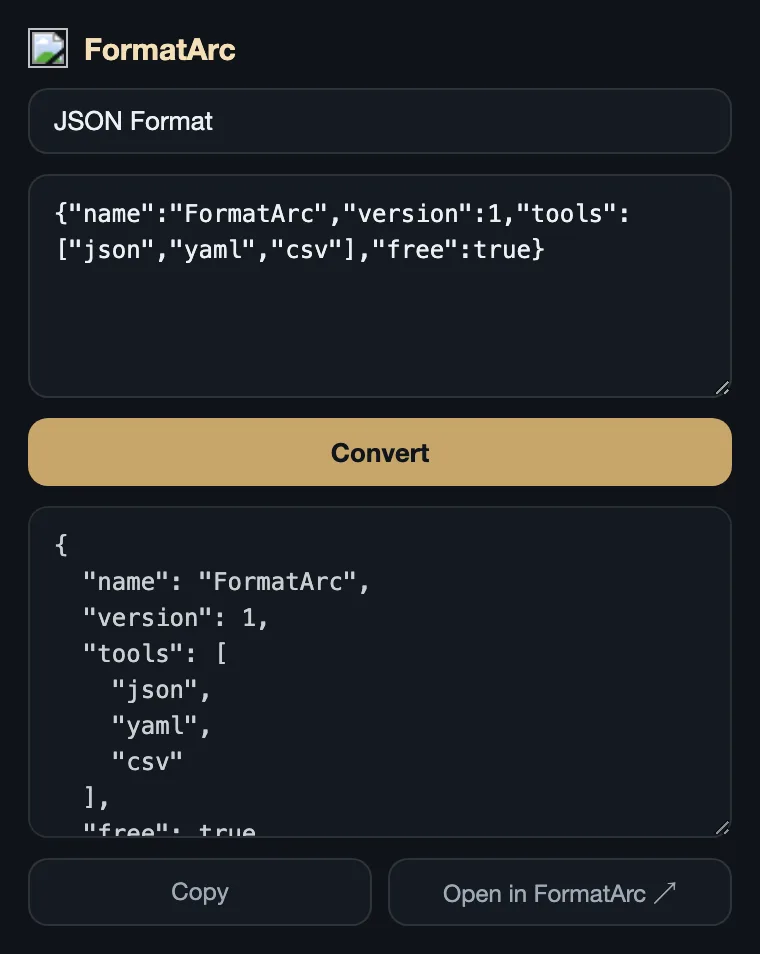
The FormatArc Chrome extension lets you format JSON, convert YAML, and transform CSV right from your browser toolbar. All processing happens locally in your browser — no data is ever sent to an external server.
This article covers how to install the extension and three ways to use it.
Installation
Visit the FormatArc page on the Chrome Web Store and click "Add to Chrome." No login or extra setup required.
Once installed, the FormatArc icon appears in your browser toolbar.
Usage 1: Convert in the popup
Click the FormatArc icon in the toolbar to open the popup.
- Select a tool from the dropdown (JSON Format / YAML → JSON / JSON → YAML / CSV → JSON)
- Paste your data into the top text area
- Click the "Convert" button
- The result appears in the bottom text area
Click "Copy" to copy the result to your clipboard.
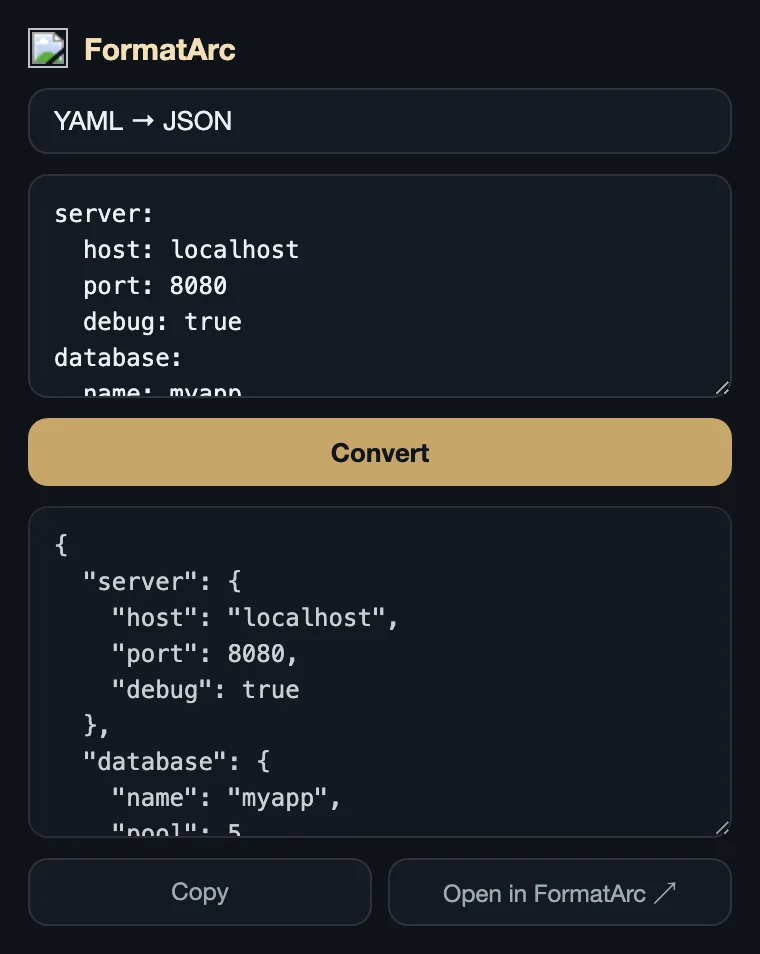
YAML to JSON conversion works the same way. Just select "YAML → JSON" from the dropdown and paste your YAML.
Usage 2: Right-click to format JSON
Select any text on a web page, right-click, and choose "Format as JSON (FormatArc)" from the context menu.
- Highlight JSON text on a page
- Right-click → "Format as JSON (FormatArc)"
- The formatted JSON is automatically copied to your clipboard
- A toast notification appears in the bottom-right corner
This is handy when you spot JSON in API docs or browser DevTools and want to format it quickly.
Usage 3: Open in the web version
Click "Open in FormatArc ↗" at the bottom of the popup to open the corresponding tool on the FormatArc website.
The web version is better suited for large files or when you want more space to review the output.
Supported tools
| Tool | Description |
|---|---|
| JSON Format | Pretty-print and validate JSON |
| YAML → JSON | Convert YAML to JSON |
| JSON → YAML | Convert JSON to YAML |
| CSV → JSON | Convert CSV to JSON |
Summary
- Click the toolbar icon to open the popup and convert data
- Right-click selected text to format it as JSON
- All data is processed locally — nothing is sent to any server
- Uses the same conversion engine as the web version
The web version of each tool is available here:
- JSON Formatter — Format and validate JSON
- YAML to JSON — Convert YAML to JSON
- JSON to YAML — Convert JSON to YAML
- CSV to JSON — Convert CSV to JSON