What is CSV? Understanding Comma-Separated Values
A practical guide to the CSV format covering structure, header rows, quoting rules, and when to convert CSV to JSON.
CSV is the oldest and simplest data format still in heavy use today. It predates JSON by decades, predates XML, and has outlasted countless "better" alternatives. The reason is obvious: it is just text with commas. Any spreadsheet app can open it, any programming language can parse it, and any human can read it in a pinch.
But simplicity comes with quirks. CSV has no official standard that everyone follows, no built-in way to represent nested data, and some edge cases around quoting that trip people up regularly. This guide covers what you need to know.
What CSV looks like
At its simplest, a CSV file is rows of values separated by commas, with each row on its own line:
name,age,city
Alice,30,Tokyo
Bob,25,London
Charlie,35,New York
The first row is typically a header row that names each column. The remaining rows are data. That is the entire format.
If you have ever exported data from Excel, Google Sheets, a database, or an analytics tool, you have probably generated a CSV file. It is the universal lowest-common-denominator format for tabular data.
The header row
The header row is a convention, not a requirement. There is nothing in the CSV format itself that says the first row must contain column names. But in practice, nearly every CSV file you encounter will have one.
product_id,product_name,price,in_stock
1001,Widget A,9.99,true
1002,Widget B,14.50,true
1003,Widget C,7.25,false
When a program reads this file, it uses the header row to associate each value with its column name. Without the header, you would just have a grid of values with no labels, and the consuming code would need to know the column order in advance.
Quoting rules
This is where CSV gets interesting. What happens when a value itself contains a comma?
name,description,price
"Deluxe Widget","Large, heavy-duty model",29.99
You wrap the value in double quotes. The quotes tell the parser that the comma inside "Large, heavy-duty model" is part of the value, not a field separator.
What about values that contain double quotes?
You escape them by doubling the quote character:
name,quote
"Alice","She said ""hello"" to Bob"
The parsed value of the second field is: She said "hello" to Bob
What about newlines inside a value?
Also handled by quoting:
name,address
"Alice","123 Main St
Apartment 4B
Tokyo"
The address field spans three lines, but the double quotes keep it as a single value. This is valid CSV, though not every parser handles it correctly.
The general rule
A field needs to be quoted if it contains:
- A comma
- A double quote
- A newline character
Some CSV writers quote every field regardless, which is safe but produces slightly larger files. Others only quote fields that need it.
Delimiters and variants
Despite the name "Comma-Separated Values," not all CSV files use commas. Common variants include:
- TSV (Tab-Separated Values) — uses tabs instead of commas. Common in bioinformatics and some database exports.
- Semicolon-separated — common in European countries where the comma is used as a decimal separator. If you open a CSV from a German Excel installation, you might find semicolons.
- Pipe-separated — uses
|as the delimiter. Less common but shows up in legacy systems.
Most CSV parsers let you specify the delimiter, so the differences are usually easy to handle. The term "CSV" is often used loosely to refer to all of these variants.
What CSV cannot do
Understanding CSV's limitations helps you know when to use a different format.
No data types
Every value in a CSV file is a string. The number 42, the boolean true, and the text "hello" are all just character sequences. The consuming application decides how to interpret them.
This means that:
007might lose its leading zeros if a spreadsheet interprets it as a numbertrueandfalseare just strings unless the reader converts them- Dates like
2026-03-20have no standard representation — is it March 20 or the 20th of March? It depends on the locale and the reader.
No nesting
CSV is flat. You cannot represent a list of items within a single cell, or an object with sub-properties. If your data has a hierarchical structure, CSV forces you to flatten it.
For example, a user with multiple email addresses does not fit naturally into CSV:
name,email
Alice,alice@work.com
Alice,alice@personal.com
You either duplicate the row or cram multiple values into one field with some ad-hoc separator like a semicolon. Neither approach is clean. JSON handles this naturally with arrays, which is one reason people convert CSV to JSON when the data needs more structure. For an introduction to how JSON handles these cases, see What is JSON.
No metadata
CSV has no way to include metadata like encoding information, schema definitions, or version numbers. If you need to know what character encoding a CSV file uses (UTF-8? Latin-1? Shift-JIS?), you have to guess or check externally.
No standard spec (sort of)
RFC 4180 describes a common format for CSV, but it is an informational RFC, not a standard. Different tools produce slightly different CSV, and parsers need to be flexible. The good news is that the variations are usually minor.
CSV and spreadsheets
CSV is the bridge between spreadsheets and everything else. Nearly every spreadsheet application supports CSV import and export:
- Excel: File > Save As > CSV
- Google Sheets: File > Download > Comma-separated values
- LibreOffice Calc: Same pattern
This makes CSV the go-to format when you need to get data out of a spreadsheet and into a program, or when a non-technical team member needs to provide data in a format that code can consume.
The workflow usually looks like this:
- Someone maintains data in a spreadsheet
- They export it as CSV
- A program reads the CSV and converts it to whatever format the application needs
Step 3 often means converting to JSON, especially if the data will be consumed by a web application or API.
When to convert CSV to JSON
There are several practical scenarios where converting CSV to JSON makes sense.
API integration
If you have data in a spreadsheet that needs to be sent to a REST API, the API almost certainly expects JSON. Converting the CSV export to JSON is the obvious bridge.
Configuration and structured data
When flat tabular data needs to become structured — for example, turning a flat list of products with category columns into a nested JSON structure grouped by category — conversion is the first step.
Frontend applications
Web and mobile applications work with JSON natively through JavaScript. Loading a CSV into a frontend app requires a parsing step, while JSON can be used directly.
Data analysis
Tools like Jupyter notebooks and data pipelines sometimes accept JSON more readily than CSV, especially when the data has mixed types or optional fields.
Converting CSV to JSON
The conversion from CSV to JSON is conceptually simple: each row becomes a JSON object, with the header values as keys.
Starting from this CSV:
name,age,city
Alice,30,Tokyo
Bob,25,London
You get this JSON:
[
  {
    "name": "Alice",
    "age": "30",
    "city": "Tokyo"
  },
  {
    "name": "Bob",
    "age": "25",
    "city": "London"
  }
]
Notice that age is still a string ("30" not 30). Since CSV has no type information, the converter does not know whether 30 should be a number or a string. Some converters offer options to infer types, but the default is usually strings.
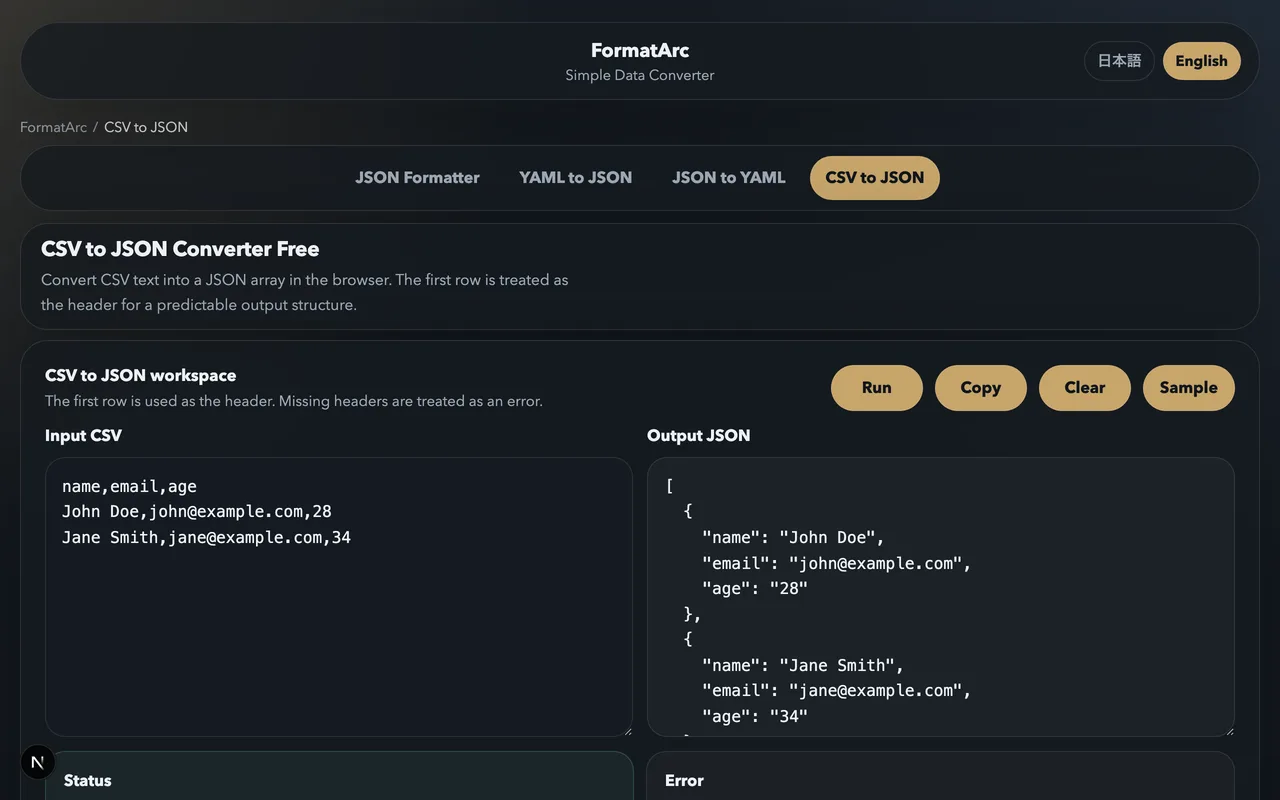
You can do this conversion instantly with the CSV to JSON tool. Paste your CSV, get JSON back. For a detailed walkthrough including handling of edge cases, see How to convert CSV to JSON.
Tips for working with CSV
Always check the encoding
If you see garbled characters after opening a CSV file, it is almost certainly an encoding issue. Try opening the file as UTF-8. If that does not work, the file might be in a legacy encoding like Shift-JIS (common for Japanese CSV files) or Latin-1.
Watch out for Excel's auto-formatting
Excel loves to "help" by converting things that look like numbers or dates. A product code like 001234 becomes 1234. A value like 1-2 becomes a date. If you are working with CSV data that will be opened in Excel, be aware that the data might get silently modified.
Use a proper parser
Writing your own CSV parser by splitting on commas is tempting but fragile. It breaks on quoted fields, newlines in values, and escaped quotes. Use a library — every language has one. Python has the csv module, JavaScript has PapaParse, and so on.
Validate before processing
If you receive CSV files from external sources, validate them before assuming the structure is correct. Check that the number of columns is consistent across rows, that expected headers are present, and that required fields are not empty.
Wrapping up
CSV has survived for decades because it does one thing well: represent tabular data in the simplest possible way. It is not going anywhere. But when your data outgrows flat tables — when you need nesting, types, or structure — converting to JSON is usually the right move.
Understanding both formats and when to switch between them is a practical skill that comes up regularly in data work, web development, and system integration. If you work with CSV data that needs to become JSON, the CSV to JSON tool handles the conversion without any setup.