JSON Formatting Basics and How to Fix Common Errors
Learn the essentials of JSON formatting and how to quickly diagnose and fix the most common syntax errors developers run into.
What is JSON formatting?
JSON (JavaScript Object Notation) is one of the most widely used data formats. You see it in API responses, configuration files, and data exchanges between services.
However, minified JSON is hard for humans to read, so pretty-printing it to reveal the structure is a routine task for developers.
Common JSON syntax errors
1. Trailing commas
{
  "name": "example",
  "value": 42,
}
A comma after the last property is invalid JSON. JavaScript allows it, but the JSON specification does not.
2. Single quotes
{'name': 'example'}
JSON requires double quotes ". Single quotes ' are not valid.
3. Unquoted keys
{name: "example"}
Every key in JSON must be wrapped in double quotes.
Format JSON in your browser
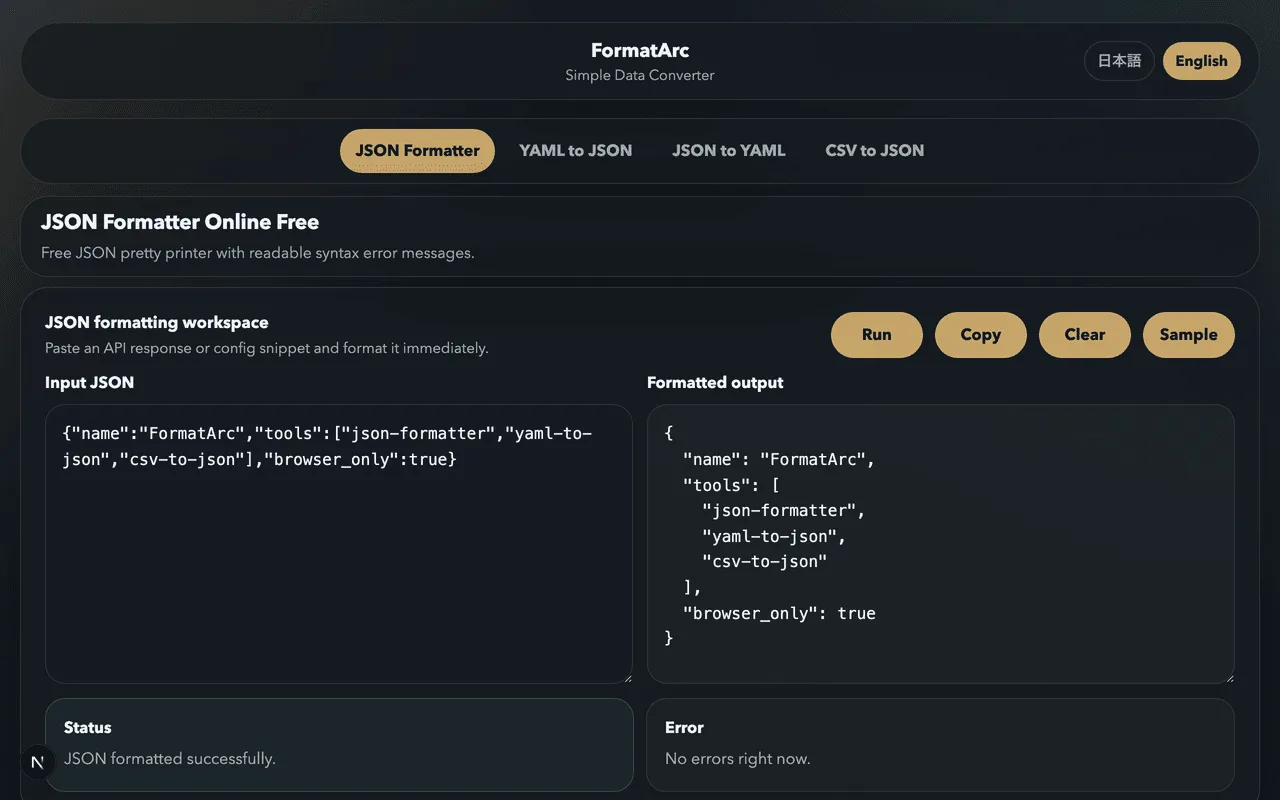
FormatArc's JSON Formatter lets you pretty-print JSON entirely in the browser. Your data is never sent to a server, making it safe for API payloads and internal configs.
How to use it
- Paste your JSON into the input area
- Click "Run"
- Copy the formatted output
Three simple steps to clean, readable JSON.
Summary
- JSON formatting is an everyday task in development and operations
- The most common errors are trailing commas, single quotes, and unquoted keys
- FormatArc formats JSON safely in the browser with no server involved